
Keep costs next to the invoices they belong to
An expense in Invoice Ninja is any cost your business has incurred — software, travel, materials, a contractor invoice. Logging it here means your profit and loss can include what you spend, and costs you pass on to a client are ready to invoice without retyping them.
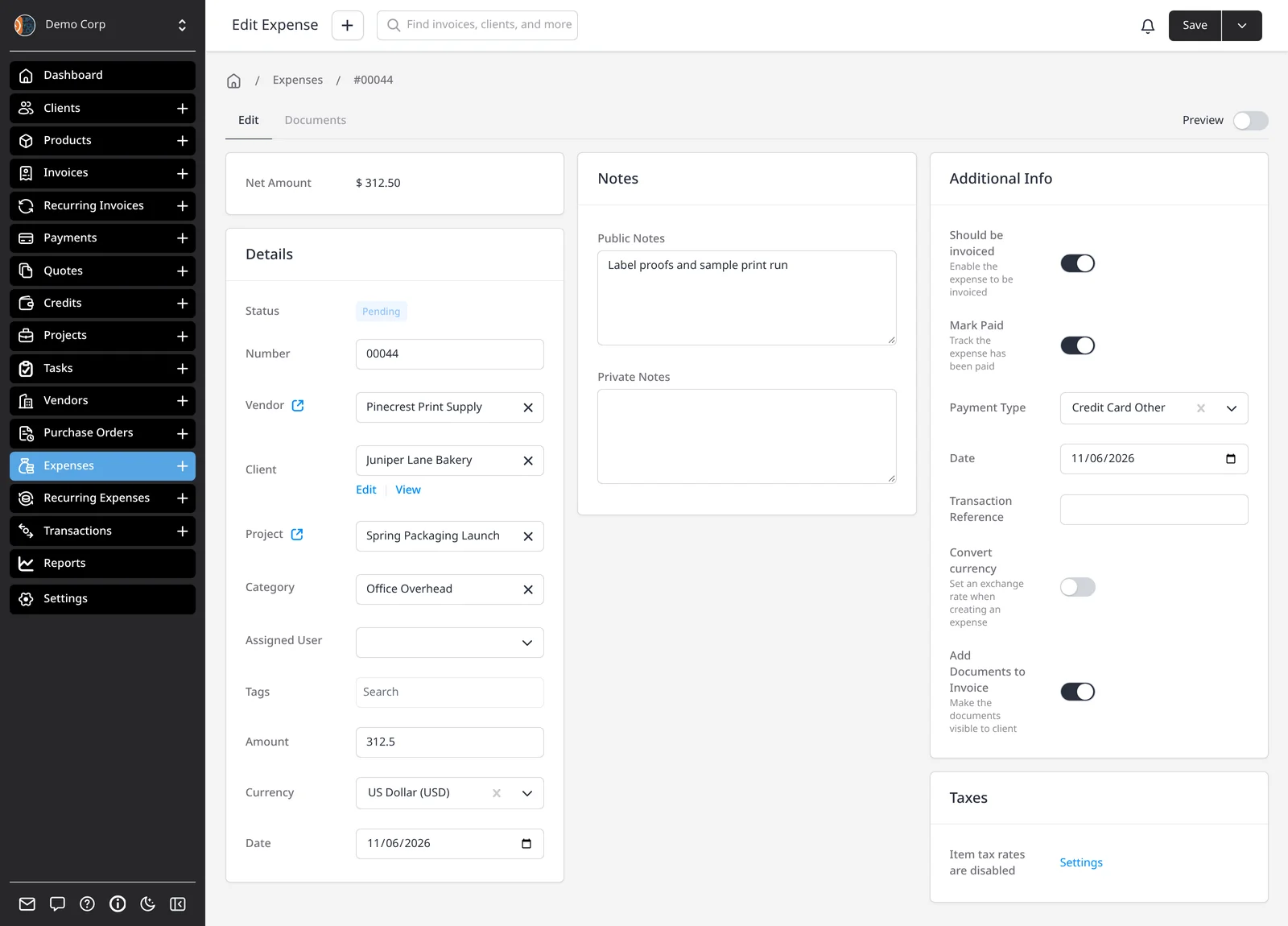
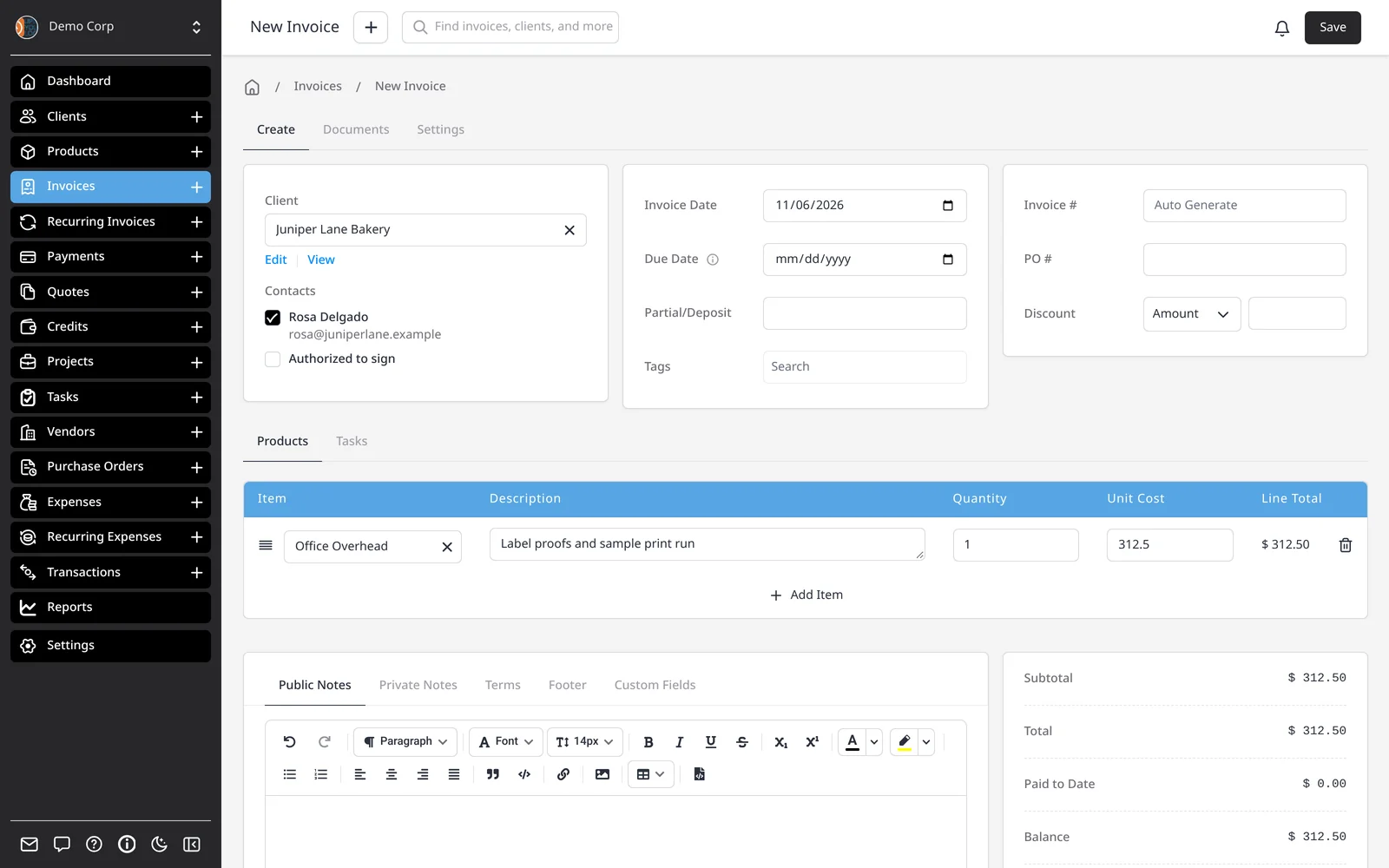
At a minimum you need an amount. For the record to be useful later, add a vendor (who you paid), a category (what kind of cost it was) and, if it belongs to a job, a client or project. Linking a client doesn’t bill them — it just connects the record, so Invoice Expense can pre-fill the invoice. Categories are set under Settings → Expense Settings, and they’re what a profit and loss report groups by.
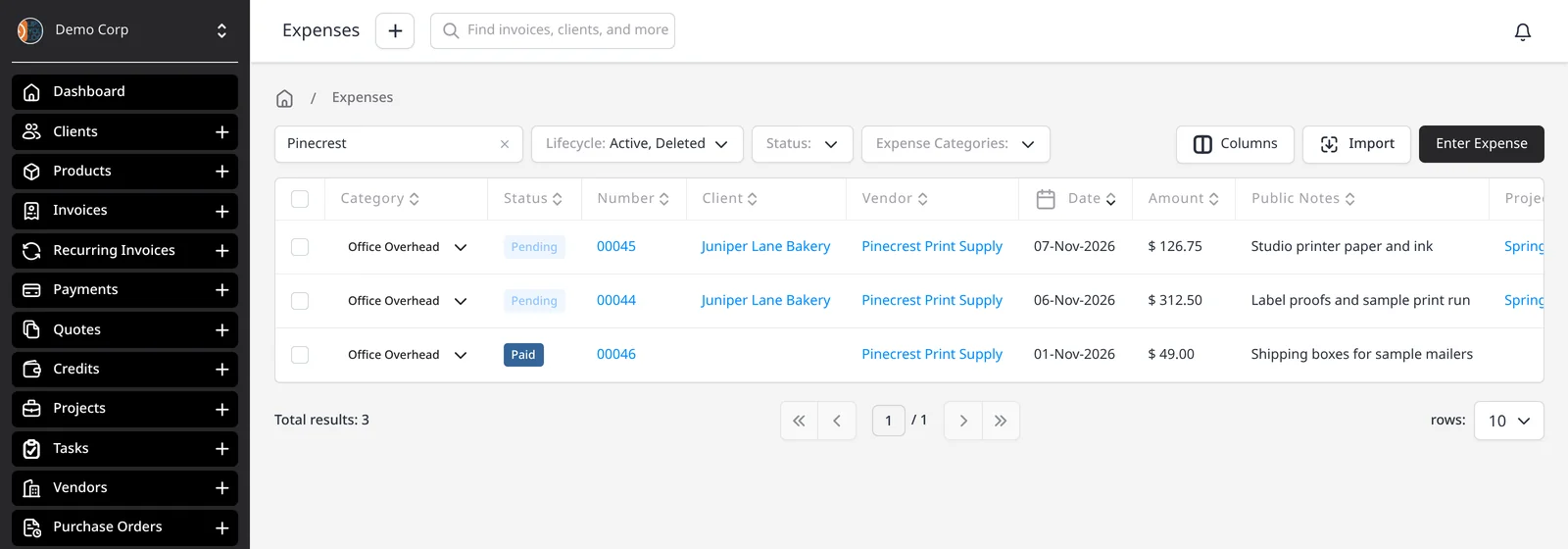
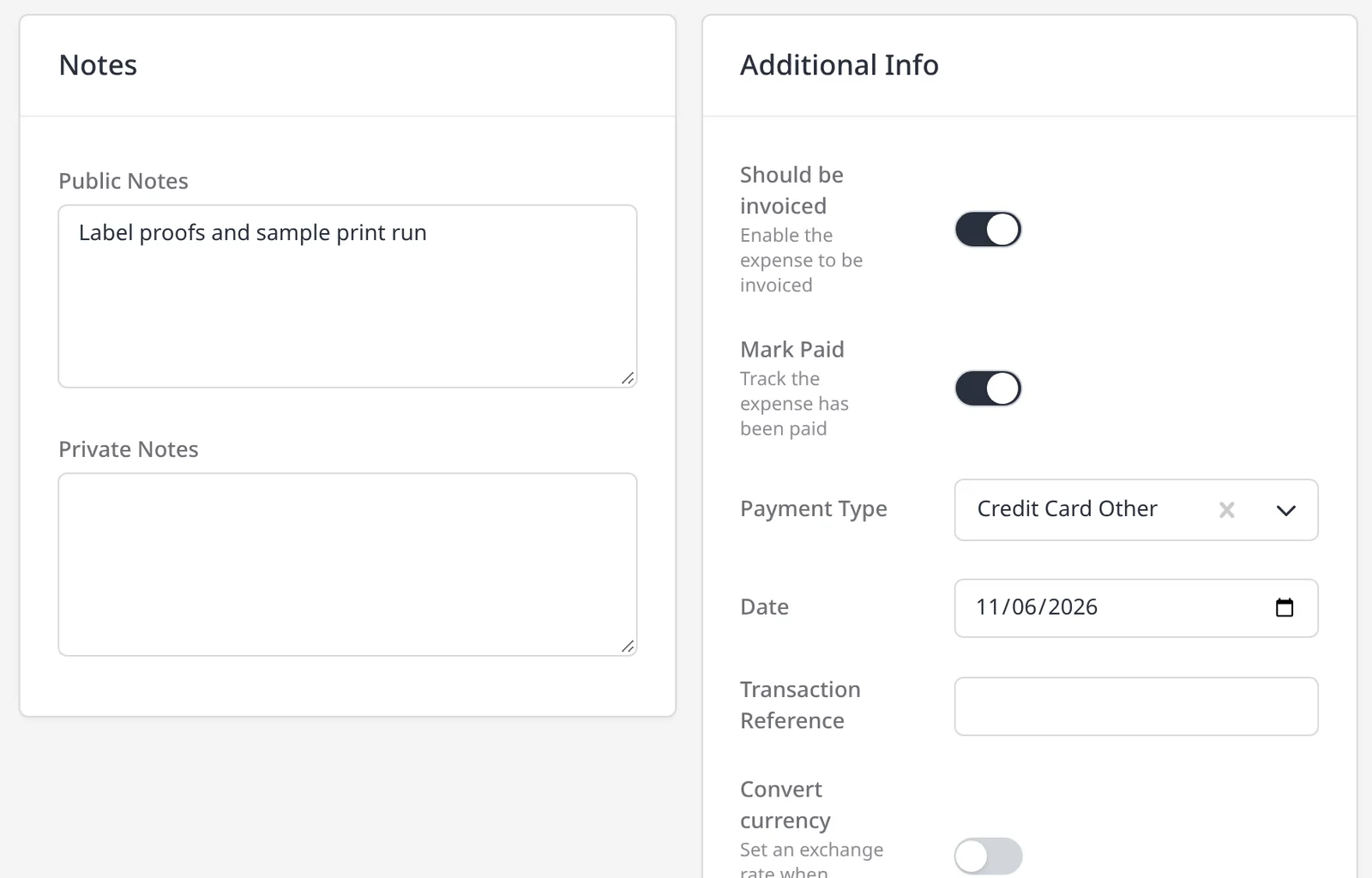
Should be invoiced is the billable flag. The expense moves to Pending and waits until you choose Invoice Expense or Add to Invoice. Mark Paid is separate: it records that you paid the vendor, with a payment type, date and reference. The expenses list shows statuses such as Logged, Pending, Paid and Invoiced. You can store receipts on the expense’s Documents tab.
Recurring expenses handle rent, hosting and other costs that land on a schedule. Expense tracking is included on every plan, including Free. This page is about logging, categorizing and billing back those costs. Vendors, purchase orders and bank sync have their own feature pages, and the broader expenses page covers that set together.
What you can do
- Log expenses with vendor, category, amount and date
- Link a client or project without billing them yet
- Mark an expense paid (you paid the vendor) or billable
- Add billable expenses to a new or existing invoice in one click
- Store receipts on the expense, and set up recurring expenses for regular costs
Who it’s for
Freelancers and small businesses who want costs, vendors and client invoices in one place — especially if some of those costs need to be billed back.