
REST API Access

Use a full REST API to create and manage invoices, clients, payments and more from your own systems. API access is included on Pro and Enterprise.

  • Pro & Enterprise
  • Token authentication
  • HTTPS only
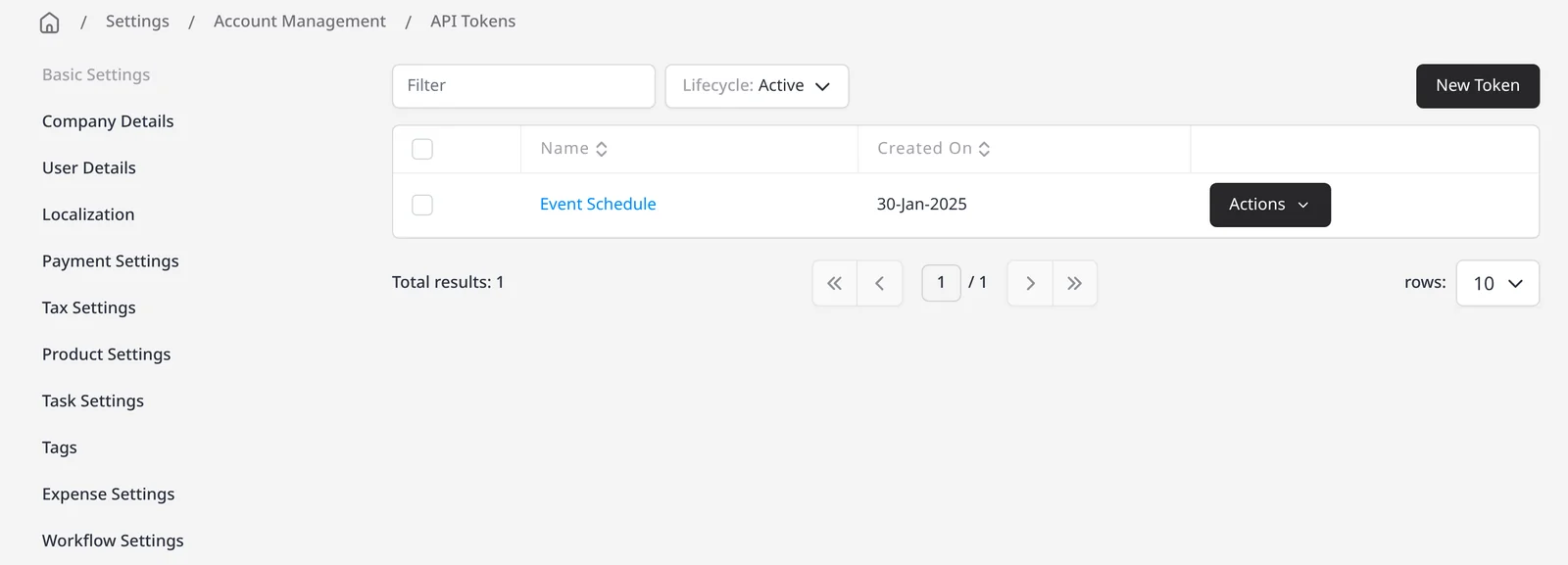
Invoice Ninja API Tokens list under Integrations settings

How it works

From API token to your first request

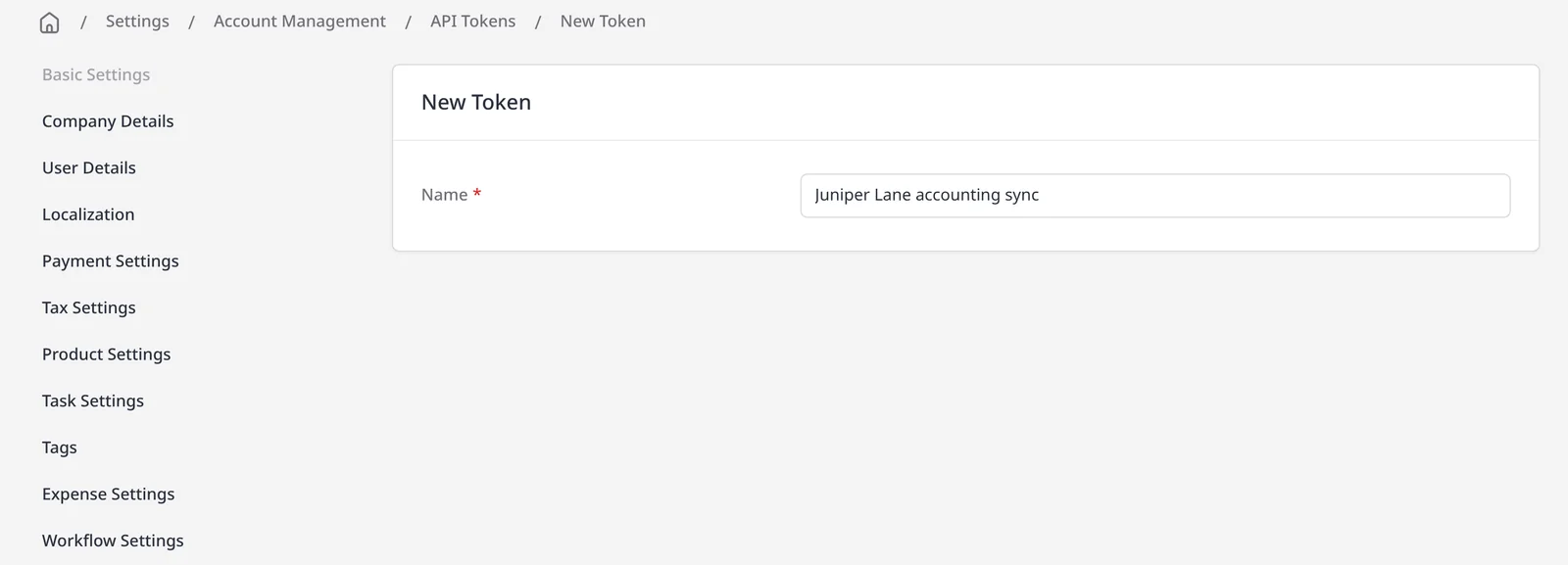
  1. New API token form in Invoice Ninja Integrations settings

    Create an API token

    On Pro or Enterprise, go to Settings β†’ Account Management β†’ Integrations β†’ API Tokens and create a token.

  2. Call the API over HTTPS

    Send requests to the v1 API with your token in the X-API-TOKEN header, plus X-Requested-With: XMLHttpRequest.

  3. Create or update a record

    Use the documented endpoints to create a client or invoice, mark one sent, or attach a payment, then build from there.

A REST API for the same work you do in the app

Invoice Ninja’s REST API lets you create, read, update and delete the same records you already use in the app: clients, invoices, quotes, payments, expenses and more. It is the same API that powers the web, mobile and desktop apps. API access is included on Pro ($14/mo) and Enterprise (from $18/mo).

Create a token under Settings β†’ Account Management β†’ Integrations β†’ API Tokens. All requests must use HTTPS. Authenticate with the X-API-TOKEN header, and send X-Requested-With: XMLHttpRequest on every call. The API base URL is https://invoicing.co, with paths under /api/v1/. You can chain query parameters on some endpoints, for example, to send an invoice email or mark it paid when you create or update it.

The full endpoint list, request formats and examples live in the Invoice Ninja API reference. You can also add API webhooks in the same Integrations settings to notify another system when something changes. If you prefer a no-code path, Zapier, Make, n8n, Integrately, Pabbly and other API-based integrations are also included on Pro and Enterprise.

What you can do

  • Create and manage clients, invoices, quotes, payments and other records from your own software
  • Authenticate with an API token over HTTPS
  • Send or mark an invoice in the same request, using documented query parameters
  • Set up API webhooks so other systems can react to events
  • Read the full official API reference for endpoints and examples

Who it’s for

Developers and teams who want Invoice Ninja to talk directly to an internal system, a custom app, or a workflow that Zapier or Make cannot cover.

What you can do

  • API tokens Pro

    Create and manage tokens under Settings β†’ Account Management β†’ Integrations.

  • Invoices, clients and more Pro

    Work with the same records the app uses, through documented REST endpoints.

  • Chained actions Pro

    Send, mark sent, or mark paid in the same request, where the docs list those parameters.

  • API webhooks Pro

    Notify another system when something changes, from the same Integrations settings.

  • Official API docs

Tip: Create a token under Settings β†’ Account Management β†’ Integrations β†’ API Tokens. Calls must use HTTPS, X-API-TOKEN, and X-Requested-With: XMLHttpRequest.

Common questions

Is the REST API included on the free plan?

No. REST API access is included on Pro ($14/mo) and Enterprise (from $18/mo). Any integration that needs API access, including Zapier, Make, n8n, Integrately and Pabbly, also requires Pro or Enterprise. The free plan does not include the API.

Where do I get an API key?

In Invoice Ninja, go to Settings β†’ Account Management β†’ Integrations β†’ API Tokens and create a token. Use it in the X-API-TOKEN header on every request.

What base URL should I call?

The production base URL is https://invoicing.co, with endpoints under /api/v1/. All requests must be made over HTTPS.

Which headers are required?

X-API-TOKEN is required for authentication. X-Requested-With must be set to XMLHttpRequest. POST and PUT requests also need a JSON content type. See the API reference for details.

Is the API documentation public?

Yes. The official Invoice Ninja API reference covers authentication, endpoints, request formats and examples. This page is an overview; the reference is the full guide.

Can I use Zapier instead of the API?

Yes, if a no-code workflow is enough. Zapier, Make, n8n, Integrately and Pabbly are also included on Pro and Enterprise. Use the API when you need a direct integration with your own software.

Ready to send your first invoice?

Join 200,000+ businesses invoicing with Invoice Ninja. Free to start, no credit card required.