
Stripe, PayPal & More

Connect Stripe, PayPal, Square and other gateways so clients can pay from the invoice โ€” without leaving the client portal.

  • Included on every plan
  • Stripe, PayPal & more
  • Pay from the invoice
Stripe, PayPal & More in Invoice Ninja

How it works

From connected gateway to paid invoice

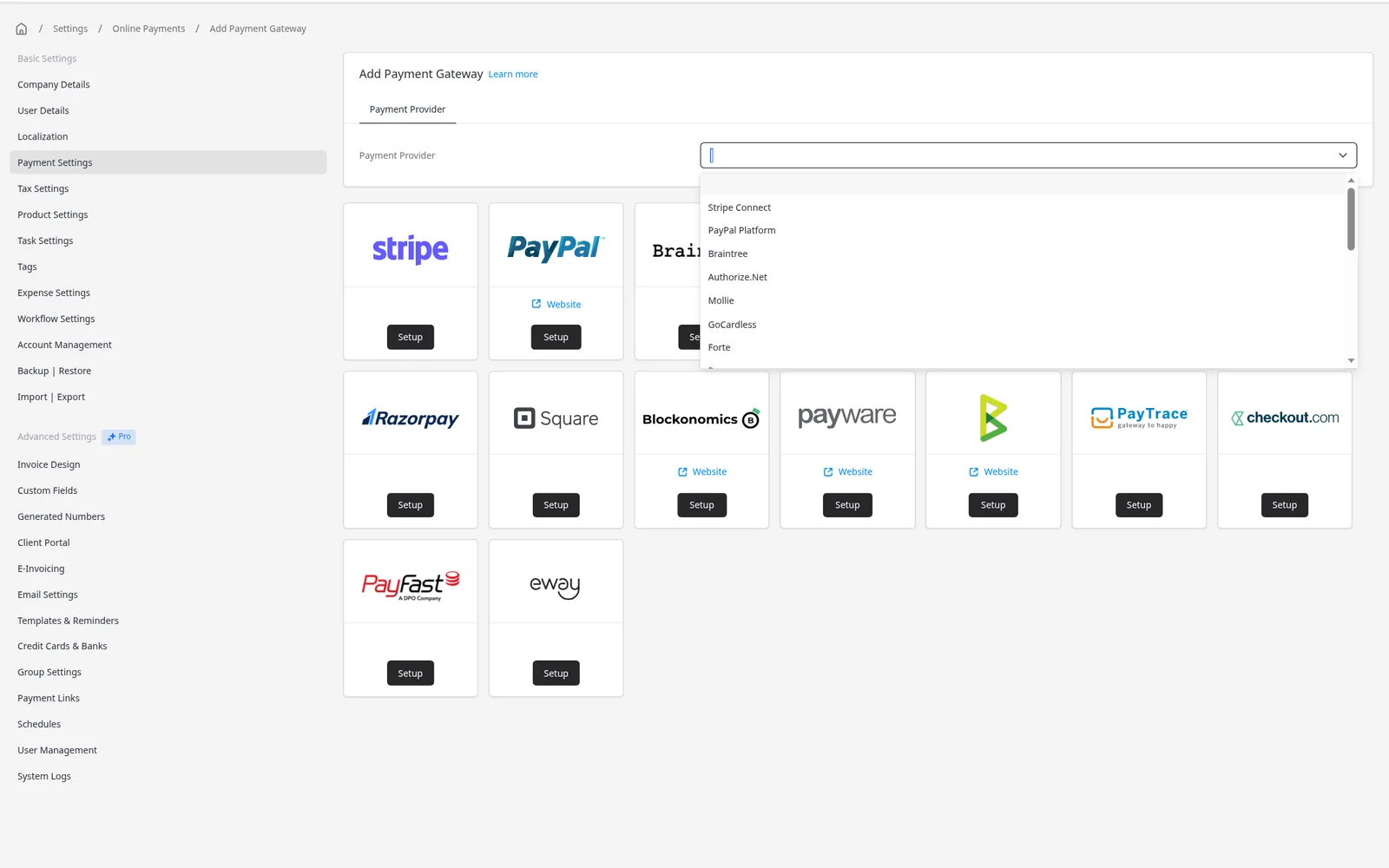
  1. Connect a gateway

    Connect a gateway

    In Settings โ†’ Online Payments, add a provider. Stripe can connect with a login; others ask you to paste API credentials.

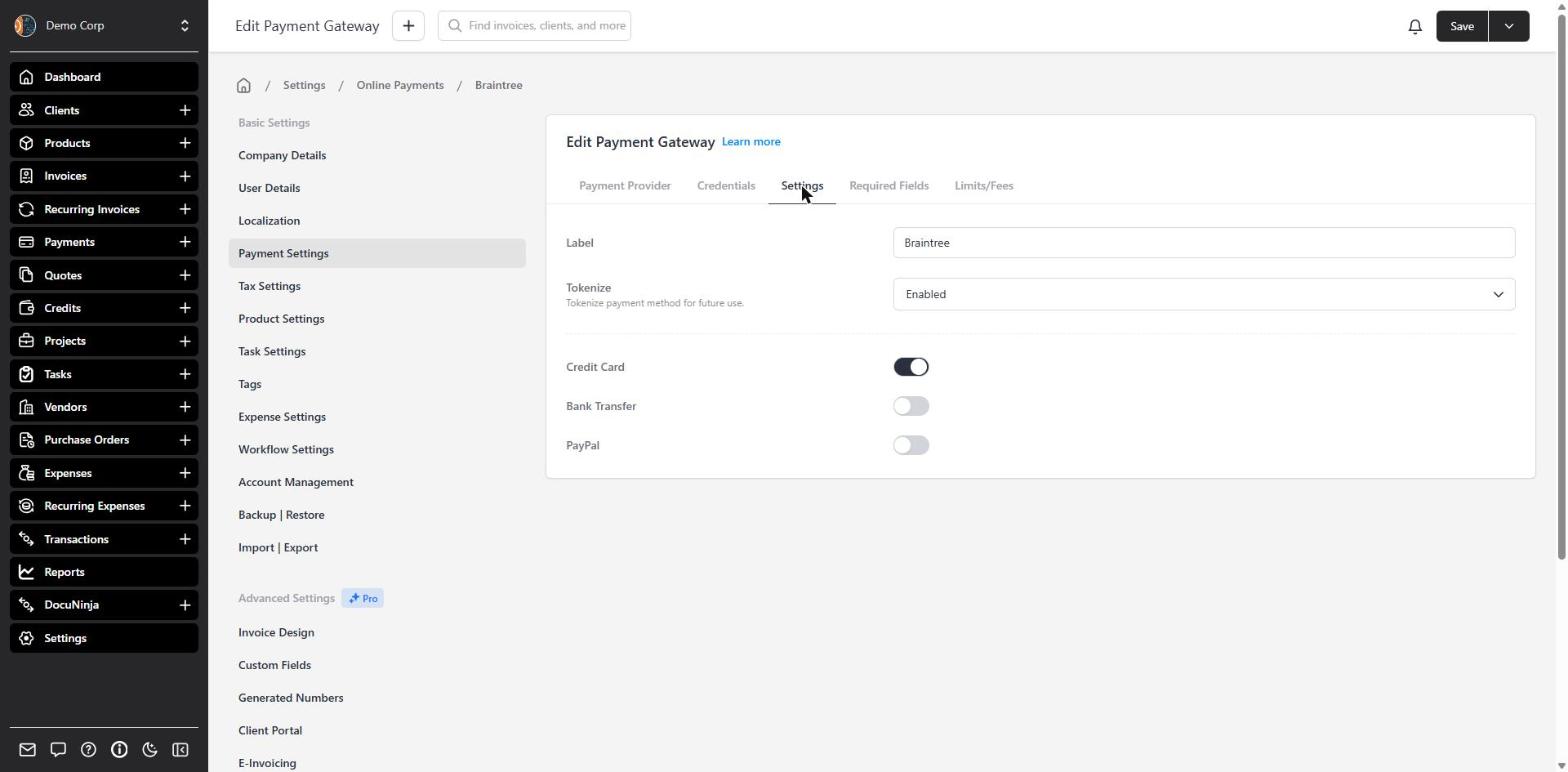
  2. Choose the methods

    Choose the methods

    Enable the payment types that gateway supports, and whether cards can be saved for next time.

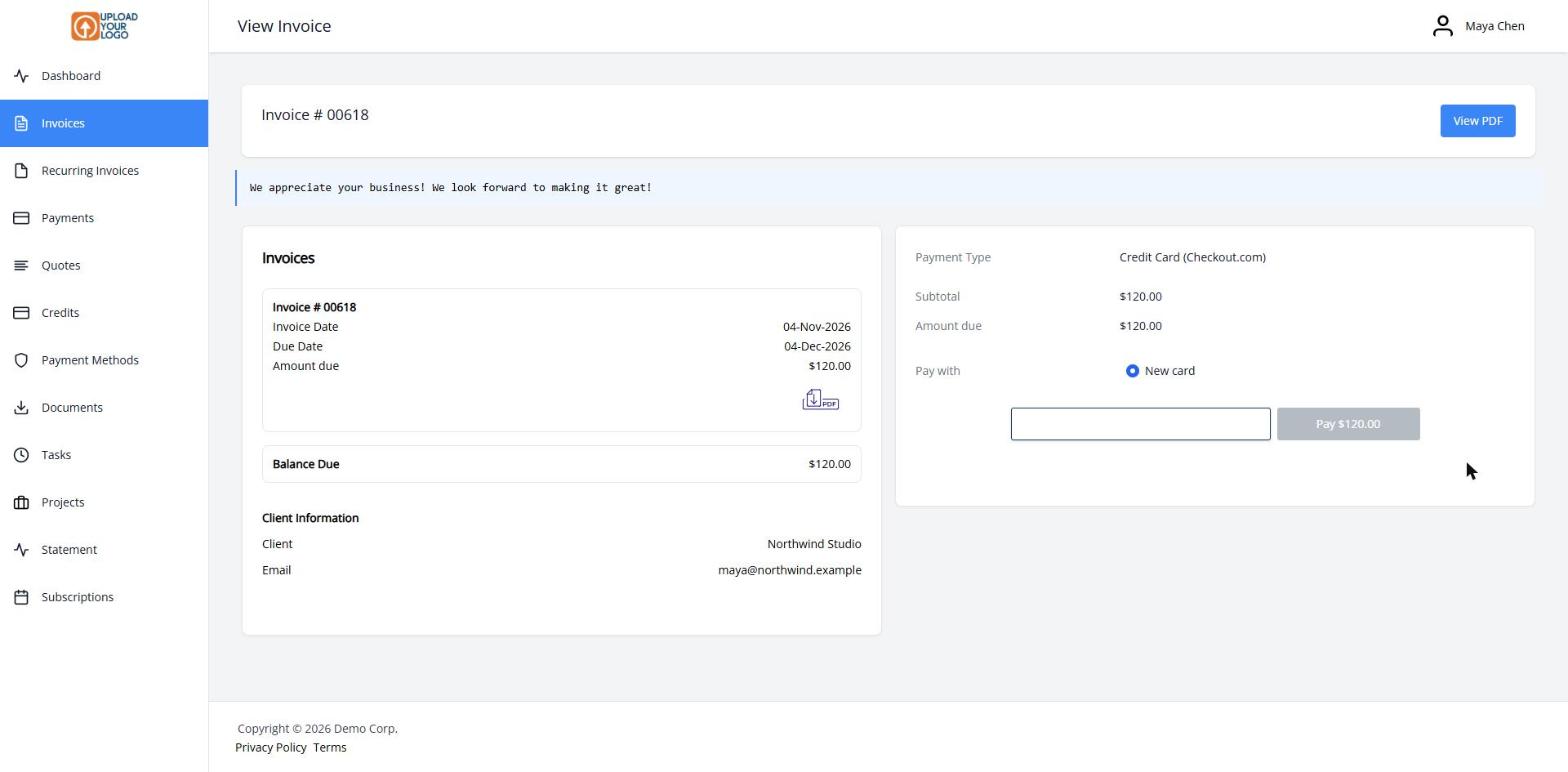
  3. Client portal payment card on an invoice, with a Pay Now button

    Clients click Pay Now

    The invoice email and client portal show Pay Now. Your client pays, and the payment is recorded on the invoice.

Get paid from the invoice, through the gateway you already use

Invoice Ninja doesn’t process the card itself. You connect the payment provider you already have โ€” or set one up โ€” and every invoice can carry a Pay Now button. Your client opens the invoice, chooses a method and pays. The gateway moves the money; Invoice Ninja records the payment and can email you both a receipt.

Start with Stripe, or add PayPal and Venmo, Square, GoCardless, Authorize.net, Mollie and others. You can connect more than one and offer the methods your clients prefer. Many gateways also support saved payment methods, which is what makes auto-billing possible, and refunds from the Payments screen.

If you don’t need a gateway, add your bank-transfer instructions. Clients see them when they click Pay Now, and you record the payment when it arrives.

What you can do

  • Connect Stripe, PayPal, Square, GoCardless, Authorize.net, Mollie and more
  • Let clients pay with a click from the invoice or the client portal
  • Use more than one gateway when you need different methods
  • Save payment methods for faster checkout and auto-billing
  • Add bank-transfer instructions when a gateway isn’t the right fit

Who it’s for

Any business that wants to get paid online without sending a separate payment request. Freelancers and firms can start with one gateway and add more later.

What you can do

  • Stripe, PayPal & more

    Connect the providers your clients already use, including Square, GoCardless, Authorize.net and Mollie.

  • More than one gateway

    Offer different methods side by side, or route payments by amount.

  • Saved payment methods

    Token billing lets clients pay again โ€” and makes auto-billing possible.

  • Refunds in Invoice Ninja

    Issue a refund from the Payments screen when the gateway supports it.

  • Bank transfer instructions

    Show wire details on Pay Now when you don't need a card gateway.

Tip: Add a gateway under Settings โ†’ Online Payments โ†’ New Gateway. You can connect more than one.

Common questions

Which payment gateways can I connect?

Invoice Ninja integrates with Stripe, PayPal and Venmo, Square, GoCardless, Authorize.net, Mollie and many others. The full current list is on the Invoice Ninja payments page, and you can also add custom bank-transfer instructions.

Do I need a paid Invoice Ninja plan?

No. Online payment gateways are included on every plan, including Free. The free plan covers up to 5 clients; paid plans lift that limit. Your gateway may charge its own processing fees.

Do clients leave Invoice Ninja to pay?

They open the invoice in your client portal and click Pay Now. They don’t need a separate payment request. Some methods may send them through the gateway to confirm, then return them to the invoice.

Can I use more than one gateway?

Yes. For example, you can offer Stripe for cards, PayPal for clients who prefer it, and GoCardless for bank debit. You can also set amount limits per method if you want smaller and larger invoices to take different paths.

Does this work with recurring invoices?

Yes, when the gateway supports saved payment methods (token billing). The client saves a card or bank account once, and Auto Bill can charge it on each cycle.

Can I pass processing fees to the client?

You can optionally add a gateway fee on a payment method, and some providers can calculate that fee for you. Check the rules where you do business before turning this on, and see each gateway’s own pricing for what they charge you.

Ready to send your first invoice?

Join 200,000+ businesses invoicing with Invoice Ninja. Free to start, no credit card required.