
Calculate US sales tax from the address, not a guess
US sales tax is set at the state, and often the county or city, so the rate depends on where the sale is delivered and what you are selling. Invoice Ninja can calculate that for you from the ship-to address on the invoice, your seller state, and the product’s tax category. Automatic calculation is included on Pro ($14/mo) and Enterprise (from $18/mo), with no extra Invoice Ninja fee, and is powered by Zip-Tax.
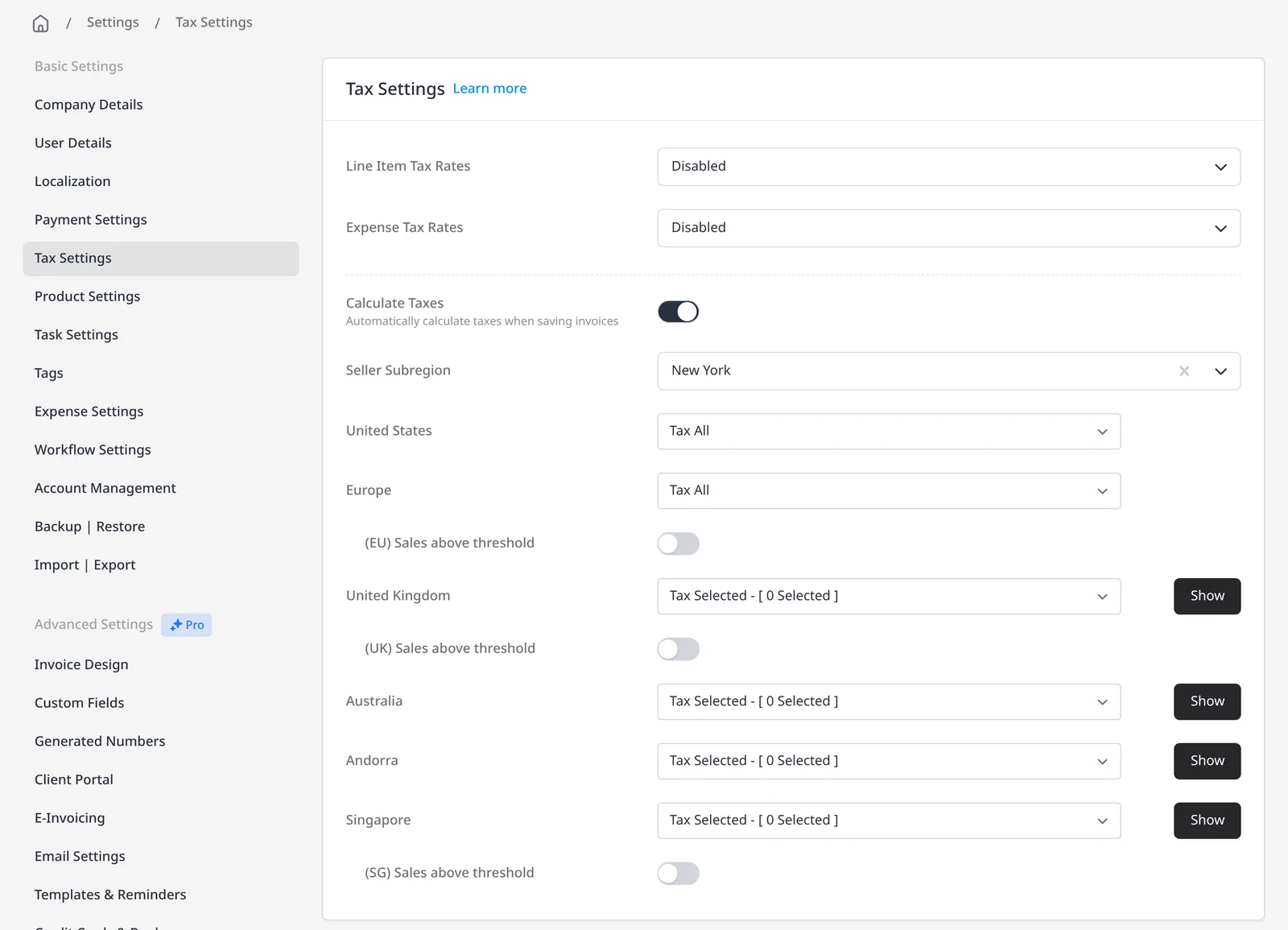
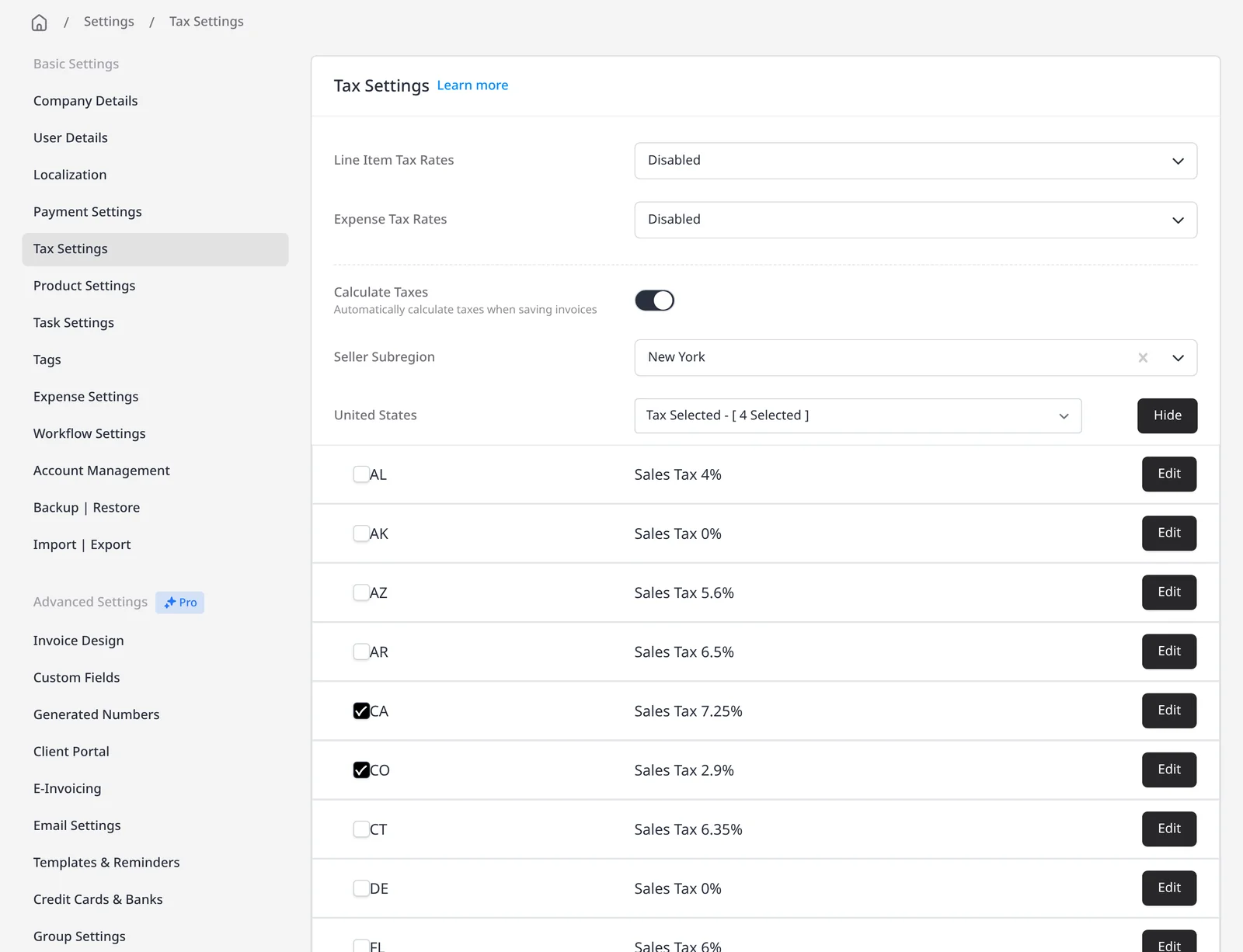
To use it, your company country must be set to the United States under Company Details (the Calculate Taxes option also appears for Australia and EU countries). Then go to Settings → Tax Settings, turn on Calculate Taxes, set your seller subregion (the US state where your business is registered for tax) and choose whether to tax all states or only selected states. If a client has sites in more than one state, you can attach a location so each document uses the right address.
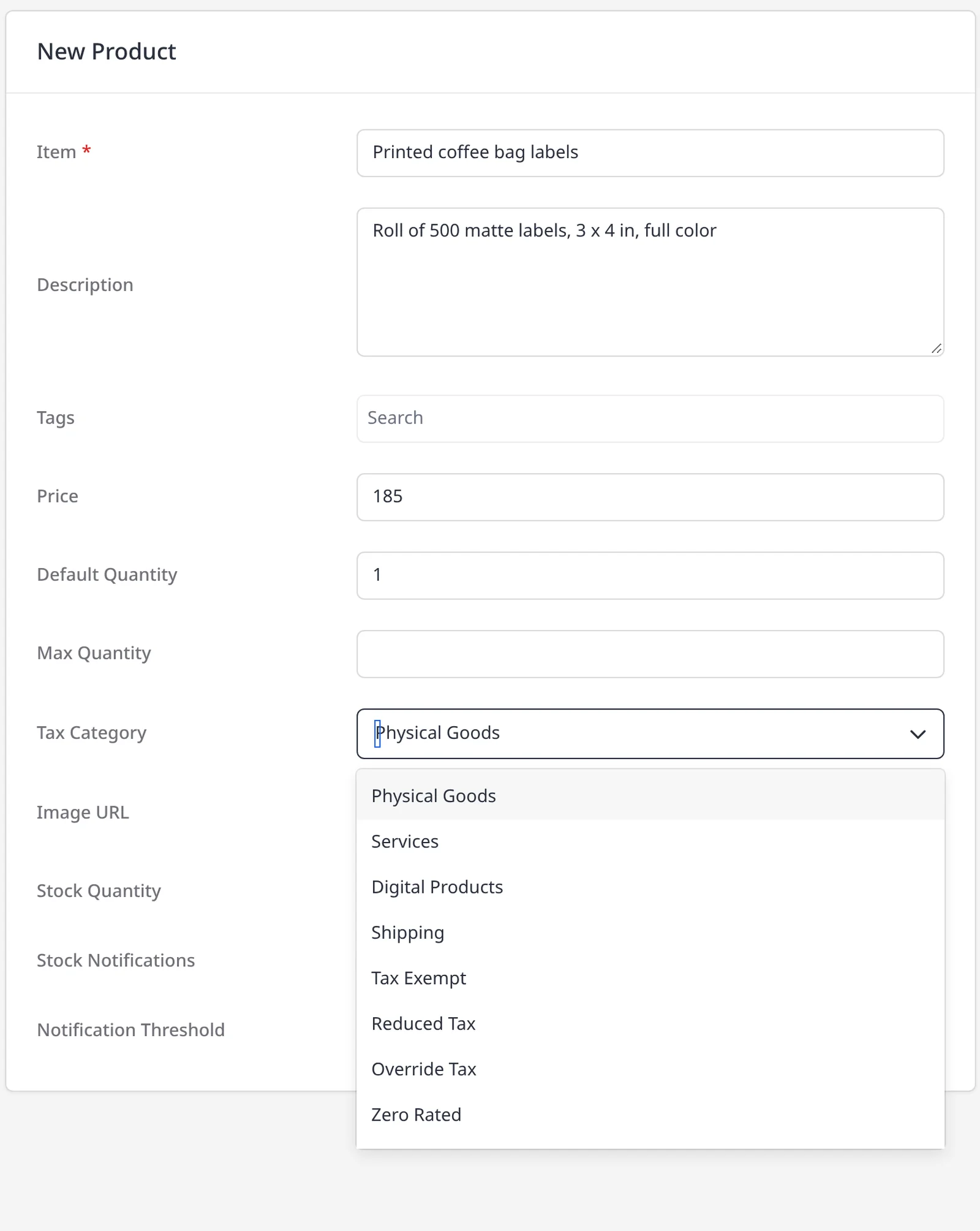
Each product can have a tax category the calculator uses, including Physical Goods, Digital Products, Services, Shipping, Tax Exempt, Reduced Tax, Override Tax, Zero Rated and Reverse Tax (Use Tax). If a client is tax-exempt, turn on Tax Exempt on the client record and tax is skipped on their invoices. Always preview the invoice before you send it. The calculation is only as accurate as the address, category and seller state you have entered. This is not tax advice; check the rules that apply to your business.
You can also set tax rates yourself under Tax Settings. Manual tax settings are included on every plan, including Free: inclusive or exclusive tax, as many rates as you need, default rates that apply automatically, and tax on each line or on the invoice total. That setup is separate from automatic calculation. If you only need rates you set yourself, manual may be enough. If you sell into many states, automatic calculation is what this page is about.
What you can do
- Calculate US sales tax automatically on Pro and Enterprise, with no extra Invoice Ninja fee
- Use rates powered by Zip-Tax, based on the ship-to address, your seller state, and the product tax category
- Tax all states, or only the states where you are registered to collect
- Mark a product category, or mark a client tax-exempt
- Or use full manual tax settings on every plan, including Free, for inclusive or exclusive rates, defaults, line-item tax, and invoice-total tax
Who it’s for
US businesses that invoice clients in more than one state, or that need the rate to follow the delivery address and the type of product, without maintaining every rate by hand.