
Make Integration

Connect Invoice Ninja to thousands of apps with Make, and automate work that used to be copy-and-paste. Make is included on Pro and Enterprise.

  • Pro & Enterprise
  • Official Make app
  • Watch and create records
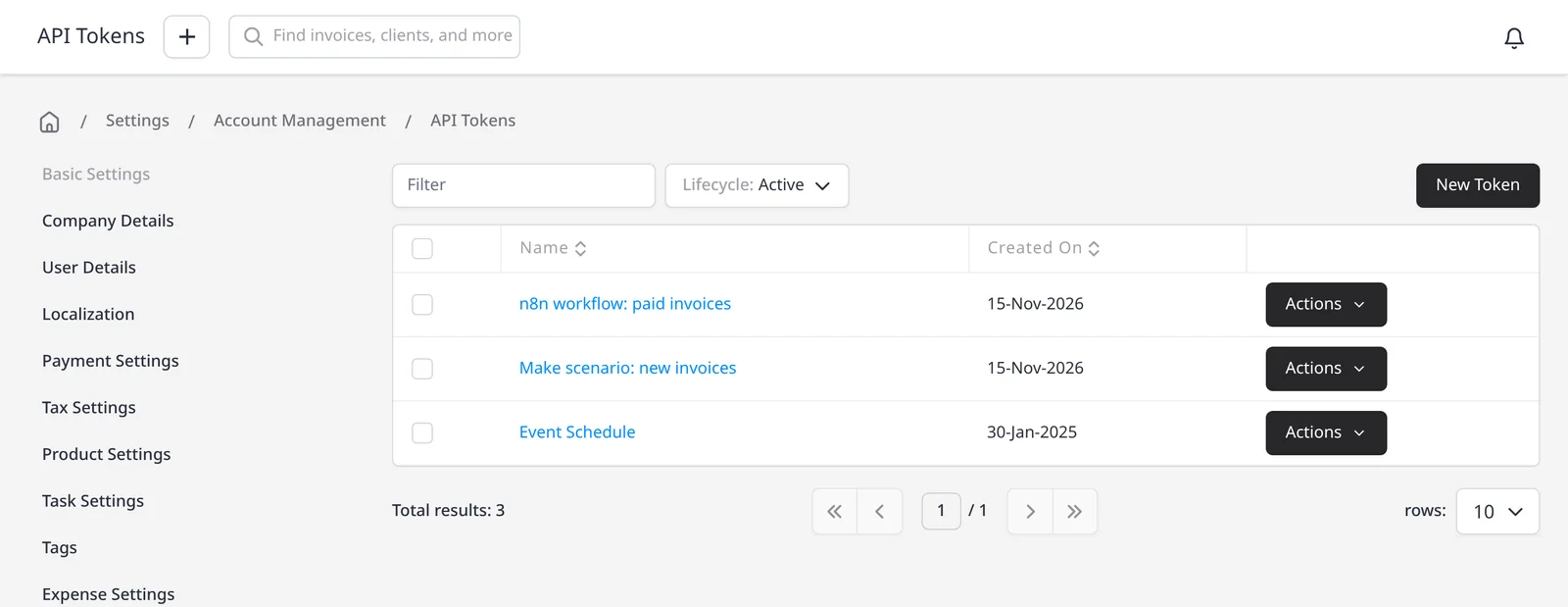
Invoice Ninja API Tokens list under Settings, Account Management, with tokens named n8n workflow: paid invoices and Make scenario: new invoices

How it works

Connect once, then automate the busywork

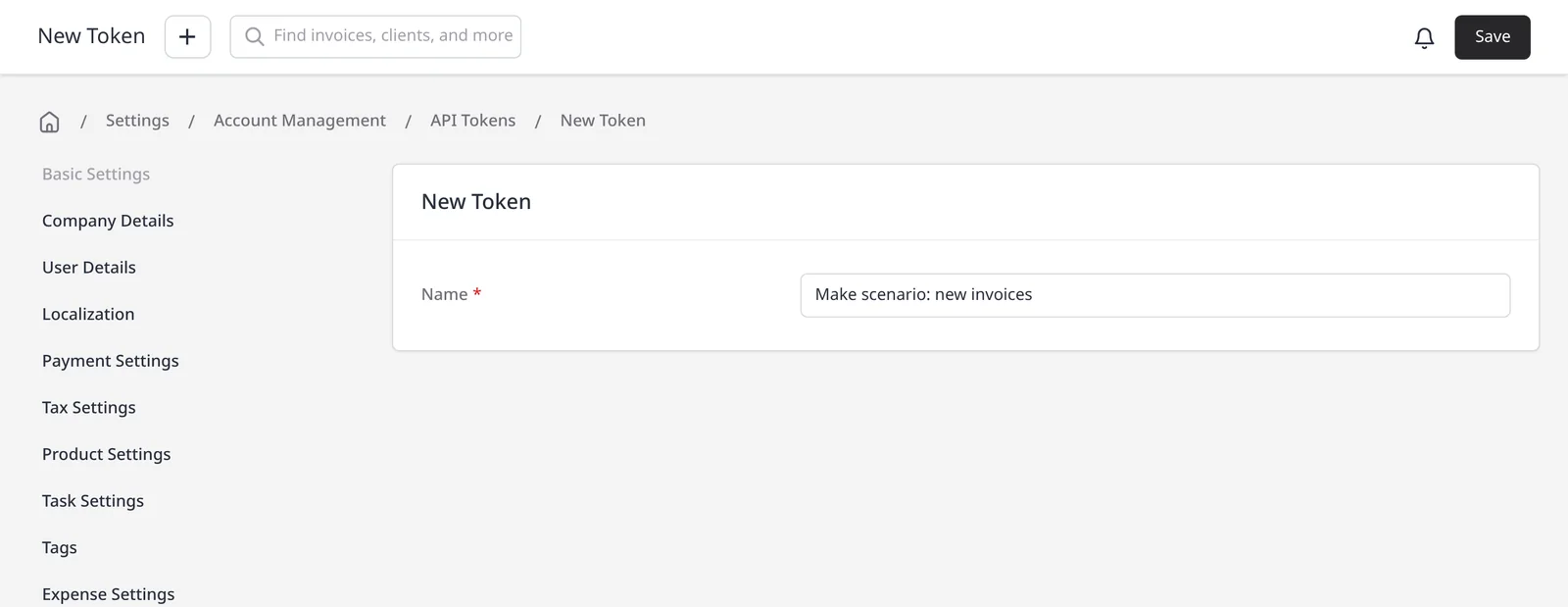
  1. New API token form in Invoice Ninja, with the name Make scenario: new invoices

    Create an API token

    On Pro or Enterprise, go to Settings โ†’ Account Management โ†’ Integrations โ†’ API Tokens and create a token for Make.

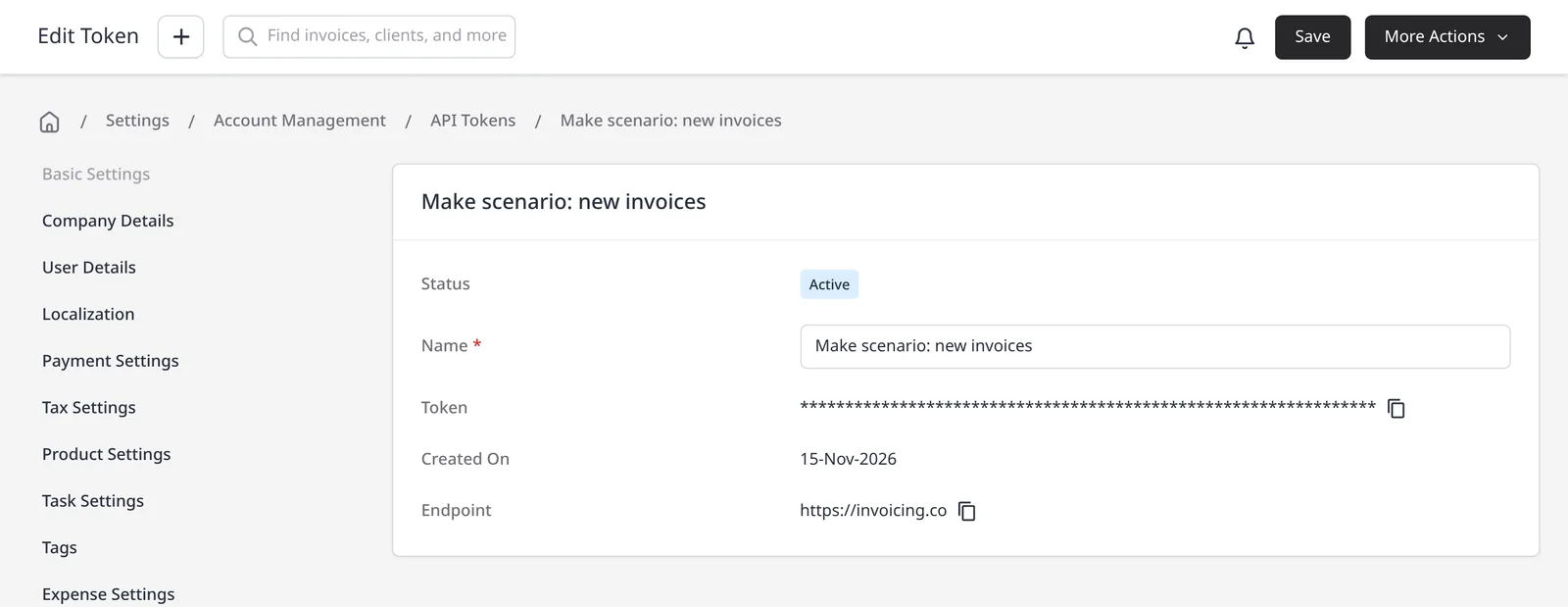
  2. Invoice Ninja API token detail for Make scenario: new invoices, with the token value hidden behind asterisks

    Connect Make

    In Make, add an Invoice Ninja module and create a connection with that API token.

  3. Build a scenario

    Watch for a new invoice, payment or client, or create a record from another app, then turn the scenario on.

Automate Invoice Ninja with Make

Make (formerly Integromat) is a no-code way to move data between Invoice Ninja and thousands of other apps. A scenario is a short workflow: when something happens in one app, Make can create or update a record in another. That might be a new order becoming an invoice in Invoice Ninja, or a payment in Invoice Ninja updating a spreadsheet.

Make integration is included on Pro ($14/mo) and Enterprise (from $18/mo). You connect with an API token from Settings โ†’ Account Management โ†’ Integrations โ†’ API Tokens. The official Invoice Ninja app on Make is the source for the modules below, checked 15 November 2026. See also Zapier, n8n, Pabbly and Integrately, the automations page, and the REST API if you want to build a direct integration.

Watch modules listed on Make (they start a scenario) include Watch New Client, Watch New Expense, Watch New Invoice, Watch New Payment, Watch New Quote and Watch New Task. Action modules listed on Make include Create, Get, Update, List and Delete for clients, invoices, quotes, payments, products, expenses, tasks and recurring invoices, plus Make an API Call when you need a request that is not a named module. The current list is always on Make’s Invoice Ninja app page.

What you can do

  • Connect Invoice Ninja to thousands of apps through Make, on Pro and Enterprise
  • Start a scenario when a new client, invoice, quote, payment, expense or task appears
  • Create, update, list or delete those records from another app
  • Work with recurring invoices, and use Make an API Call when you need a custom request
  • Use Zapier, n8n or the REST API when Make is not the right fit

Who it’s for

Teams that already build automations in Make, and want Invoice Ninja to keep up with clients, invoices and payments without retyping each record.

What you can do

  • Thousands of apps Pro

    Connect the tools you already use in Make, without writing code.

  • Watch for new records Pro

    Start a scenario when a new client, invoice, quote, payment, expense or task appears.

  • Create and update records Pro

    Create, get, update, list or delete invoices, clients, payments and more from another app.

  • Recurring invoices too Pro

    Make's official app also includes modules for recurring invoices.

  • API when you need it Pro

    Use Make an API Call, or the REST API on Pro and Enterprise, for a request that is not a named module.

Tip: Create an API token under Settings โ†’ Account Management โ†’ Integrations โ†’ API Tokens, then connect it in Make. A Pro or Enterprise plan is required.

Common questions

Is Make included on the free plan?

No. Make is included on Pro ($14/mo) and Enterprise (from $18/mo) only. Any integration that needs API access, including Zapier, Make, n8n, Integrately and Pabbly, also requires Pro or Enterprise. The free plan does not include these integrations.

What can Make do in Invoice Ninja?

On Make’s official Invoice Ninja app (checked 15 November 2026) you can watch for a new client, expense, invoice, payment, quote or task, and create, get, update, list or delete clients, invoices, quotes, payments, products, expenses, tasks and recurring invoices. There is also a Make an API Call module. The current list is always on Make’s Invoice Ninja app page.

Where do I get an API token?

In Invoice Ninja, go to Settings โ†’ Account Management โ†’ Integrations โ†’ API Tokens and create a token, then paste it into your Make connection.

Do I need to write code?

No. Scenarios are built in Make’s editor. If you need a request that is not a named module, Make an API Call is there, and Pro and Enterprise also include a REST API.

Does this replace Zapier or n8n?

No. Make is one option. Invoice Ninja also works with Zapier, n8n, Pabbly and Integrately. Those are covered on their own feature pages and the automations page, and also need a Pro or Enterprise plan.

Ready to send your first invoice?

Join 200,000+ businesses invoicing with Invoice Ninja. Free to start, no credit card required.