
See what you spent, in a report you can reuse
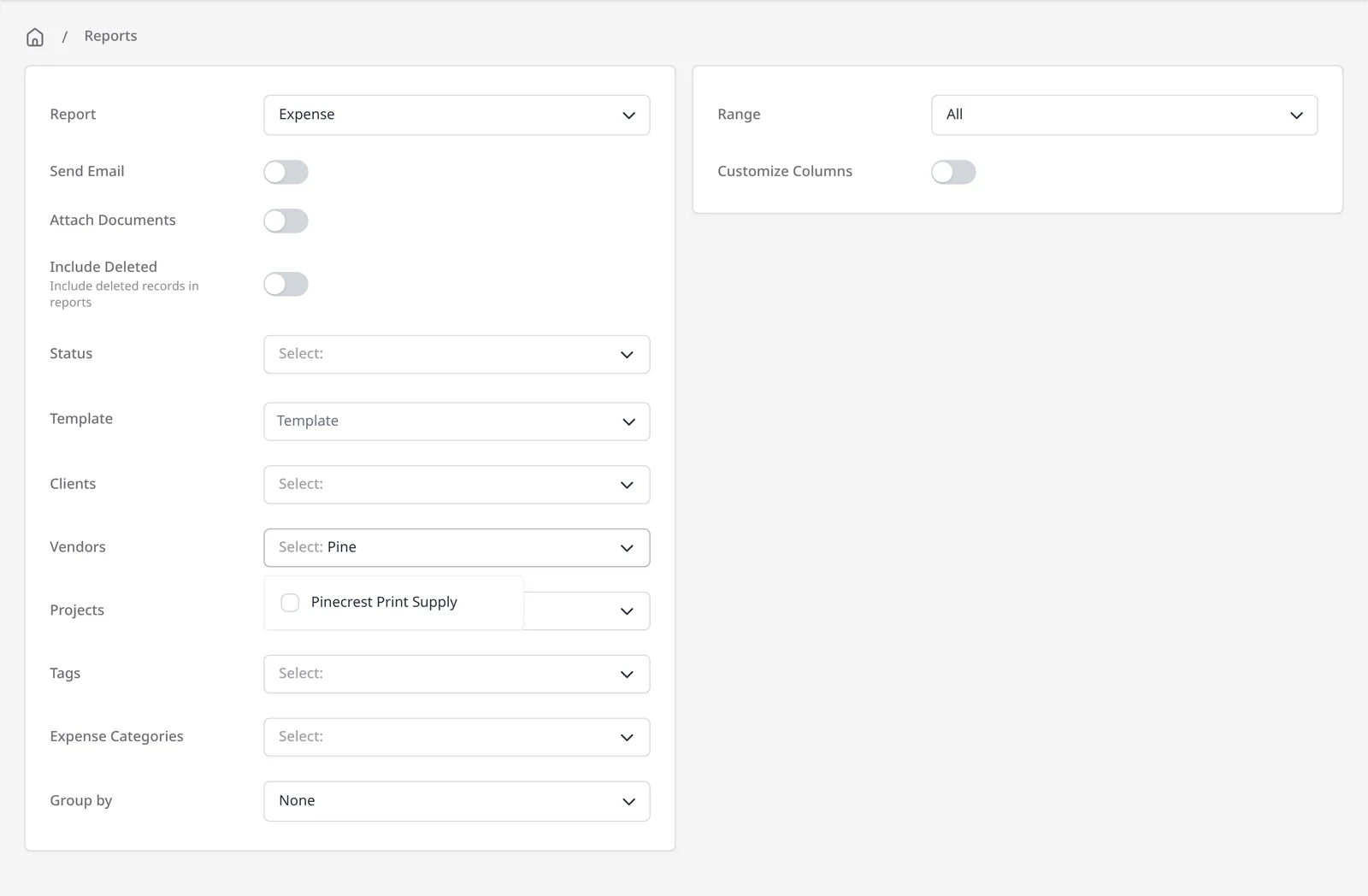
Once you are logging expenses, an expense report turns that list into something you can filter, export, email or schedule. Run it for a date range, then narrow it (for example by vendor, expense category or client) so you or your accountant get a clean CSV. Expense reports are part of the Reports module, which is included on Pro ($14/mo) and Enterprise (from $18/mo). Free plans do not have access to the reporting module.
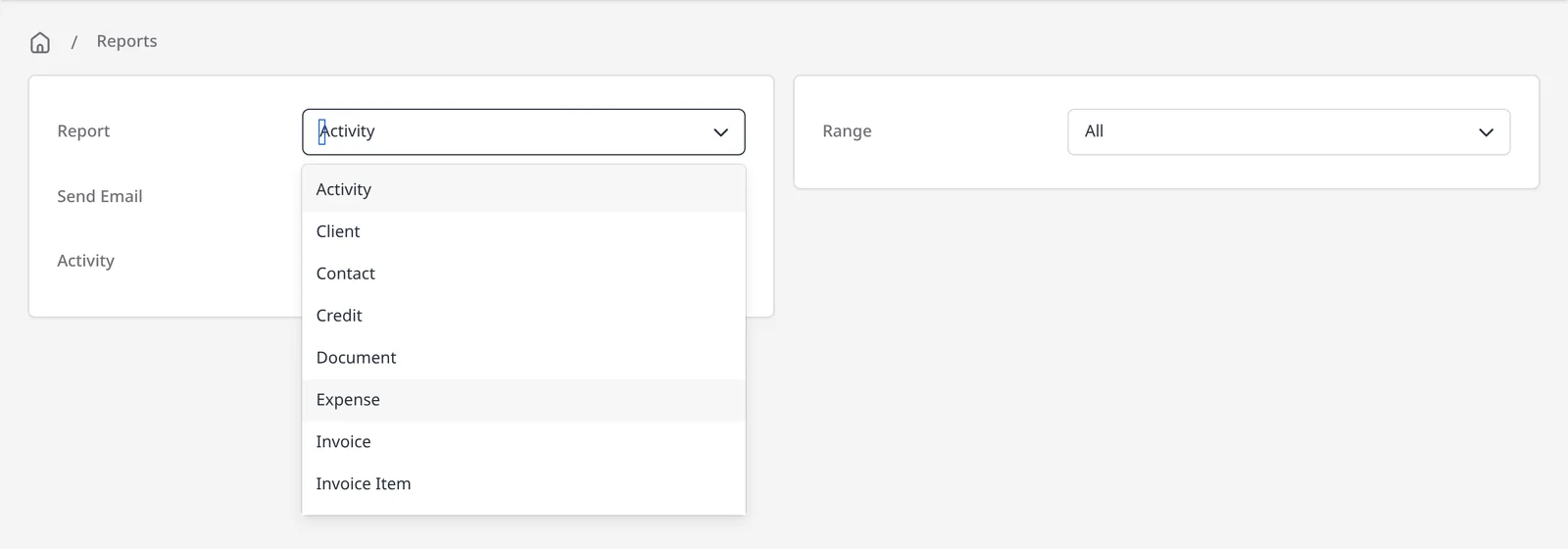
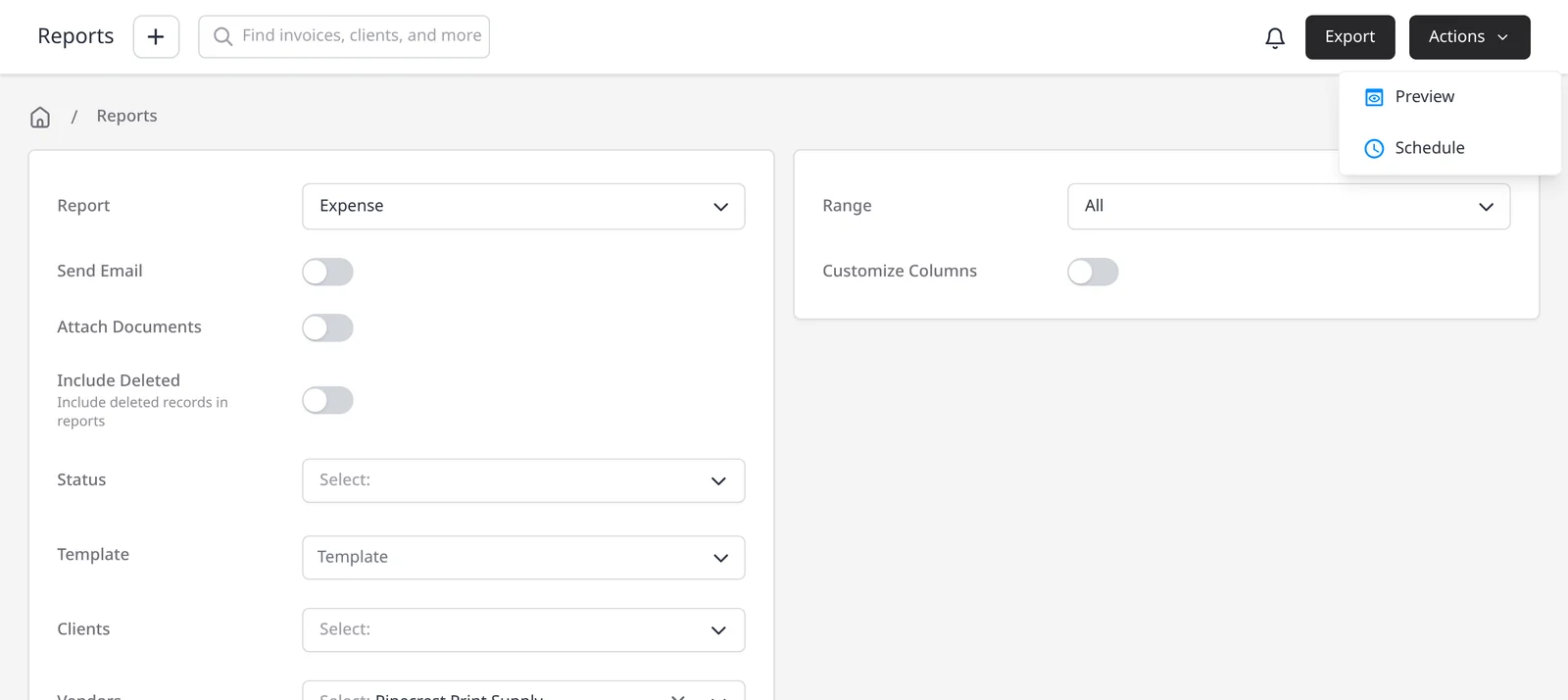
Every report, including Expense, exports as a CSV and can be emailed when you run it. Use Actions, then Preview to see the results on screen. Reports are not exported as a PDF. To send the expense report on a repeating basis, use Actions, then Schedule (the Email Report template), from daily to every 3 years. For the full set of report types, see invoice and payment reports. For totals across income and costs, see profit and loss.
What you can do
- Run an Expense report on Pro and Enterprise, for any date range you choose
- Filter by Vendors, Expense Categories, Clients, Projects, Tags or Status, and group the results if you want
- Export a CSV, email it to yourself when you run it, or preview the results on screen
- Schedule the report to send on a repeating basis, from daily to every 3 years
Who it’s for
Owners and bookkeepers who already log expenses in Invoice Ninja and want a filtered list, a CSV for the accountant, or a report that arrives on a schedule.