
1-Click Task to Invoice

Invoice a single task or a project’s unbilled time without retyping the hours. Time tracking and invoicing tasks are included on every plan, including Free.

  • Included on every plan
  • Invoice a task or a project
  • No retyping the hours
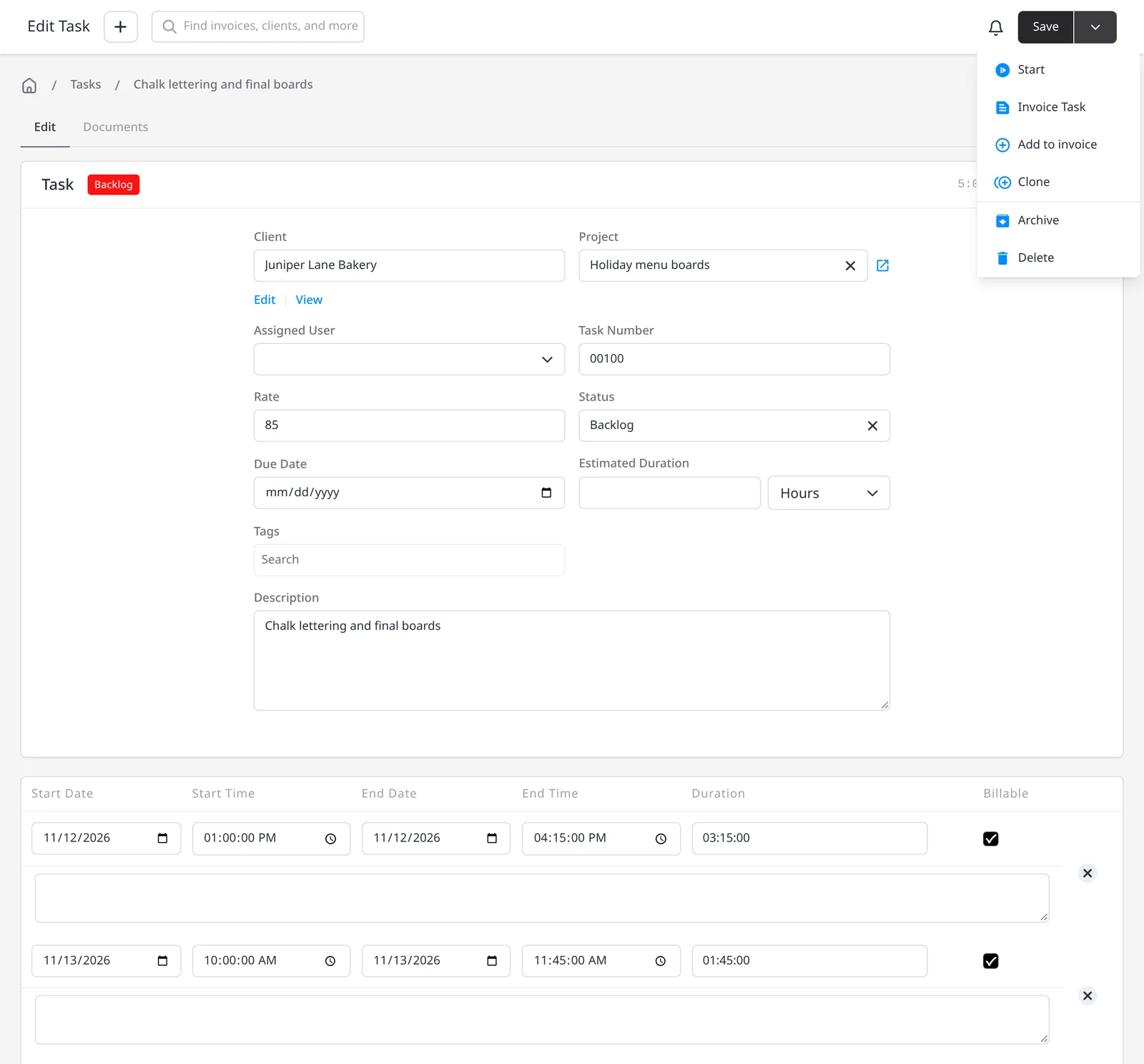
Invoice Ninja task for Juniper Lane Bakery, with tracked hours and the Invoice Task and Add to invoice actions open

How it works

Turn tracked time into an invoice

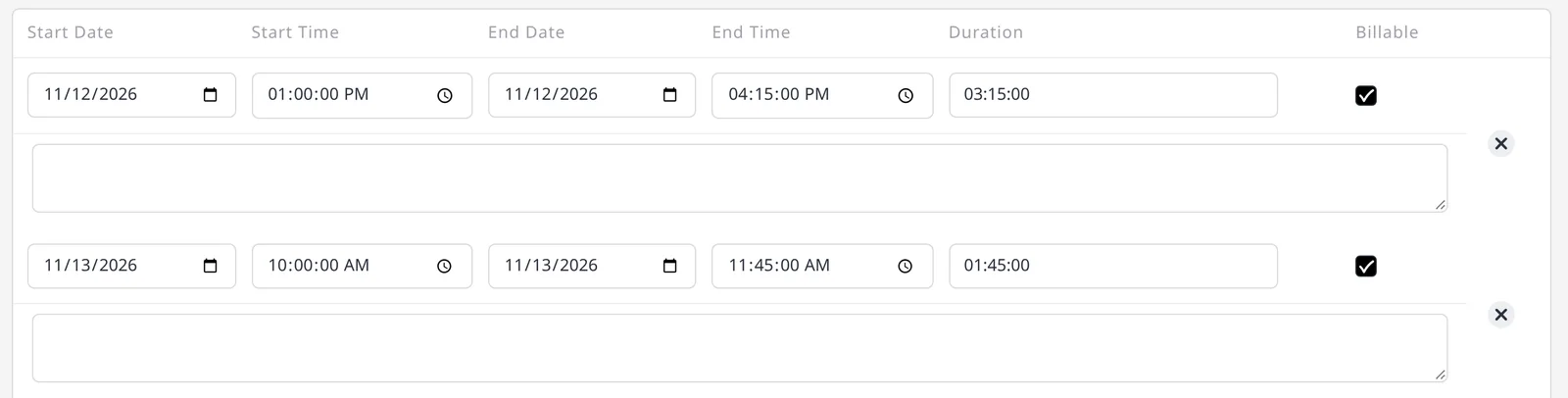
  1. Time entries on a task, with dates, start and end times, durations, and Billable checked

    Track time on a task

    Use the live timer or a manual entry, and optionally group the task into a project. See billable time tracking for that step.

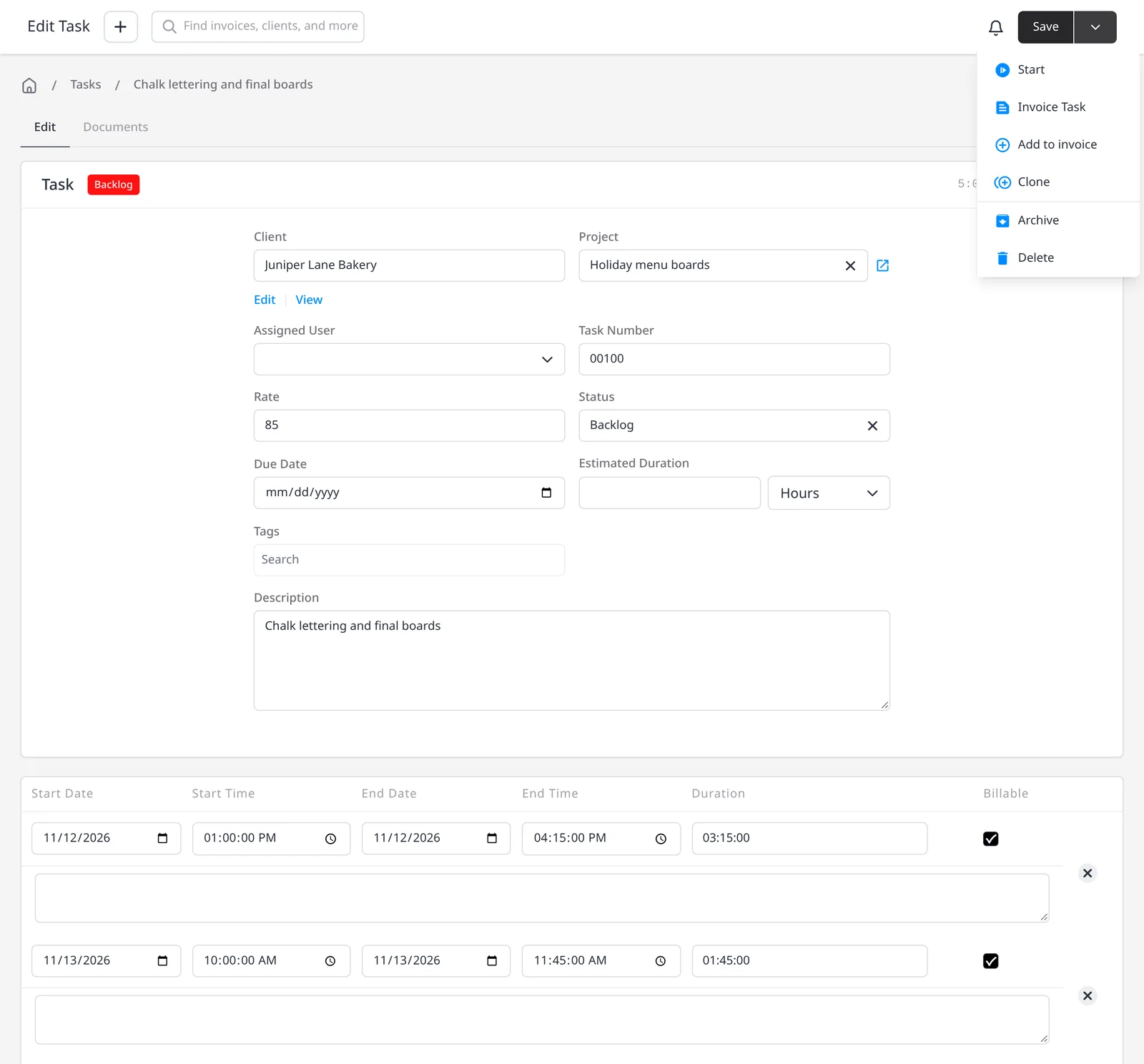
  2. Task actions menu showing Invoice Task and Add to invoice

    Invoice Task, or add it to an invoice

    Create a new invoice from the task, or add the hours to an invoice you already started.

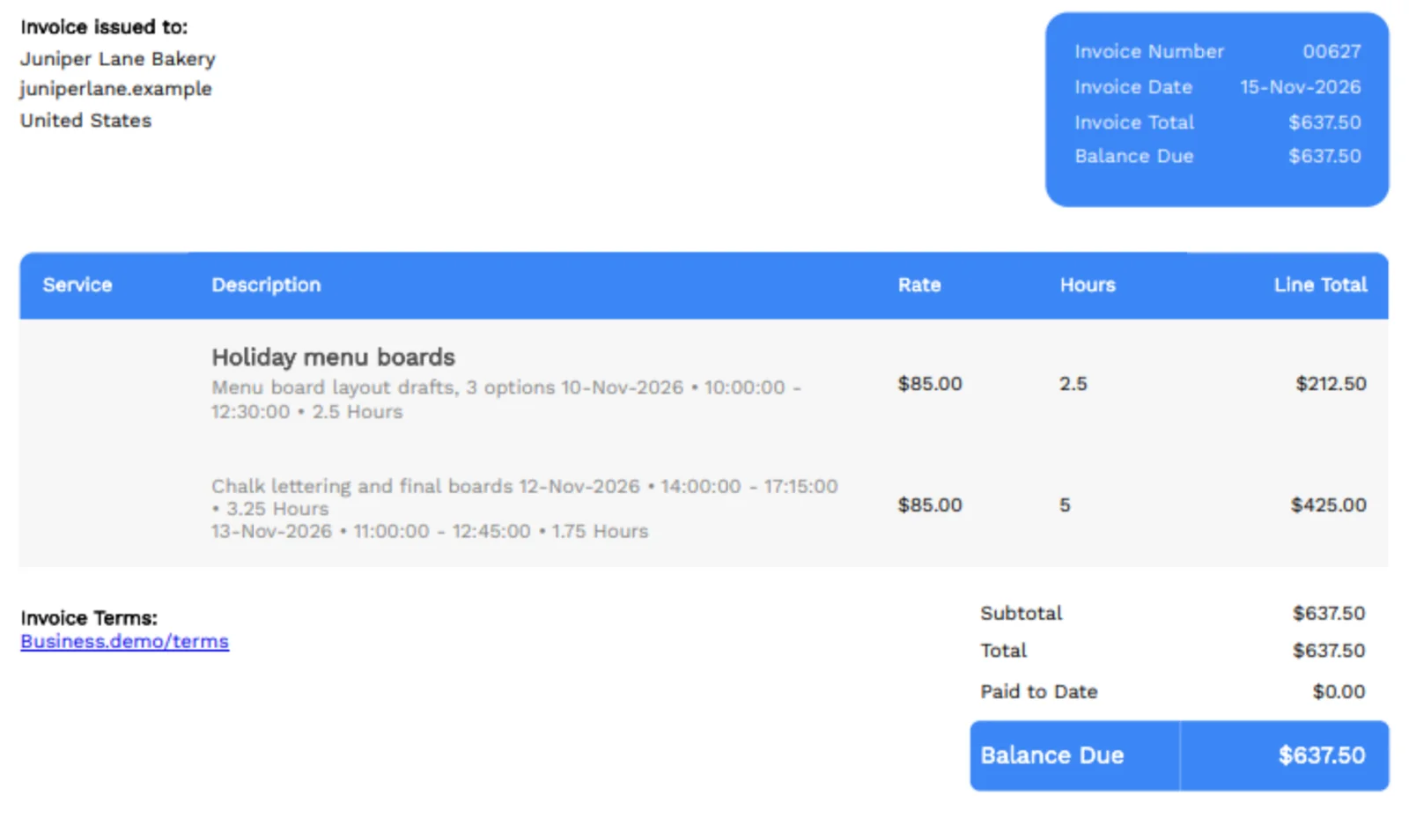
  3. Invoice PDF for Juniper Lane Bakery, with two project tasks listed as line items with hours and totals

    Or invoice the whole project

    Invoice Project rolls every unbilled task on that project onto one invoice. Expenses on the project are not added automatically.

Invoice the hours you already tracked

Once time is on a task, you should not have to retype those hours on an invoice. Invoice Task creates a new invoice from the task. Add to Invoice places the time on an invoice you already started. Both are included on every plan, including Free, along with billable time tracking and projects.

If the work lives in a project, Invoice Project rolls every unbilled task on that project onto one invoice. That is the fastest way to bill a week or a sprint at once. Expenses linked to the same project are not added automatically; add those separately if they should go on the invoice too (see re-invoice expenses). For a wider look at organizing work, see projects.

The invoice uses the task’s time, rate and description, so the client sees what the hours were for. You can still edit the invoice before you send it.

What you can do

  • Turn a tracked task into a new invoice, on every plan including Free
  • Add a task’s hours to an invoice you already started
  • Invoice a whole project to bill every unbilled task at once
  • Skip retyping hours, rates and descriptions
  • Add project expenses in a separate step, when those should be billed too

Who it’s for

Freelancers, studios and agencies who already track time in Invoice Ninja and want those hours on the invoice in one click.

What you can do

  • Invoice a single task

    Invoice Task creates a new invoice from the hours you already tracked.

  • Add to an existing invoice

    Place a task's time on an invoice you already started.

  • Invoice a whole project

    Roll every unbilled task on the project onto one invoice.

  • Edit before you send

    The invoice uses the task's time, rate and description, and you can still change it.

  • Expenses stay separate

    Project expenses are not added automatically; bill those in their own step if needed.

Tip: If several tasks belong on the same invoice, group them in a project and use Invoice Project, or add each task to an invoice you already started.

Common questions

Is invoicing a task included on the free plan?

Yes. Time tracking, projects, Invoice Task, Add to Invoice and Invoice Project are included on every plan, including Free.

Does Invoice Project also add expenses?

No. Invoice Project rolls unbilled tasks onto the invoice. Expenses linked to the project are not added automatically. Add those separately if they should be billed too.

Can I add a task to an invoice I already started?

Yes. Use Add to Invoice for an existing invoice, or Invoice Task to create a new one.

Do I have to retype the hours?

No. The invoice uses the task’s time, rate and description. You can still edit the invoice before you send it.

How is this different from the time tracking page?

Billable time tracking covers the timer, manual entries and grouping tasks into a project. This page is the step where that time becomes an invoice. For organizing projects themselves, see the projects page.

Ready to send your first invoice?

Join 200,000+ businesses invoicing with Invoice Ninja. Free to start, no credit card required.