
A quote your client can approve in one click
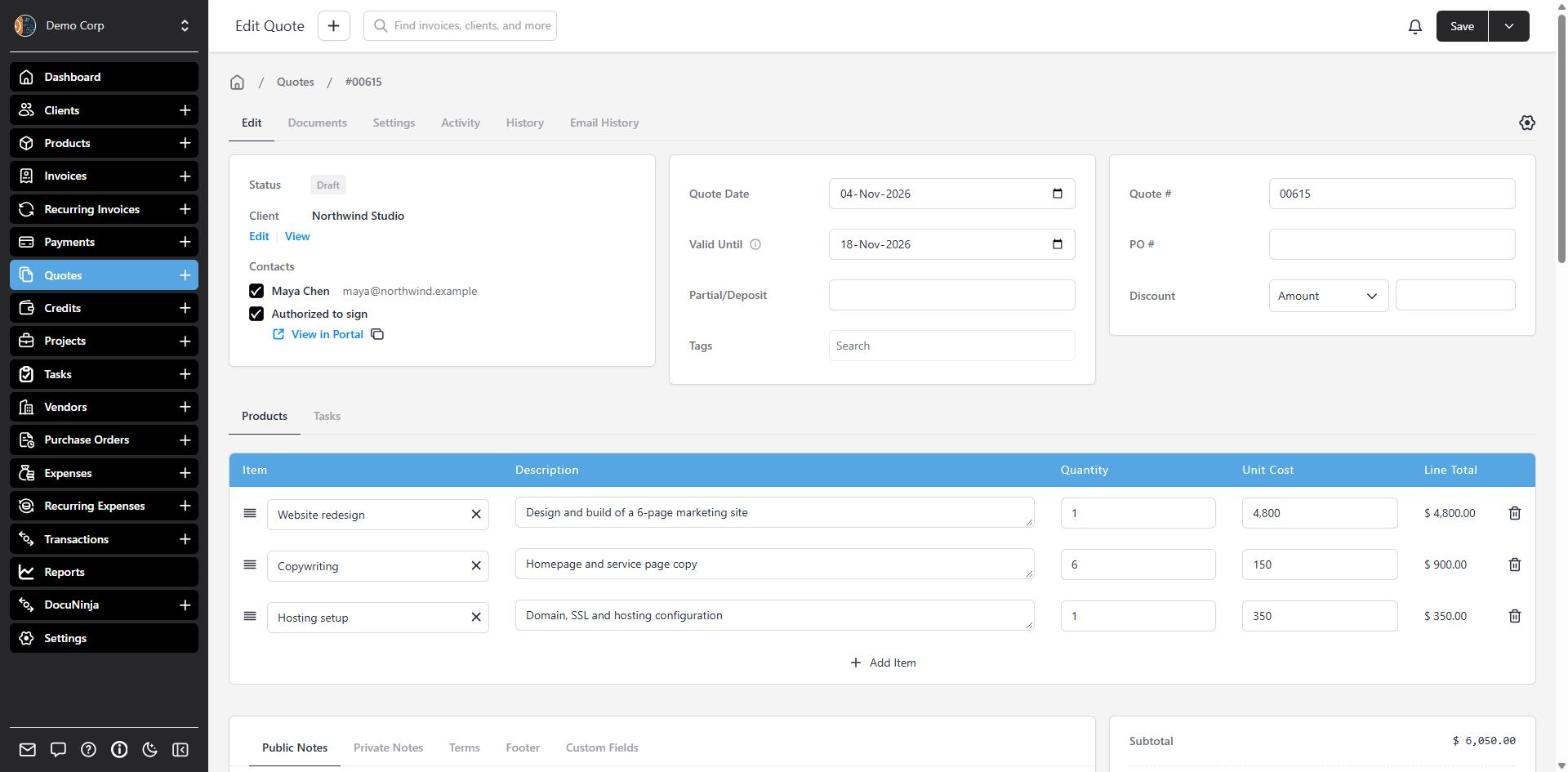
Quotes in Invoice Ninja work like invoices — same editor, same templates, same product library — but they don’t change the client’s balance until you convert them. Use a quote when someone needs to agree to the price before you start.
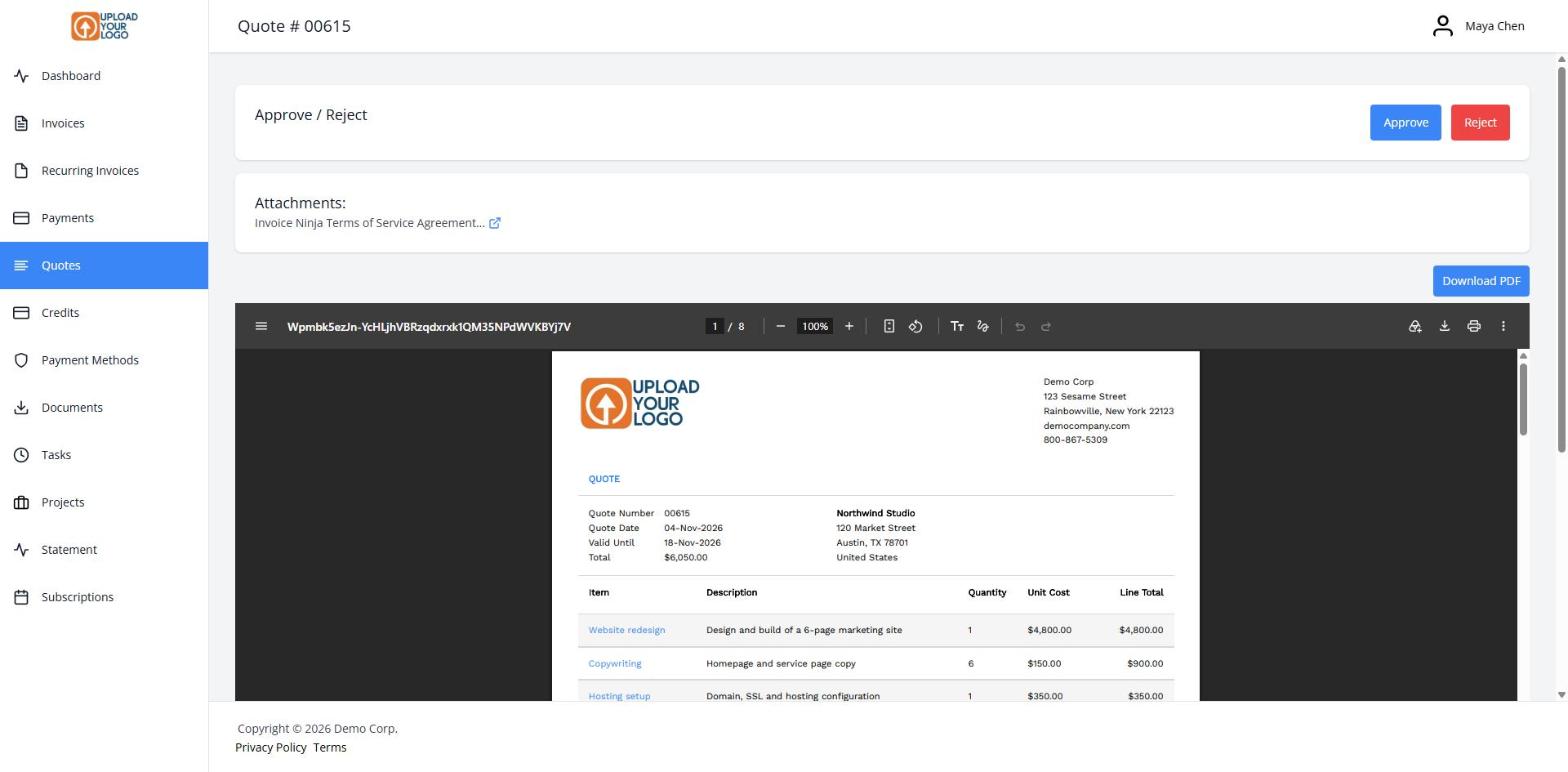
Set a Valid Until date so the offer has a clear end. Add a deposit if you need something upfront. Email the quote, and your client opens it in the client portal, reviews the PDF, and clicks Approve.
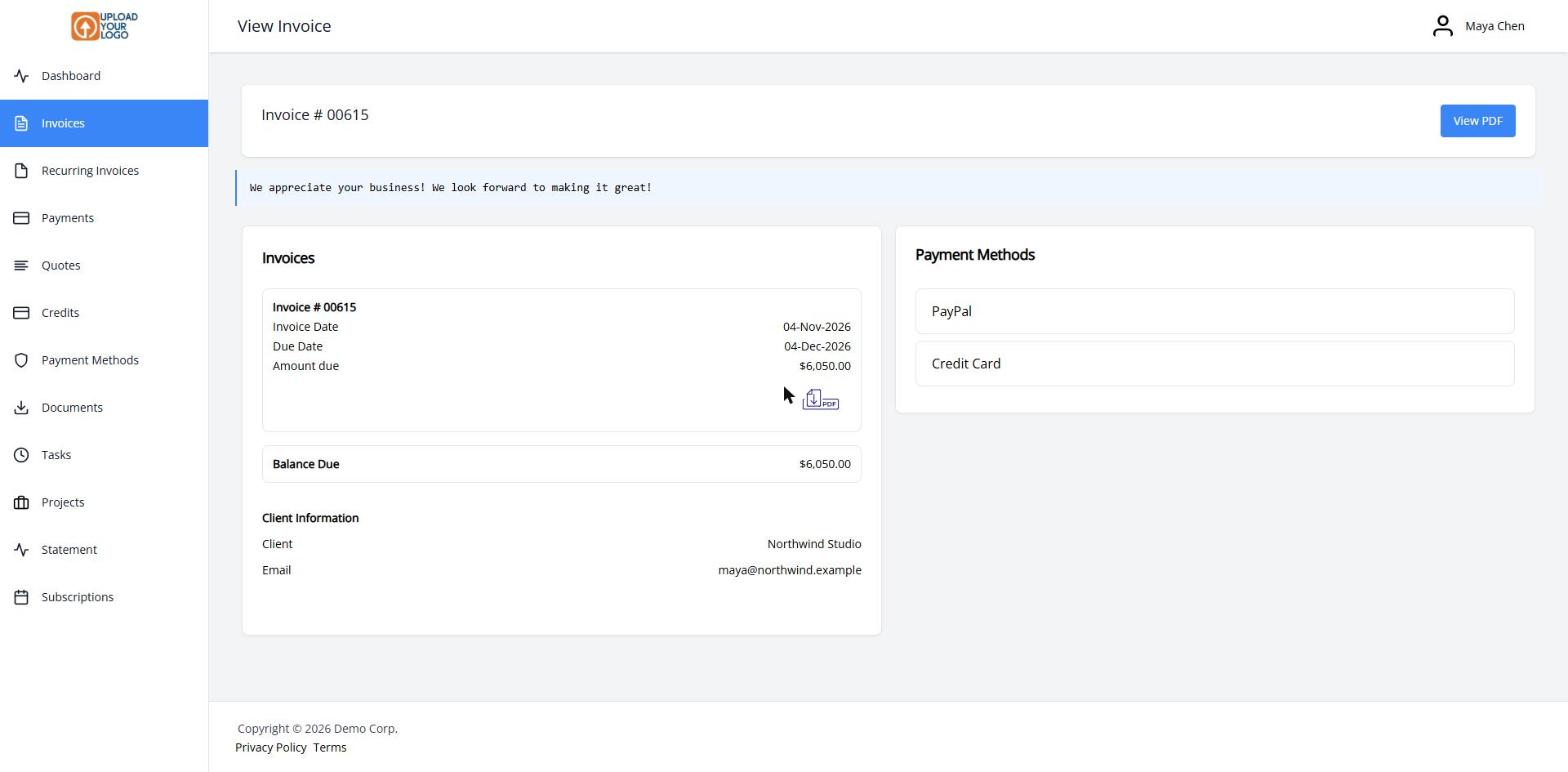
With Automatically Convert on (the default), an approved quote becomes an invoice the client can pay right away. You can also convert it yourself in one click, or turn it into a project and start tracking time.
Your logo and all 11 built-in templates are on every plan, including Free. Colors, fonts and design settings are on Pro and above — and quotes use the same design tools as invoices.
What you can do
- Build quotes from your product library, tracked time or expenses
- Set a Valid Until date and an optional deposit
- Let clients approve or reject the quote in the client portal
- Auto-convert an approved quote into a payable invoice
- Convert a quote into a project and start tracking time
Who it’s for
Freelancers, agencies and contractors who send a price first and invoice once the work is agreed.