
Take a deposit without sending a second invoice
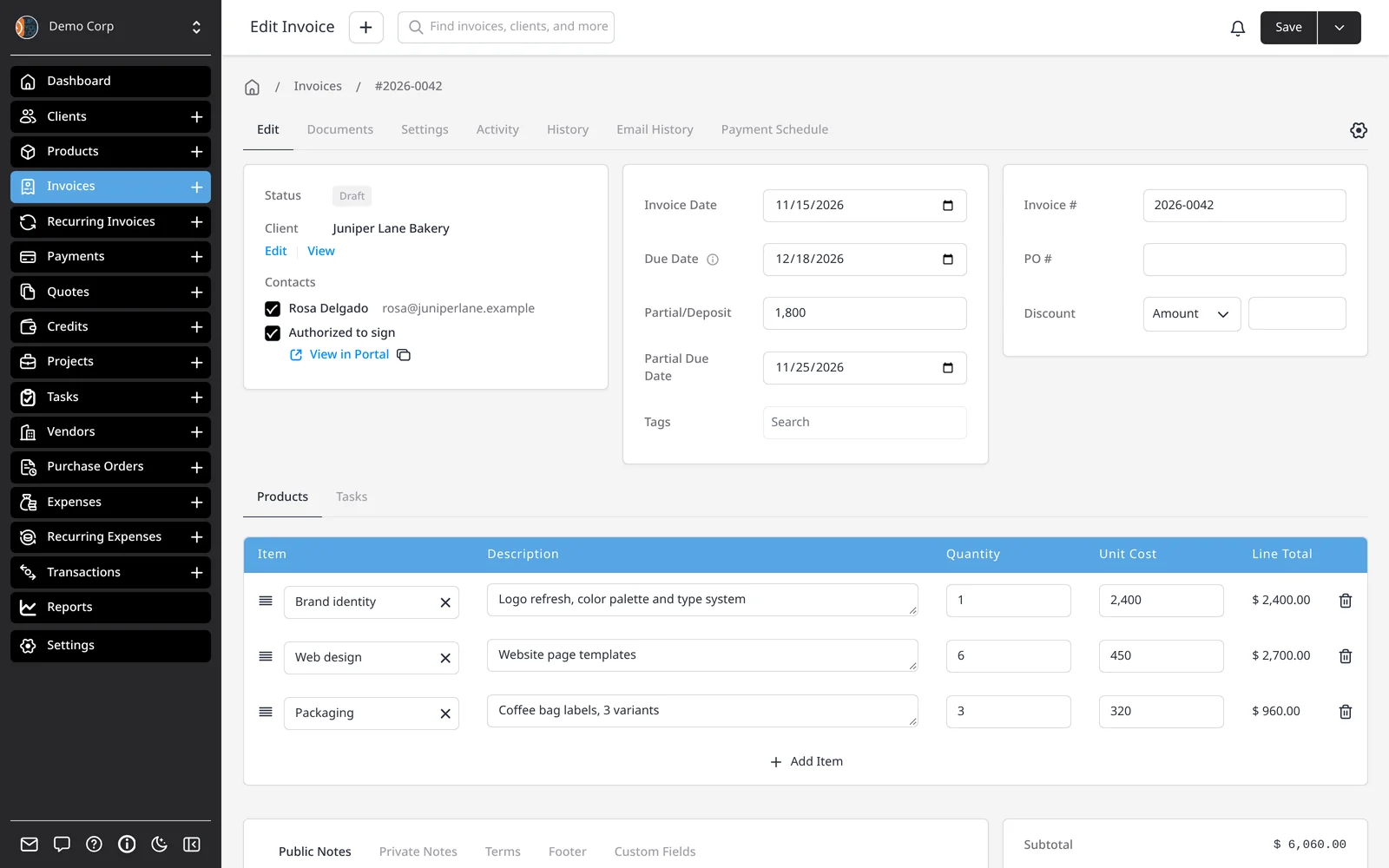
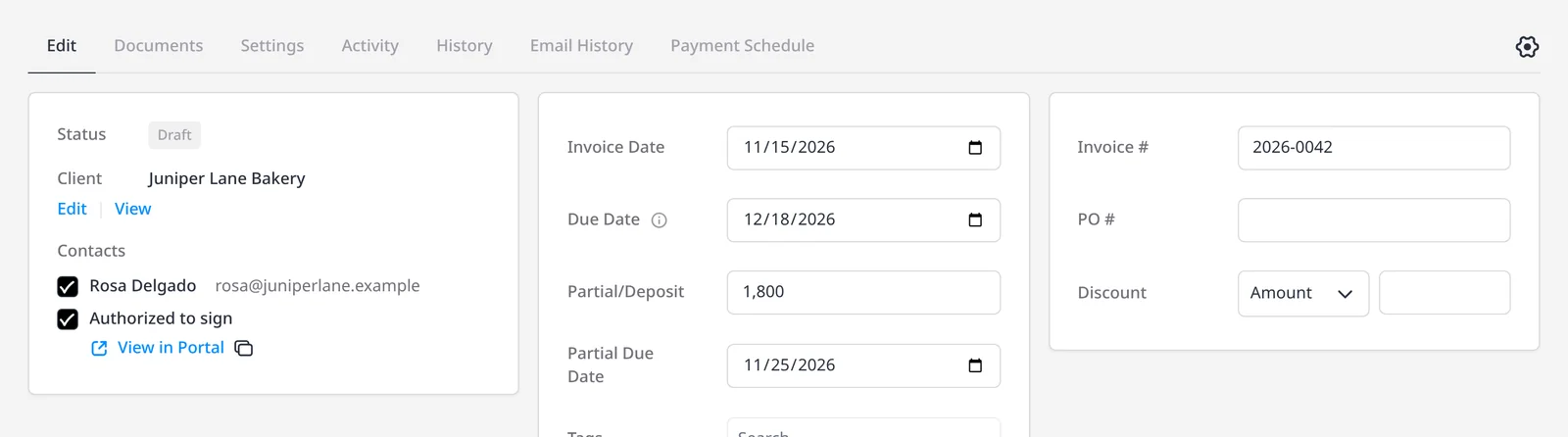
The Partial/Deposit field on an invoice is for an amount you need before the full balance — a project deposit, a retainer, or a first milestone. It has its own due date, separate from the invoice’s main due date.
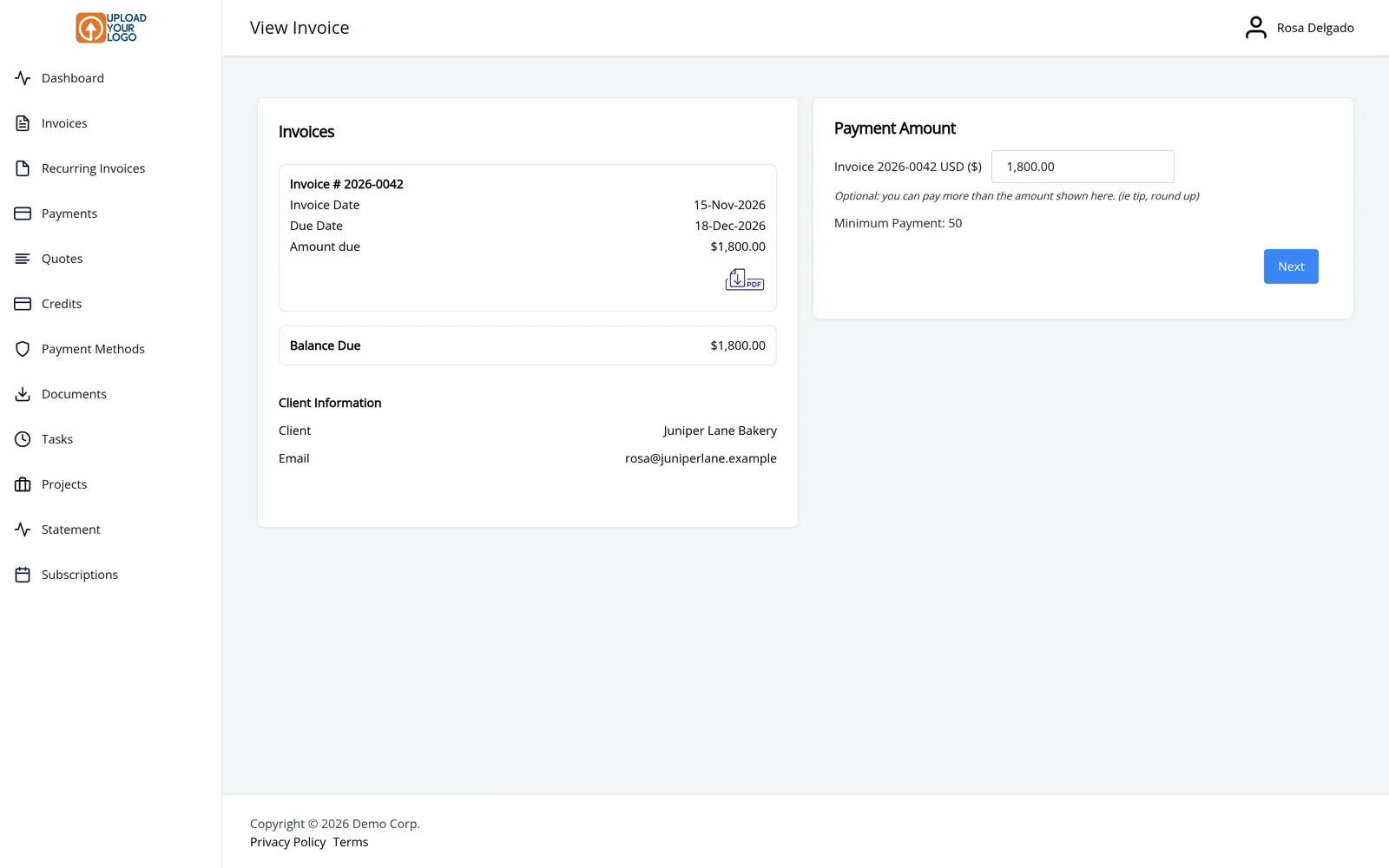
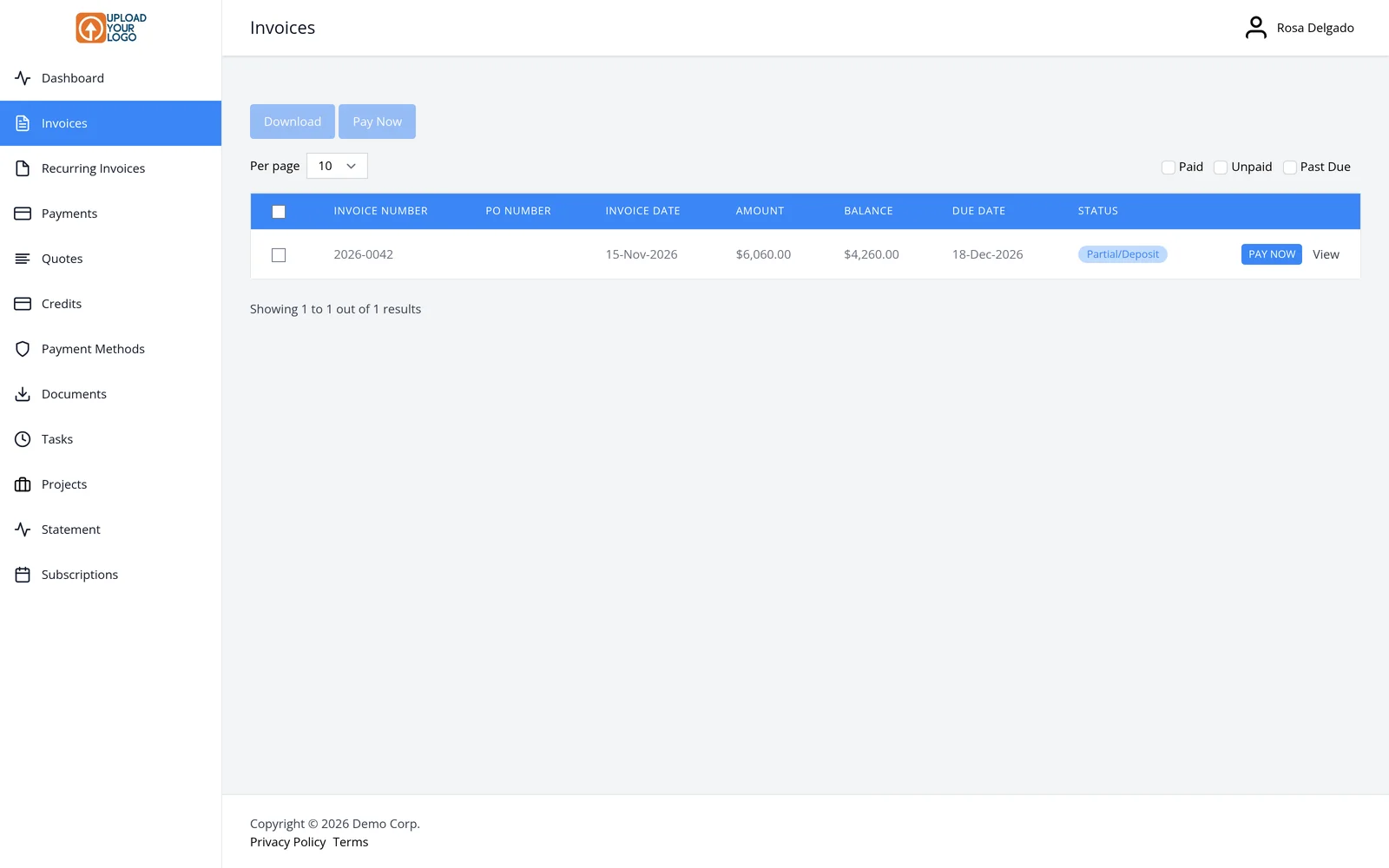
When you email the invoice, your client opens it in the client portal. The payment screen shows the deposit as the amount due — not the full invoice total. After the payment lands, the same invoice stays active, its status becomes Partial/Deposit, and the remaining balance is due on the main due date. You don’t create a second invoice for the rest.
You can also record a smaller payment yourself when money arrives by bank transfer or check. Keep taking payments against the same invoice until the balance is zero. Quotes can include a deposit too, so the amount is agreed before you start.
Deposits and partial payments are included on every plan, including Free. To take the deposit online, connect a payment gateway; otherwise, add bank-transfer instructions and record the payment when it arrives.
What you can do
- Set a deposit amount and a separate deposit due date
- Let the client pay the deposit from the client portal
- Keep the remaining balance on the same invoice
- Record further payments until the invoice is paid in full
- Add a deposit on a quote as well as an invoice
Who it’s for
Freelancers, contractors and agencies who need something upfront before work starts, and still want one invoice for the job.