
1-Click Client Payments

Let clients pay an invoice with Pay Now, and save a payment method so the next payment is even faster. Online payments are included on every plan, including Free.

  • Included on every plan
  • Pay Now on the invoice
  • Saved payment methods
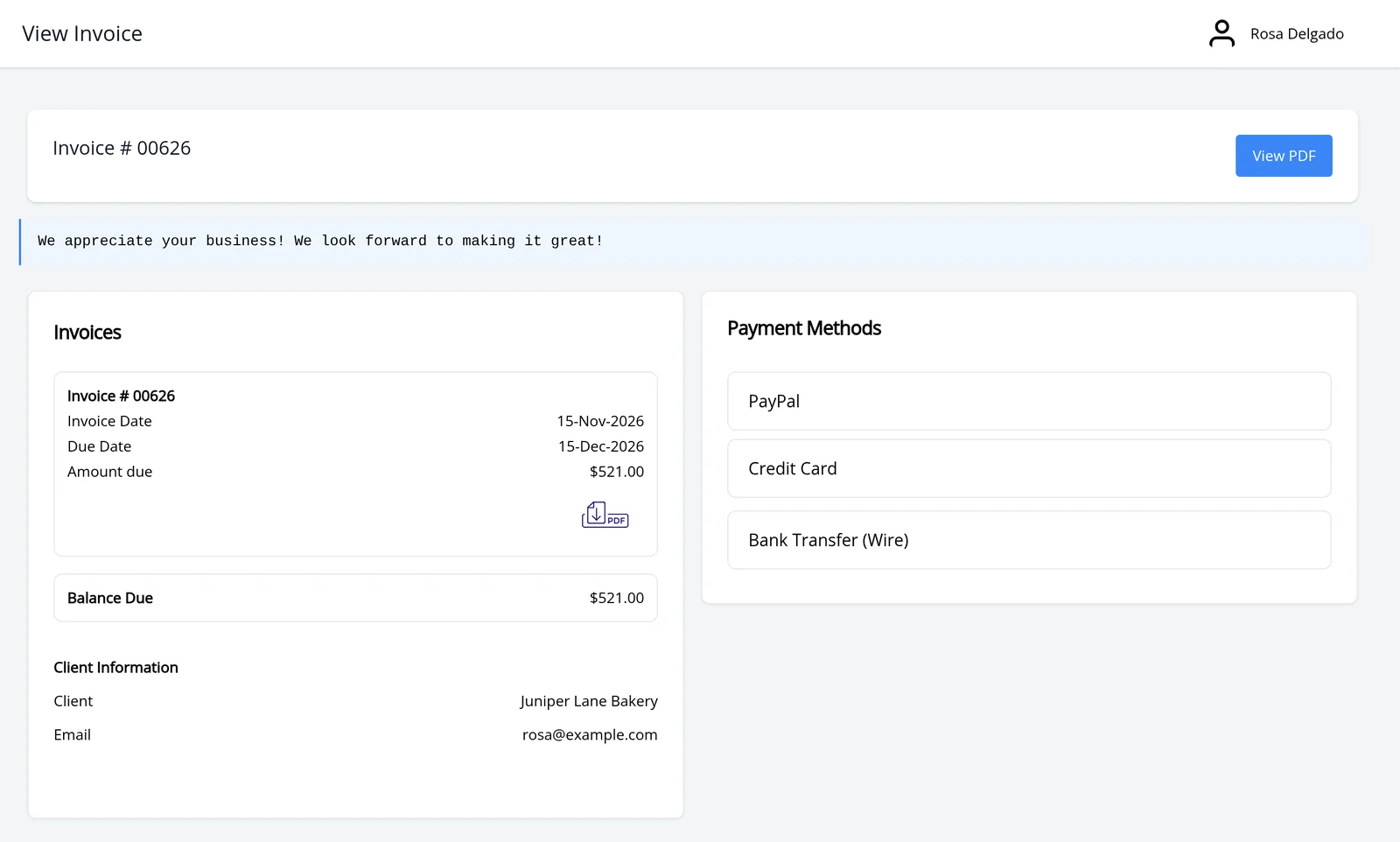
Client portal invoice 00626 for Juniper Lane Bakery, with PayPal, Credit Card and Bank Transfer (Wire) as payment methods

How it works

Pay from the invoice, then save a method

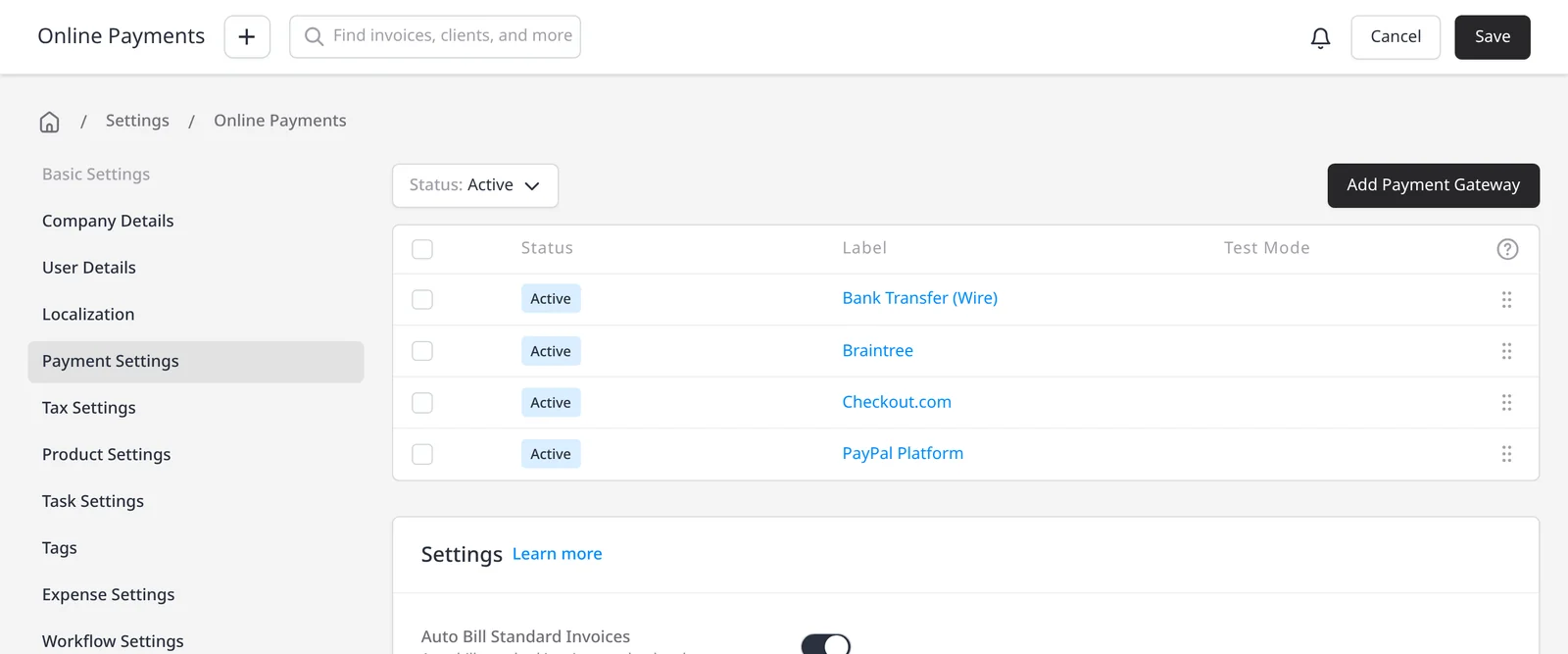
  1. Invoice Ninja Online Payments settings, with active gateways including Bank Transfer (Wire), Braintree, Checkout.com and PayPal Platform

    Connect a payment gateway

    In Settings โ†’ Payment Settings, connect Stripe, PayPal, Square or another supported gateway. Invoice Ninja takes 0% on every payment.

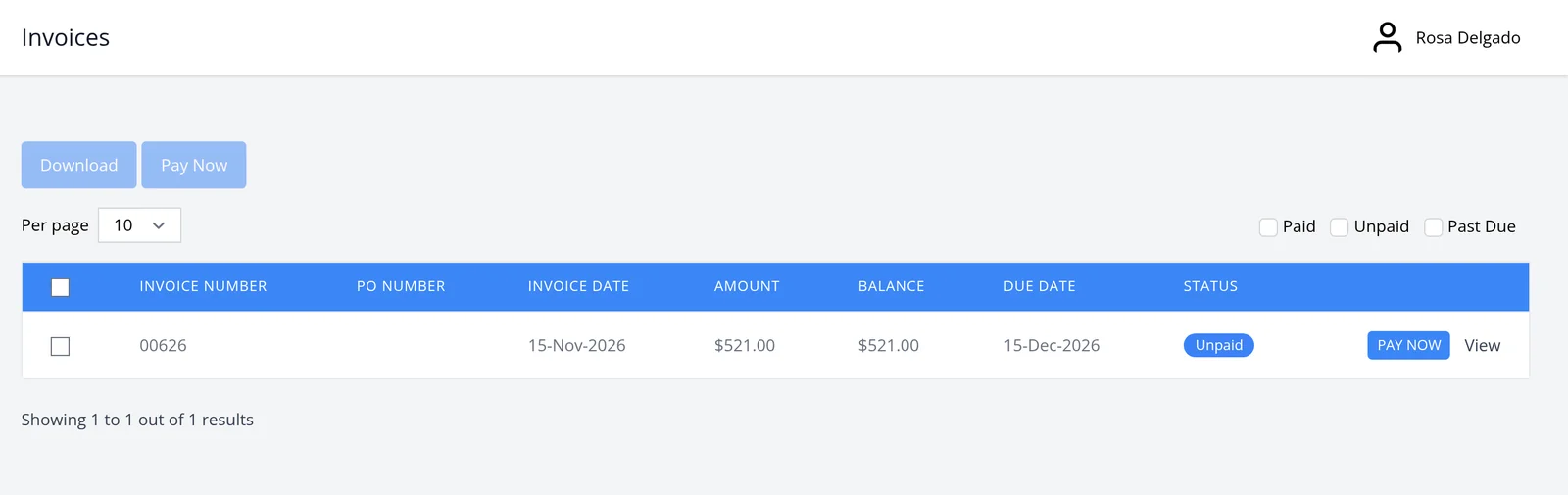
  2. Client portal invoices list for Rosa Delgado, with a Pay Now button on unpaid invoice 00626

    Send the invoice with Pay Now

    Your client opens the invoice or client portal, chooses a method and pays without hunting for a separate checkout page.

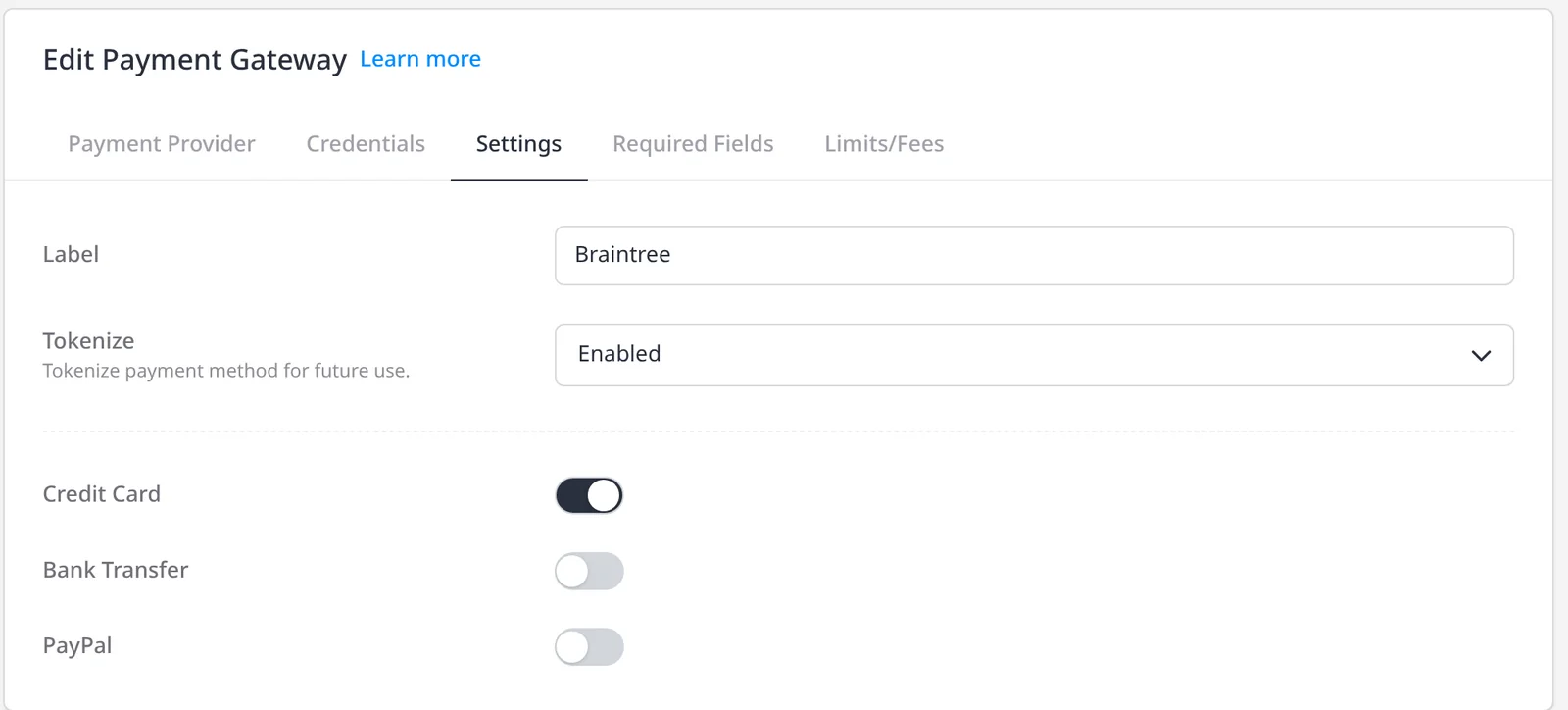
  3. Braintree gateway settings in Invoice Ninja, with Tokenize enabled so a payment method can be saved for later use

    Save a method for next time

    Your client can save a card on file with the merchant processor (token billing). Invoice Ninja never stores the card details. Later invoices can be paid in one click, and the client can manage methods in the portal.

Make it easy for clients to pay you

Once a payment gateway is connected, every invoice can carry a Pay Now button. Your client opens the invoice, chooses a method and pays. They do not leave to find a separate checkout page. Online payments are included on every plan, including Free.

You connect your own gateway. Invoice Ninja takes 0% on every payment, on every plan. Only the gateway’s fees apply, at the rate in your agreement with them. See payment gateways and Invoice Ninja’s 0% processing fees. Many gateways also support ACH or bank debit.

For an even faster next payment, your client can save a card on file. Invoice Ninja uses token billing: the card details are not stored in Invoice Ninja, only tokenized at the merchant processor. The client can add, remove or set a default method in the portal’s Payment Methods tab. The next invoice can then be paid in one click. The same saved method is also what recurring auto-billing uses when you want invoices to collect on a schedule. Payment Links are included on every plan as well, if you want a simple pay link without sending a full invoice first.

What you can do

  • Let clients pay from the invoice or client portal with Pay Now, on every plan including Free
  • Connect your own gateway, with 0% Invoice Ninja processing fees
  • Save a card on file with the merchant processor (token billing); Invoice Ninja never stores the card details
  • Let clients add, remove or set a default method in the portal, so later invoices can be paid in one click
  • Use the same saved method for recurring auto-billing, when you want invoices to collect on a schedule

Who it’s for

Businesses that want clients to pay the moment they open the invoice, and to pay even faster the next time, without Invoice Ninja taking a cut of the payment.

What you can do

  • Pay Now on every invoice

    Clients open the invoice or portal, choose a method and pay.

  • Saved payment methods

    A card on file (token billing) makes later payments one click. Invoice Ninja never stores the card details.

  • Cards, PayPal and bank debit

    Offer the methods your gateway supports, including ACH where it is available.

  • 0% Invoice Ninja fees

    You connect your own gateway. Invoice Ninja takes 0% on every payment.

  • Ready for auto-billing

    The same saved method can collect recurring invoices on a schedule.

Tip: Connect a gateway under Settings โ†’ Payment Settings. Clients can then save a card on file with the merchant processor (token billing), so later invoices and auto-billing are faster. Invoice Ninja never stores the card details.

Common questions

Is this included on the free plan?

Yes. Online payments, Pay Now, Payment Links, and saving a card on file through token billing are included on every plan, including Free. Paid plans lift the 5-client limit; see pricing.

Does Invoice Ninja store card details?

No. Invoice Ninja uses token billing: the card details are not stored in Invoice Ninja, only tokenized at the merchant processor. The client can save a card on file so later invoices can be paid in one click, and so recurring invoices can auto-bill. This is included on every plan, including Free.

Does Invoice Ninja charge a payment fee?

No. Invoice Ninja takes 0% on every gateway, on every plan, including Free. Only the gateway’s fees apply, at the rate in your agreement with them.

How is this different from auto-billing?

Pay Now is for a client paying an invoice when they receive it. Auto-billing uses the same card on file, saved through token billing, to collect recurring invoices on a schedule. Both are included on every plan, including Free. See recurring auto-billing for the scheduled option.

Which payment methods can clients use?

Whichever methods your connected gateway supports: cards, PayPal, and ACH or bank debit where the gateway offers them. See the payment gateways page for supported providers.

Ready to send your first invoice?

Join 200,000+ businesses invoicing with Invoice Ninja. Free to start, no credit card required.