
Zero Invoice Ninja Processing Fees

Invoice Ninja charges 0% processing and transaction fees on every plan, including Free, no matter which gateway you use. You connect your own gateway. Only that provider’s fees apply, at the rate in your agreement with them.

  • 0% Invoice Ninja fees
  • Included on every plan
  • Optional fee pass-through
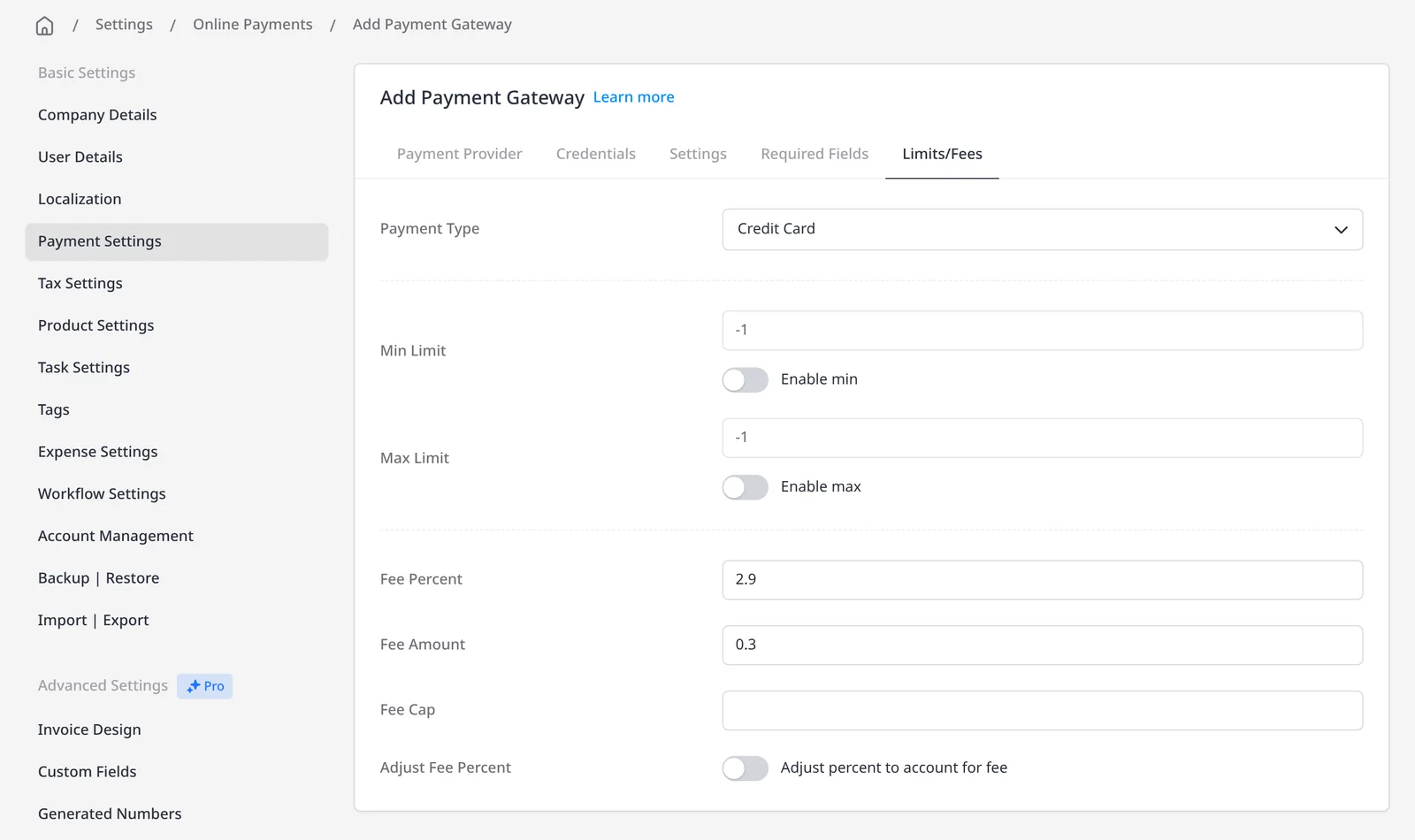
Invoice Ninja Limits and Fees tab for a payment gateway, with a sample fee of 2.9 percent plus 0.30

How it works

Connect your gateway. Keep the 0% Invoice Ninja fee.

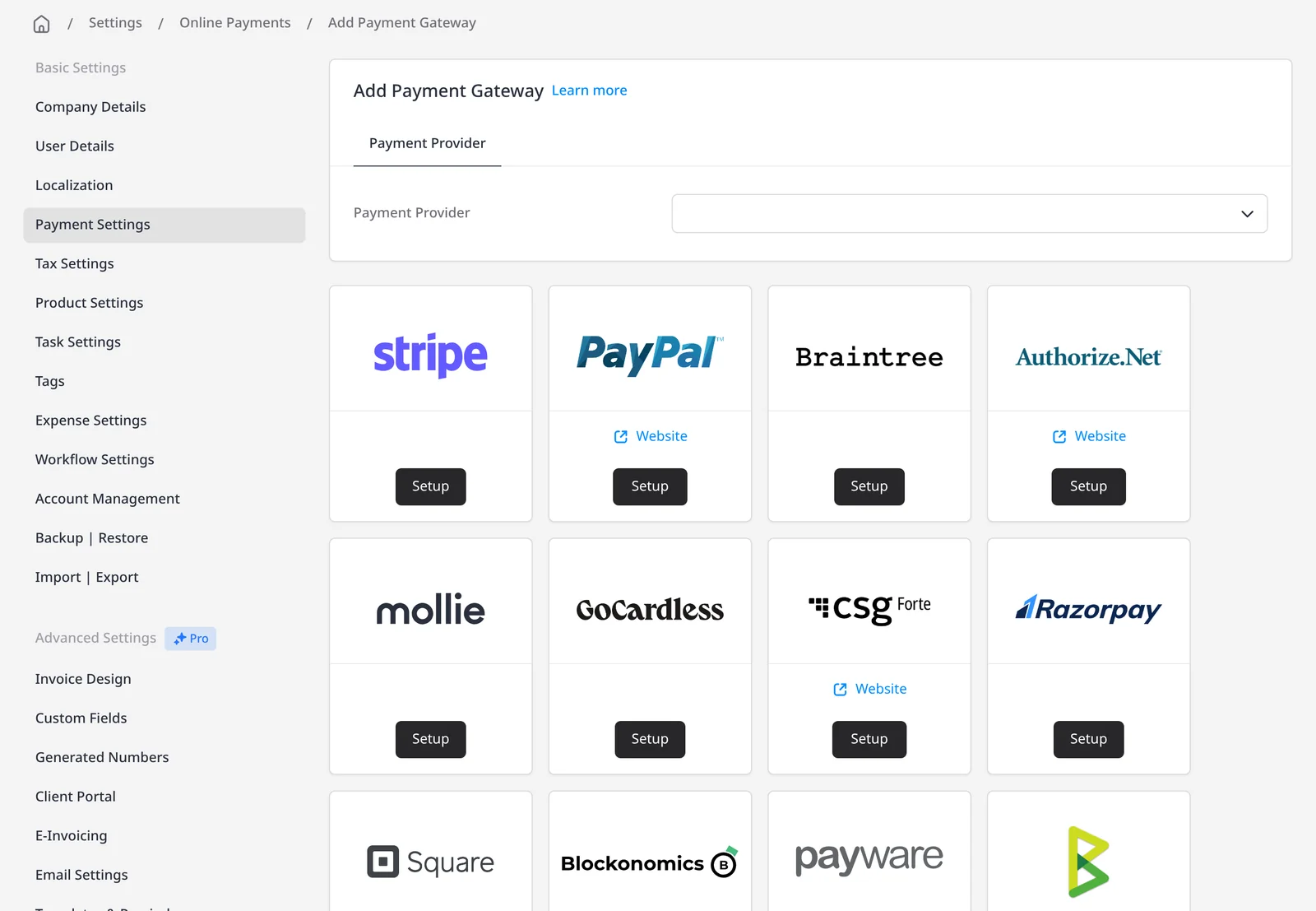
  1. Add Payment Gateway screen in Invoice Ninja, showing a grid of payment providers

    Connect your gateway

    In Settings → Online Payments, add the provider you already use, or open a new merchant account. Invoice Ninja does not process the card itself.

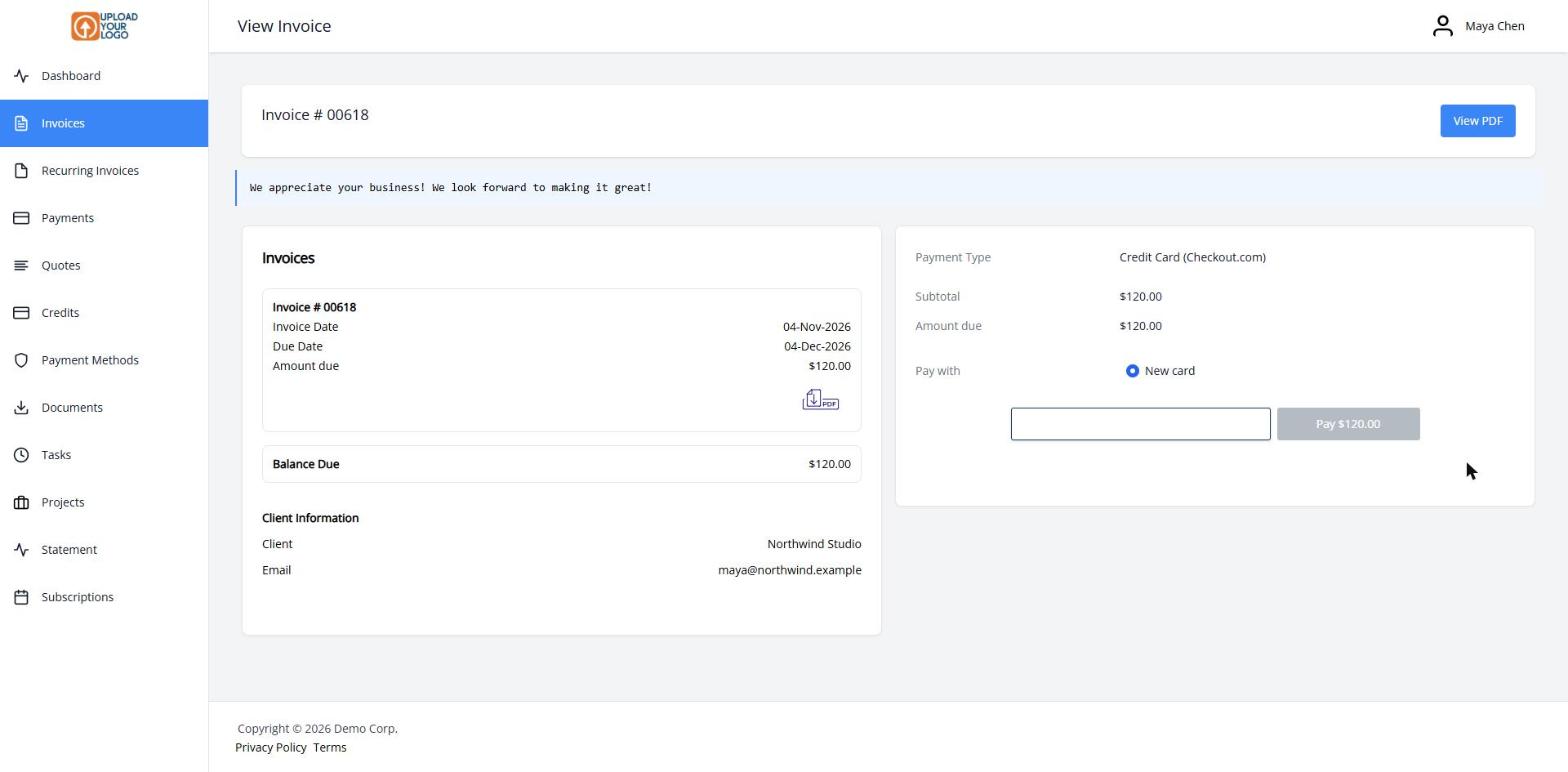
  2. Client portal payment card on an invoice, with a Pay Now button

    Clients click Pay Now

    Your client pays from the invoice or client portal. The gateway moves the money. Invoice Ninja’s processing fee is $0.

  3. Invoice Ninja Limits and Fees tab for a payment gateway, with a sample fee of 2.9 percent plus 0.30

    Optionally pass the fee on

    On the gateway’s Limits/Fees tab, you can add a fee to a payment method, or point clients toward ACH when the gateway supports it.

Invoice Ninja charges 0% to process the payment

Invoice Ninja does not take a processing fee, a transaction fee, or a percentage of what your client pays. That is true on every plan, including Free, no matter which gateway you connect and no matter what rate that gateway charges you. You connect your own merchant account or payment gateway, the gateway moves the money, and Invoice Ninja records the payment on the invoice. Invoice Ninja’s fee is $0. The only processing costs are the fees in your agreement with the gateway.

Connect Stripe, PayPal and Venmo, Square, GoCardless, Authorize.net, Mollie and others, the same providers listed on the payment gateways page. Many also support ACH or bank debit, saved payment methods for auto-billing, and Payment Links. Online payments, Payment Links, recurring invoices and auto-billing are included on every plan, including Free (up to 5 clients). Paid plans lift that client limit; see pricing.

Example math on a $5,000 invoice

The gateway figures below are typical published standard rates, for illustration only. Your actual processing rate is set by your agreement with your gateway: it might be that provider’s standard published rate, a different published plan rate, or a negotiated high-volume deal. That agreement is between you and the gateway, not Invoice Ninja. Invoice Ninja takes 0% in every case.

The table uses US dollars. International cards, currency conversion, chargebacks and monthly gateway subscription fees (where a provider charges them) are not included in these rows.

Illustration only. Typical published standard gateway rates on a $5,000 invoice, in US dollars, checked 15 November 2026. Invoice Ninja’s processing fee is always $0. Your actual gateway rate depends on your agreement with that provider.
Charged by Payment method in this example Typical published standard rate (illustration only) Fee on $5,000 at that published rate Amount left from $5,000
Invoice Ninja Any invoice payment, every plan including Free 0% $0.00 $5,000.00 before the gateway’s own fee
Stripe Domestic online card (US published standard) 2.9% + $0.30 $145.30 $4,854.70
Stripe ACH Direct Debit, standard settlement (US published standard) 0.8%, capped at $5.00 $5.00 $4,995.00
Square Online card (a typical published US standard rate) 2.9% + $0.30 $145.30 $4,854.70
Authorize.net All-in-One plan, card per-transaction fee (US published standard) 2.9% + $0.30 $145.30 $4,854.70

For example, a commonly published US standard online card rate of 2.9% + $0.30 on $5,000 is $145.30 (2.9% × $5,000 = $145.00, plus $0.30). A published Stripe ACH Direct Debit rate of 0.8% with a $5.00 cap would be $5.00 on $5,000, because 0.8% would otherwise be $40.00. Authorize.net’s published All-in-One plan also has a $25 monthly gateway fee, which is not included in the $145.30 row. Some providers publish other rates too: for example, a higher plan rate such as 3.3%, or a lower negotiated rate. Yours is the rate in your gateway agreement. PayPal is a supported gateway, but this table does not quote a PayPal figure.

These “amount left” figures assume you absorb the gateway fee. If you optionally pass the gateway fee through to the client (and the rules where you do business allow it), the client can pay the fee and you can keep the invoice total.

What you can do

  • Connect your own gateway with 0% Invoice Ninja processing fees, on every plan including Free
  • Offer cards, PayPal, and ACH or bank debit through supported gateways
  • See illustrative fee math on a $5,000 invoice in the table above
  • Optionally add a gateway fee on a payment method, including Stripe’s auto-calculated pass-through
  • Encourage ACH when you want a lower typical gateway rate on larger invoices

Who it’s for

Freelancers and businesses who want to accept online invoice payments without paying Invoice Ninja a percentage of each transaction, and who want the option to pass a gateway fee to the client, or to steer larger invoices toward ACH, where the gateway supports it.

What you can do

  • 0% Invoice Ninja fees

    No processing or transaction fee from Invoice Ninja, on every plan including Free.

  • Your own merchant account

    Connect Stripe, PayPal, Square, GoCardless, Authorize.net, Mollie and more.

  • Clear fee math

    See illustrative math on a $5,000 invoice: $0 from Invoice Ninja, versus a typical published gateway rate.

  • Optional fee pass-through

    Add a gateway fee on a payment method. Stripe can auto-calculate it for you.

  • Encourage ACH

    When a supported gateway offers bank debit, the published rate is often much lower.

Tip: Set an optional gateway fee under Settings → Online Payments → your gateway → Limits/Fees. Check the rules where you do business before turning this on.

Common questions

Does Invoice Ninja charge payment processing fees?

No. Invoice Ninja charges 0% processing and transaction fees on every plan, including Free, no matter which gateway you connect. You connect your own payment gateway, and only that provider’s fees apply, at the rate in your agreement with them.

What fees do I pay when a client pays a $5,000 invoice?

Invoice Ninja’s fee is always $0. The other amounts in the table are typical published standard rates, for illustration only. For example, a commonly published US card rate of 2.9% + $0.30 on $5,000 is $145.30; a published Stripe ACH rate with a $5 cap would be $5.00. Your actual rate is the one in your gateway agreement.

Which payment gateways can I connect?

Stripe, PayPal and Venmo, Square, GoCardless, Authorize.net, Mollie and many others. The full current list is on the Invoice Ninja payments page. You can also add bank-transfer instructions with no gateway fee.

Can I pass the gateway fee through to the client?

Yes, optionally. On the gateway’s Limits/Fees tab you can add a percentage and/or a flat fee, and Stripe can auto-calculate the amount. Check the rules where you do business before turning this on.

Is this included on the free plan?

Yes. 0% Invoice Ninja processing fees, online payment gateways, Payment Links, recurring invoices and auto-billing are all included on every plan, including Free. Free covers up to 5 clients; paid plans lift that limit.

Why is the ACH example so much lower than the card example?

Because the gateway’s published standard rate in this example is lower. A typical published Stripe ACH Direct Debit rate is 0.8% with a $5.00 cap, so a $5,000 invoice would be capped at $5.00, versus $145.30 at a 2.9% + $0.30 card rate. Your rate, and whether ACH is available, depends on your gateway agreement.

Ready to send your first invoice?

Join 200,000+ businesses invoicing with Invoice Ninja. Free to start, no credit card required.