
Gmail & Microsoft Email Sending

Send invoices, quotes and reminders from your own Gmail or Microsoft account, so clients see your address in the From field. This is included on Pro and Enterprise.

  • Pro & Enterprise
  • Gmail or Microsoft
  • Your own From address
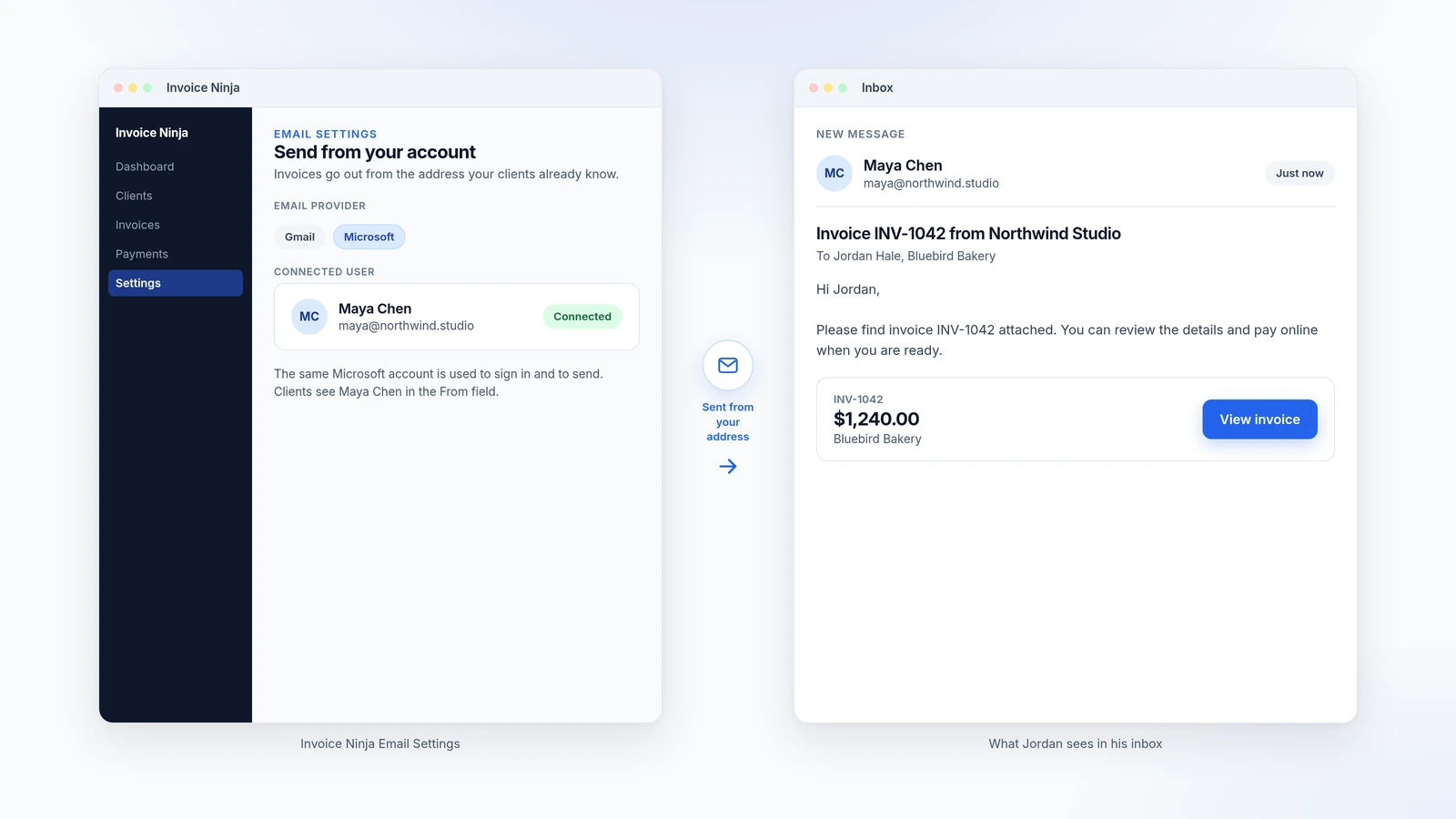
Illustration of Invoice Ninja Email Settings connected as Maya Chen, next to an inbox where the invoice email is from Maya Chen at maya@northwind.studio

How it works

Connect your account, then send as yourself

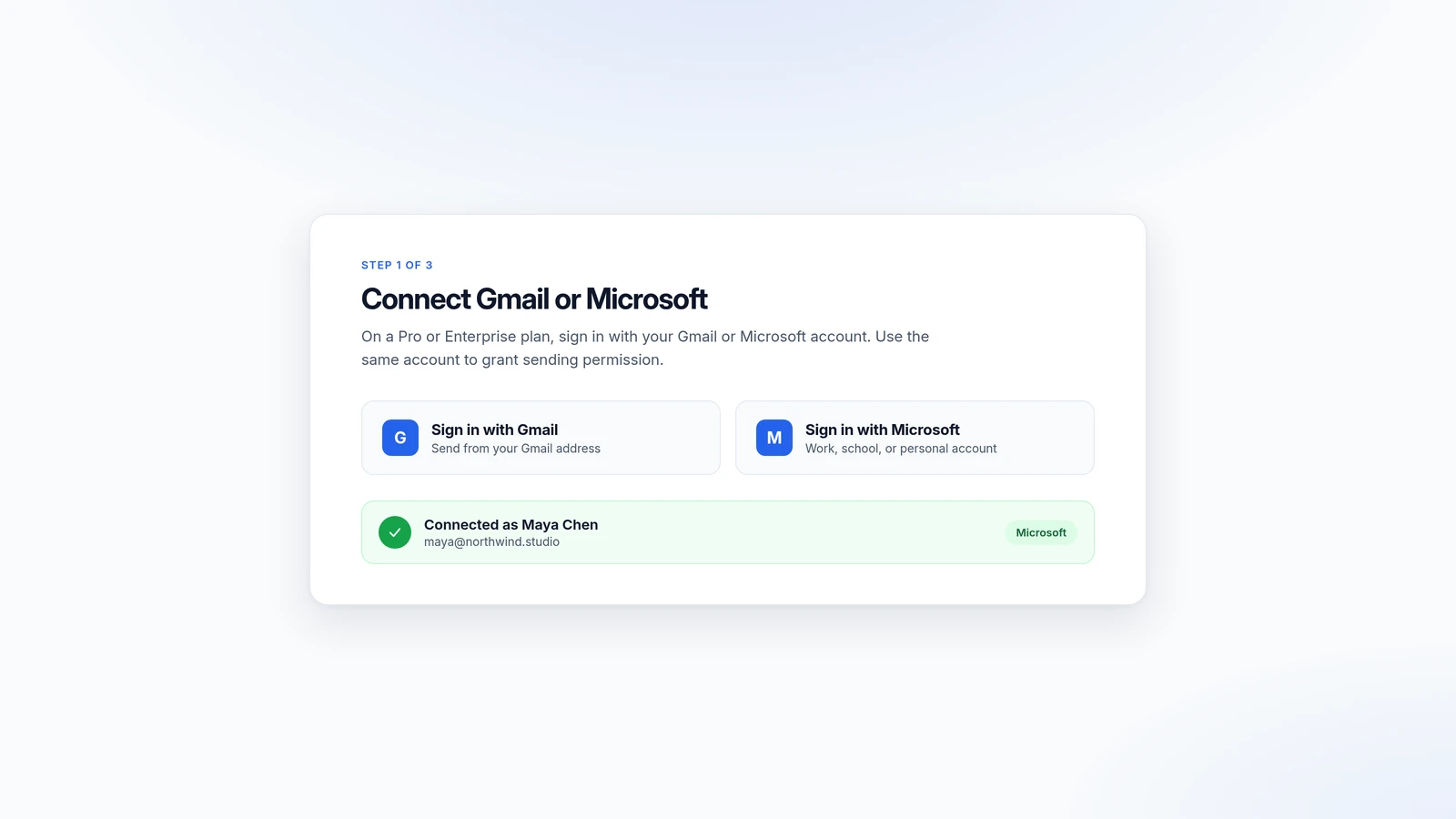
  1. Illustration of signing in with Gmail or Microsoft, then a confirmation that Maya Chen is connected

    Connect Gmail or Microsoft

    On a Pro or Enterprise plan, sign in with your Google or Microsoft account. Use the same account to grant sending permission.

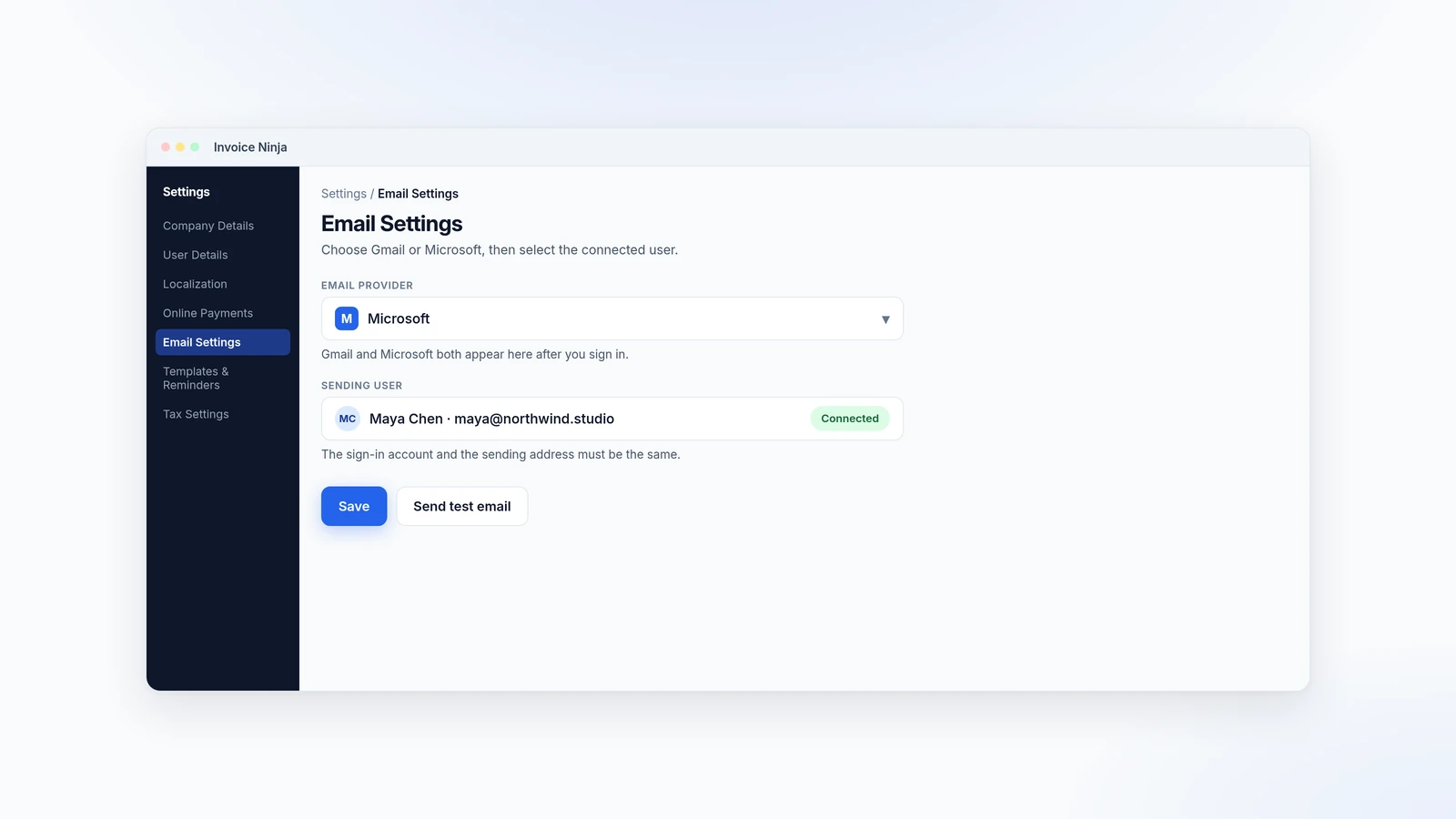
  2. Illustration of Invoice Ninja Email Settings with Microsoft selected and Maya Chen as the sending user

    Choose it in Email Settings

    Go to Settings → Email Settings, set the Email Provider to Gmail or Microsoft, and select the connected user.

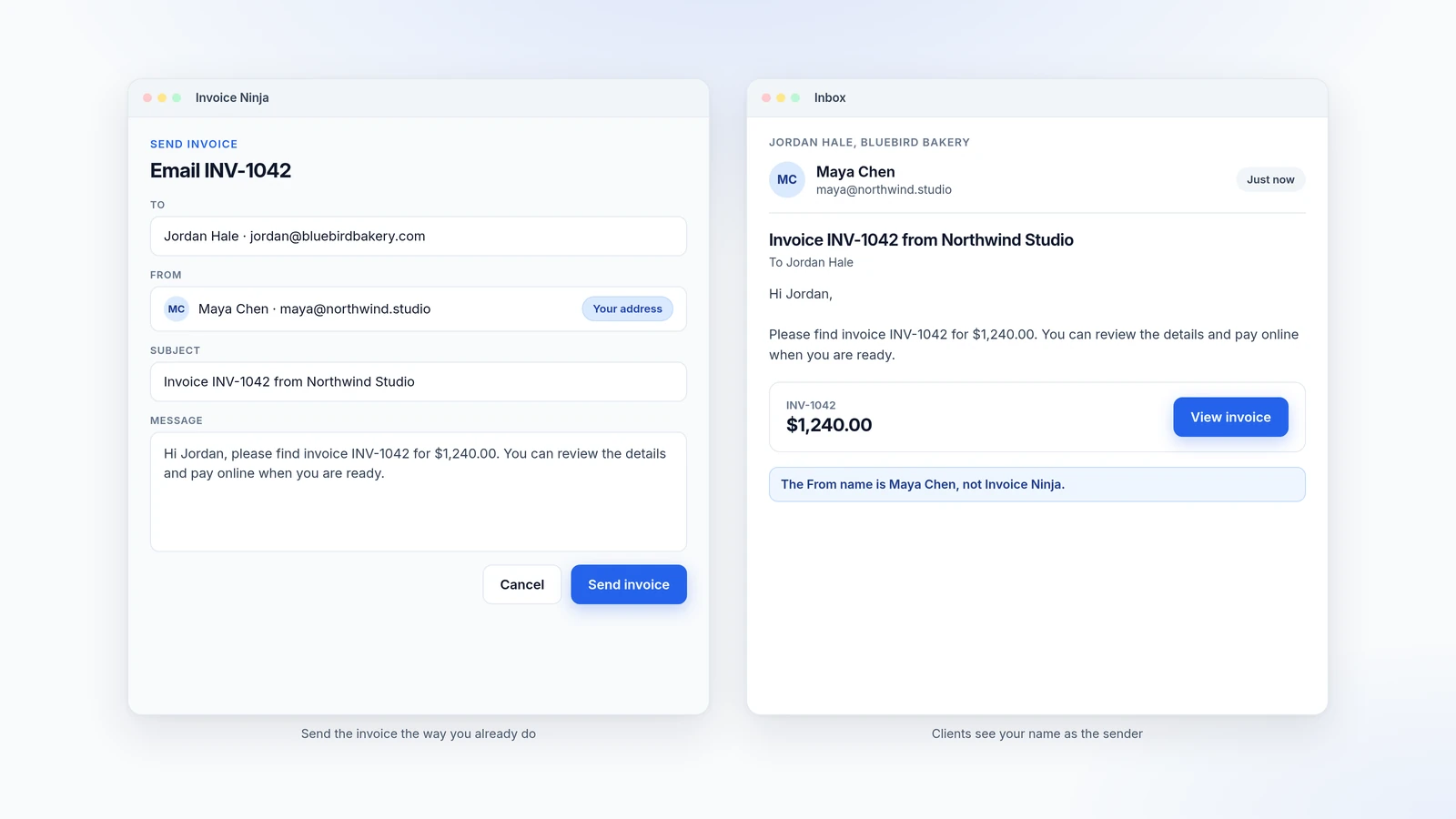
  3. Illustration of sending invoice INV-1042 from Maya Chen, and the same message in Jordan Hale’s inbox from Maya Chen

    Send as usual

    Email an invoice, quote or reminder the way you already do. Clients see your address as the sender.

Send from the inbox your clients already know

By default, Invoice Ninja can send mail for you. On a Pro ($14/mo) or Enterprise (from $18/mo) plan, you can instead send through your own Gmail or Microsoft account, so the message comes from your address. That is useful for invoices, quotes, payment emails and reminders.

Sign in with your Google or Microsoft account, then go to Settings → Email Settings, set the Email Provider to Gmail or Microsoft, and choose the connected user. The account you sign in with must be the same account you grant sending permission to. Invoice Ninja cannot link one Google login to a different Gmail address.

On Pro and Enterprise you can also send through your own SMTP server, or through a provider such as Postmark, Mailgun or Brevo, if you need a different From address or higher volume. If you use the default Invoice Ninja hosted mail service, delivery tracking is built in. Sending from your own Gmail, Microsoft or other provider uses that provider’s delivery instead.

What you can do

  • Send invoices and quotes from your own Gmail or Microsoft address, on Pro and Enterprise
  • Connect with OAuth, then pick the provider and user under Settings → Email Settings
  • Use the same templates you already edit under Templates & Reminders
  • Or send through SMTP, Postmark, Mailgun or Brevo if you prefer
  • Keep using Invoice Ninja’s default hosted mail if you do not need a custom From address

Who it’s for

Businesses that want invoice and reminder emails to come from their own domain or mailbox, rather than from Invoice Ninja’s default sending address.

What you can do

  • Gmail or Microsoft Pro

    Connect your account and send from the address your clients already know.

  • OAuth connection Pro

    Sign in with your Google or Microsoft account and grant sending permission. Cross-account linking is not supported.

  • Email Settings Pro

    Choose the provider and the connected user under Settings → Email Settings.

  • SMTP and other providers Pro

    You can also send through SMTP, Postmark, Mailgun or Brevo on Pro and Enterprise.

  • Same templates Pro

    Invoice, quote, payment and reminder templates still apply, with your From address.

Tip: After you connect Gmail or Microsoft, set the Email Provider under Settings → Email Settings and select the connected user. The login and the sending address must be the same account.

Common questions

Can I send from Gmail on the free plan?

No. Sending through your own Gmail or Microsoft account is included on Pro ($14/mo) and Enterprise (from $18/mo). The free plan uses Invoice Ninja’s default mail service.

Do clients see my email address?

Yes, when Gmail or Microsoft is set as the Email Provider and you have connected that account. The invoice or reminder is sent from your address instead of Invoice Ninja’s default sending address.

Can I connect one Google login and send from a different Gmail address?

No. The account you authenticate with must be the same account you grant permission to send from. Cross-account linking is not supported.

Which Microsoft accounts can I use?

Sign in with your Microsoft account. That covers Microsoft 365 work or school accounts and personal accounts such as Outlook.com, Hotmail, or Live. The connection uses Microsoft OAuth, set the same way as Gmail under Settings → Email Settings.

Can I use my own SMTP server instead?

Yes, on Pro and Enterprise. Under Settings → Email Settings you can choose SMTP and enter the host, port, encryption and credentials, then send a test email. Postmark, Mailgun and Brevo are also supported.

Do reminder emails also come from my address?

Yes. Once Gmail, Microsoft or another provider is selected in Email Settings, invoices, quotes, payment emails and reminders use that sending method.

Ready to send your first invoice?

Join 200,000+ businesses invoicing with Invoice Ninja. Free to start, no credit card required.