
Custom Invoice Numbering

Set the invoice number pattern yourself โ€” prefixes, dates, counters and padding โ€” and Invoice Ninja applies it automatically on every new invoice.

  • Included on every plan
  • Custom patterns
  • Date & counter variables
Build the pattern

How it works

Set the pattern once, then every invoice follows it

  1. Open Generated Numbers

    Open Generated Numbers

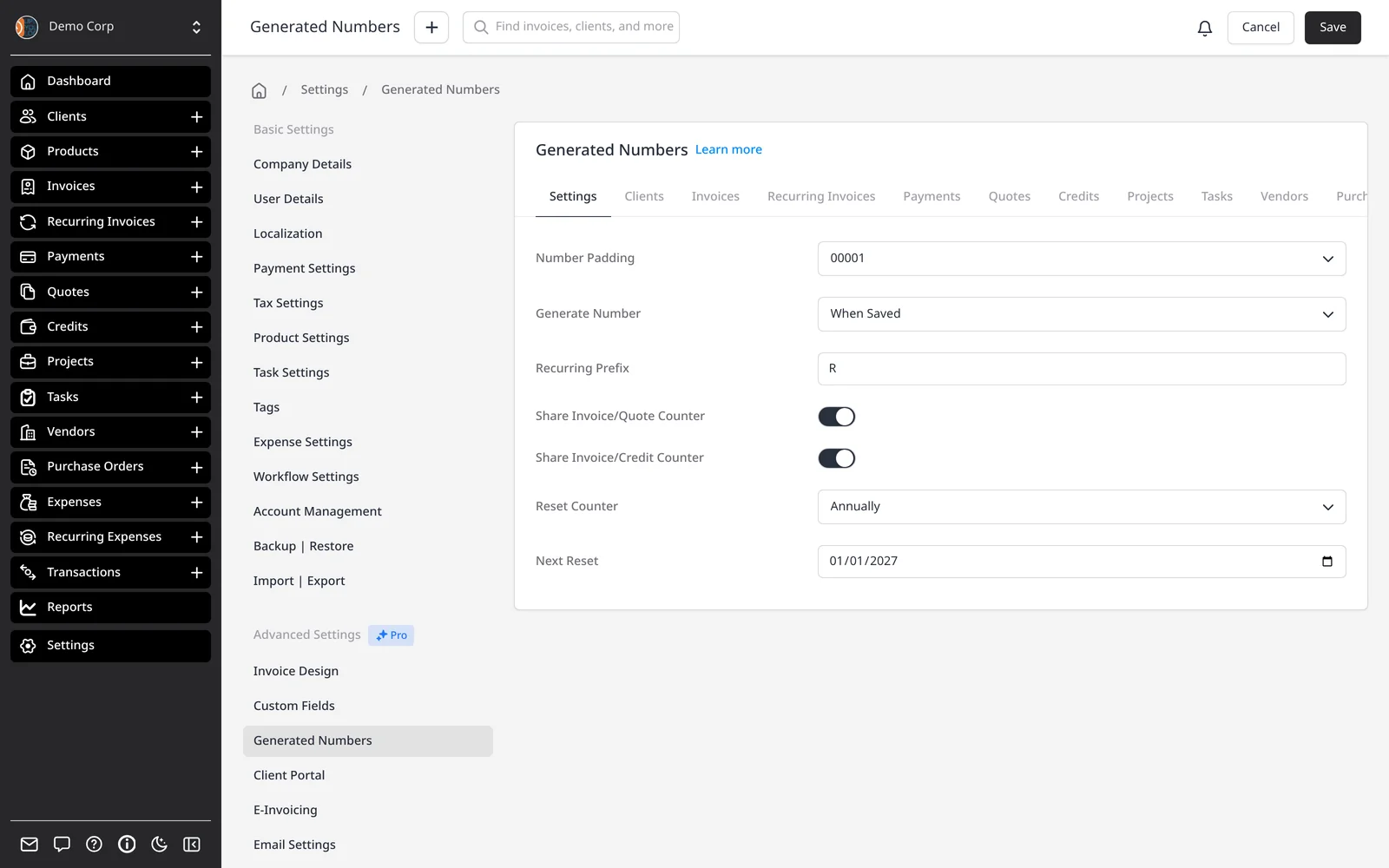
    Go to Settings โ†’ Generated Numbers. The Settings tab controls Number Padding, Generate Number (When Saved or When Sent), Recurring Prefix, shared counters, and Reset Counter.

  2. Build the pattern

    Build the pattern

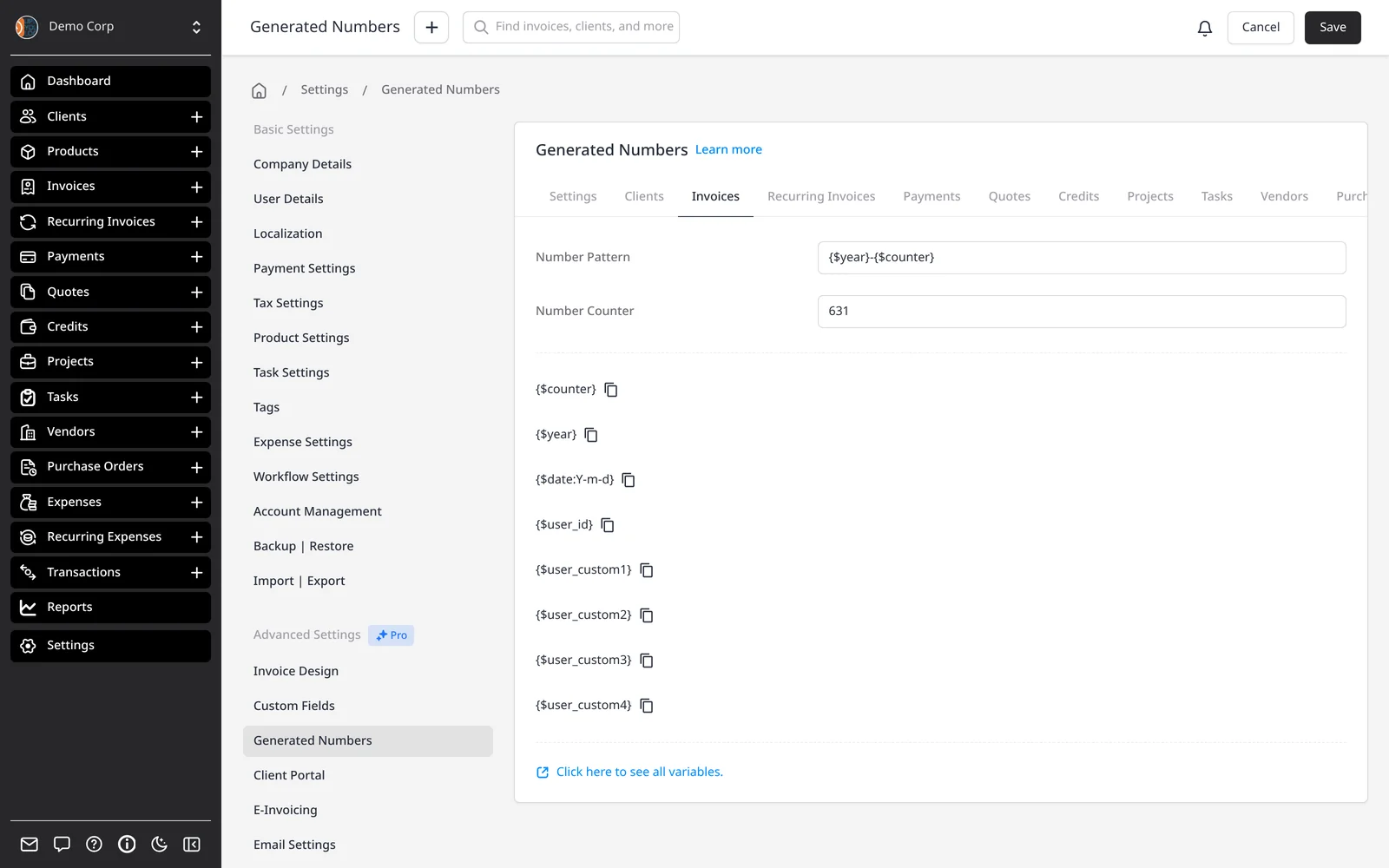
    On the Invoices tab, set a Number Pattern โ€” for example {$year}-{$counter} โ€” and the starting Number Counter if you're continuing a sequence.

  3. New invoices follow it

    New invoices follow it

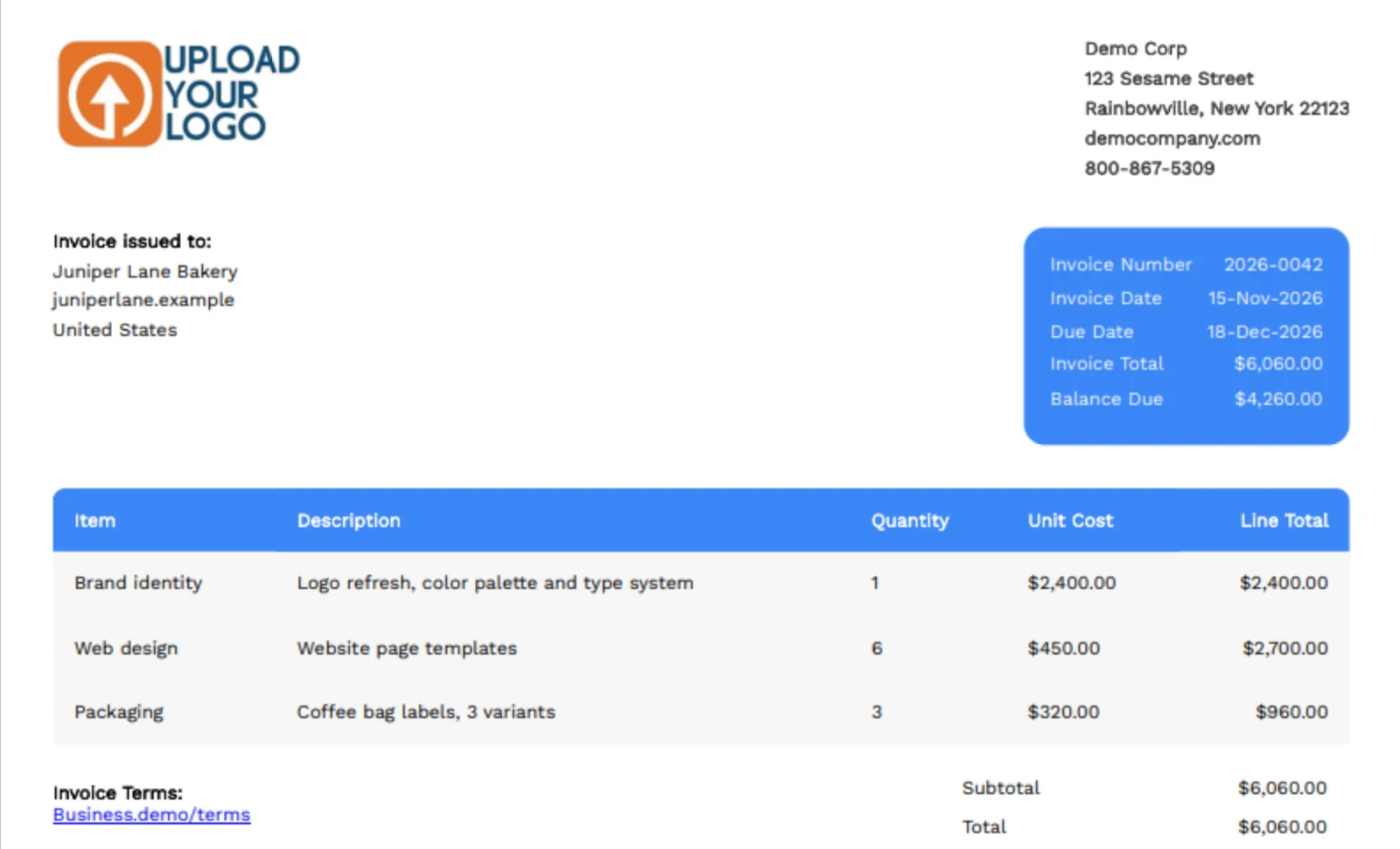
    Each new invoice gets the next number in the pattern, on the PDF and in the client portal. Quotes, credits and other records have their own tabs.

Invoice numbers that match the way you already work

Invoice numbers are generated from the pattern you set under Settings โ†’ Generated Numbers. The default is a padded counter (0001, 0002, 0003). If your accountant wants a year in the number, a prefix, or a sequence that continues from another system, you change the pattern once and every new invoice follows it.

Patterns can include a counter, a client-specific counter, the year or a full date, and other variables. For example, {$year}-{$counter} produces numbers such as 2026-0009. You choose the padding (how many leading zeros) and whether the number is assigned when the invoice is saved, or only when it’s sent.

You can reset the counter yearly or monthly โ€” if you do, include something unique such as $year in the pattern so numbers don’t collide. Recurring invoices can get a prefix so they’re easy to spot. Optionally, quotes or credits can share the invoice counter, so all three stay on one sequence.

Each record type โ€” invoices, quotes, credits, clients, payments and more โ€” has its own tab, pattern and counter. If you’re migrating, you can set the Number Counter to continue where you left off. Numbers have to be unique; the pattern won’t apply a duplicate.

What you can do

  • Build a number pattern with counters, dates, years and prefixes
  • Choose padding, and assign the number when saved or when sent
  • Reset the counter yearly or monthly, with a unique year in the pattern
  • Use a separate sequence per client, or share counters across invoices, quotes and credits
  • Continue an existing sequence when you migrate

Who it’s for

Businesses that need invoice numbers to follow an accountant’s rules, a tax format, or the sequence they already use.

What you can do

  • Custom number patterns

    Combine a counter with prefixes, dates and other variables.

  • Dates and years in the number

    Use $year or a date format such as $date:Y-m-d in the pattern.

  • When the number is assigned

    Stamp the number when the invoice is saved, or only when it's sent.

  • Reset the counter

    Start over yearly or monthly โ€” keep $year in the pattern to avoid clashes.

  • Per-client sequences

    Use $client_counter when each client should have their own numbering.

Tip: Set your pattern under Settings โ†’ Generated Numbers โ†’ Invoices. If you reset the counter, include $year (or another unique value) in the pattern.

Common questions

Is custom invoice numbering included on the free plan?

Yes. Generated Numbers is part of Invoice Ninja on every plan, including Free. Free covers unlimited invoicing for up to 5 clients.

What can I put in the number pattern?

Common pieces are $counter, $client_counter, $year and $date:Y-m-d (or another date format). You can also include client or user custom fields, the client number, and a recurring prefix for invoices created from a recurring schedule. Patterns must produce a unique number.

When is the invoice number assigned?

You choose, under Settings โ†’ Generated Numbers: When Saved (as soon as you save the invoice) or When Sent (when you email it or mark it sent).

Can I restart the sequence each year?

Yes. Use Reset Counter on a yearly (or monthly) schedule, and include $year in the pattern so 2026-0001 and 2027-0001 stay unique.

Can quotes and invoices share one sequence?

Yes. Shared Invoice/Quote Counter puts quotes on the same counter as invoices. There’s a matching option for credits. Turn both on if you want invoices, quotes and credits on one sequence.

I'm moving from another system. Can I continue my current numbers?

Yes. On the Invoices tab, set the Number Counter to the next number you want to use. Edit it carefully โ€” a collision will block a new number from saving.

Ready to send your first invoice?

Join 200,000+ businesses invoicing with Invoice Ninja. Free to start, no credit card required.

This site is registered on wpml.org as a development site. Switch to a production site key to remove this banner.