
Inventory that stays in step with your invoices
For many product businesses, invoicing and stock live in different tools, so counts go stale. Invoice Ninja tracks inventory in the same product library you already use to fill invoices.
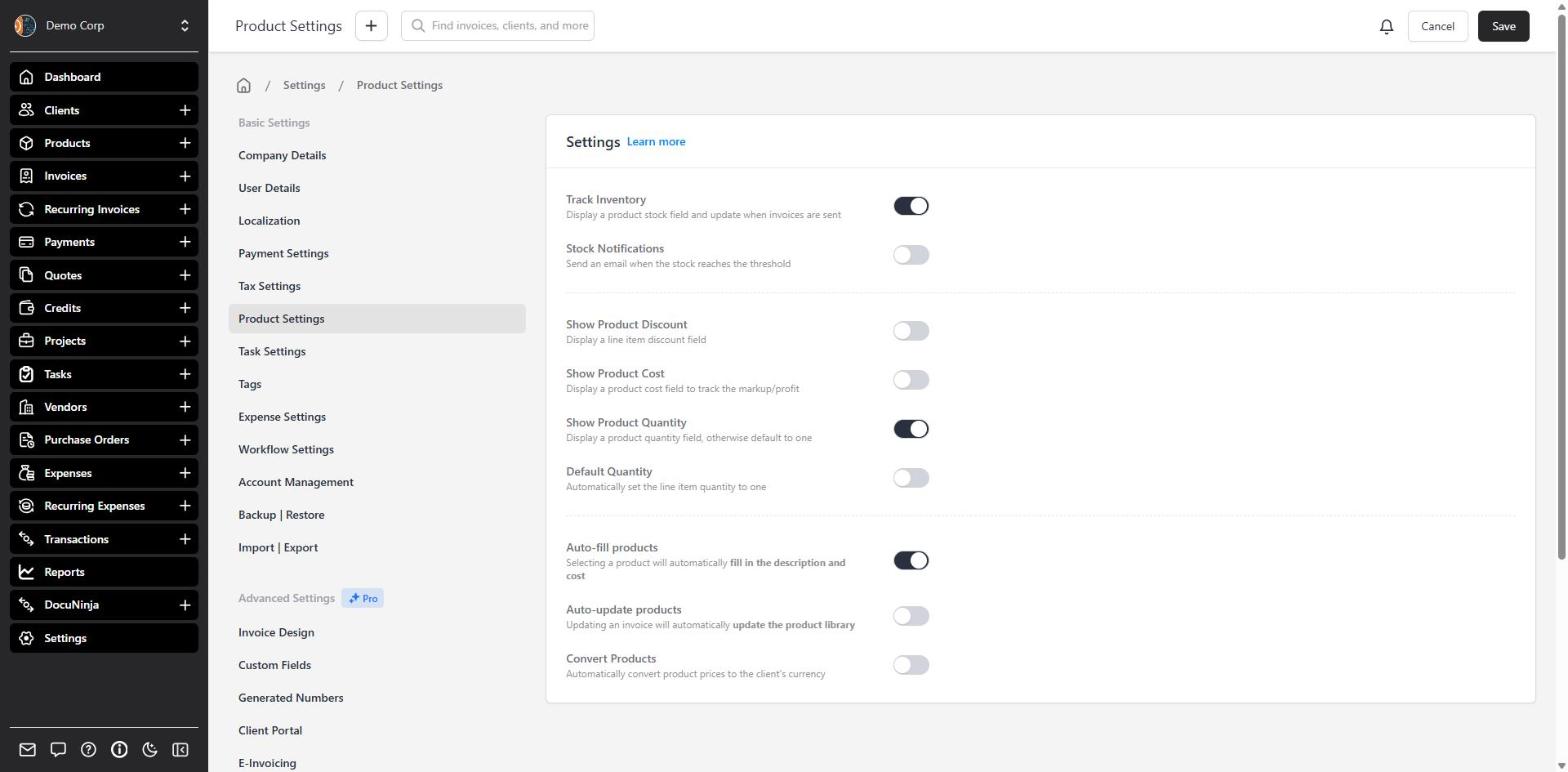
Turn on Track Inventory and every product can show a stock quantity. As soon as you create an invoice, even as a draft, those counts go down by the quantity you billed. Change a quantity and stock adjusts; delete an unpaid invoice and its stock goes back. If you also use purchase orders, marking a PO as received adds the goods back to stock.
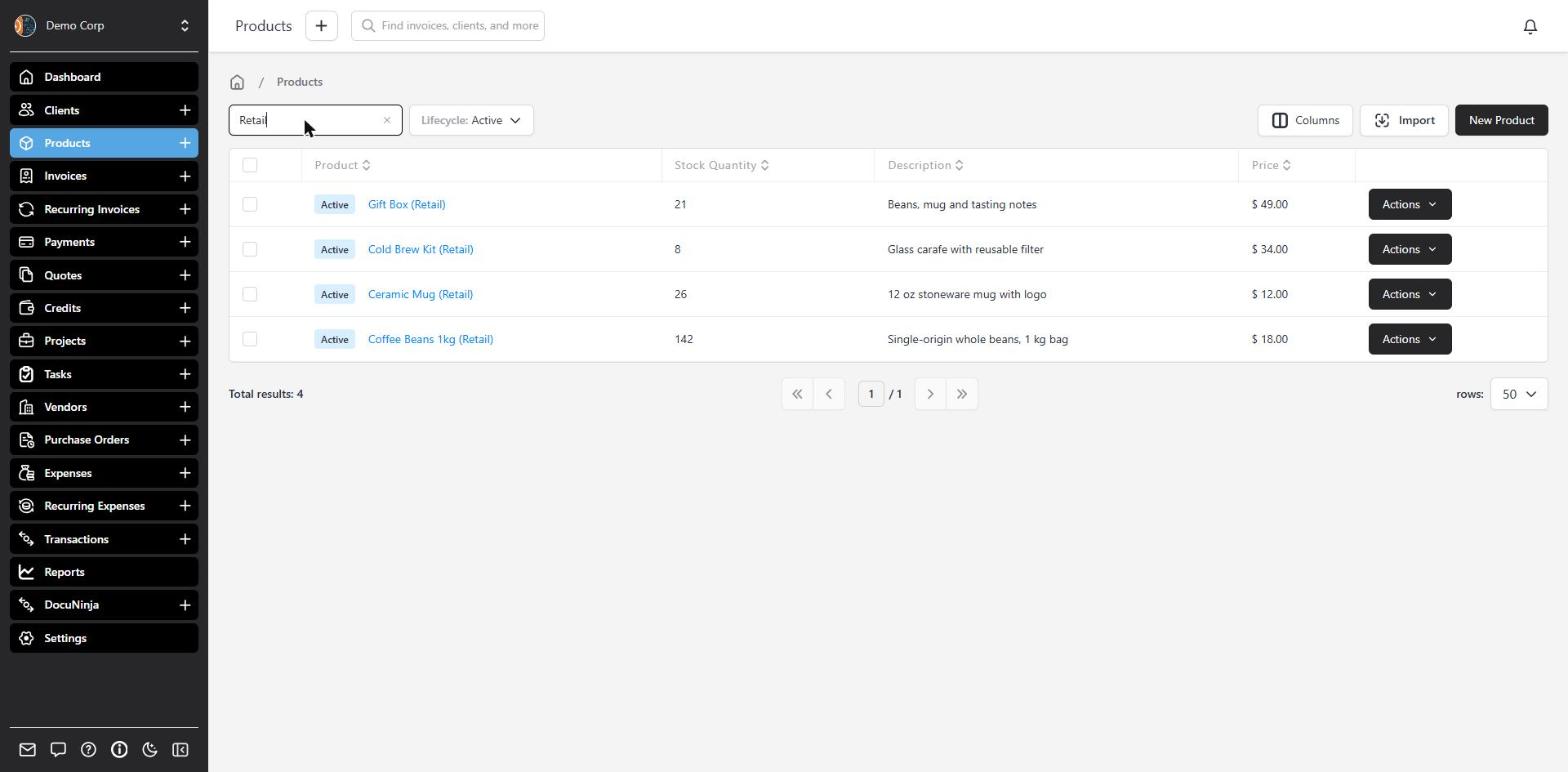
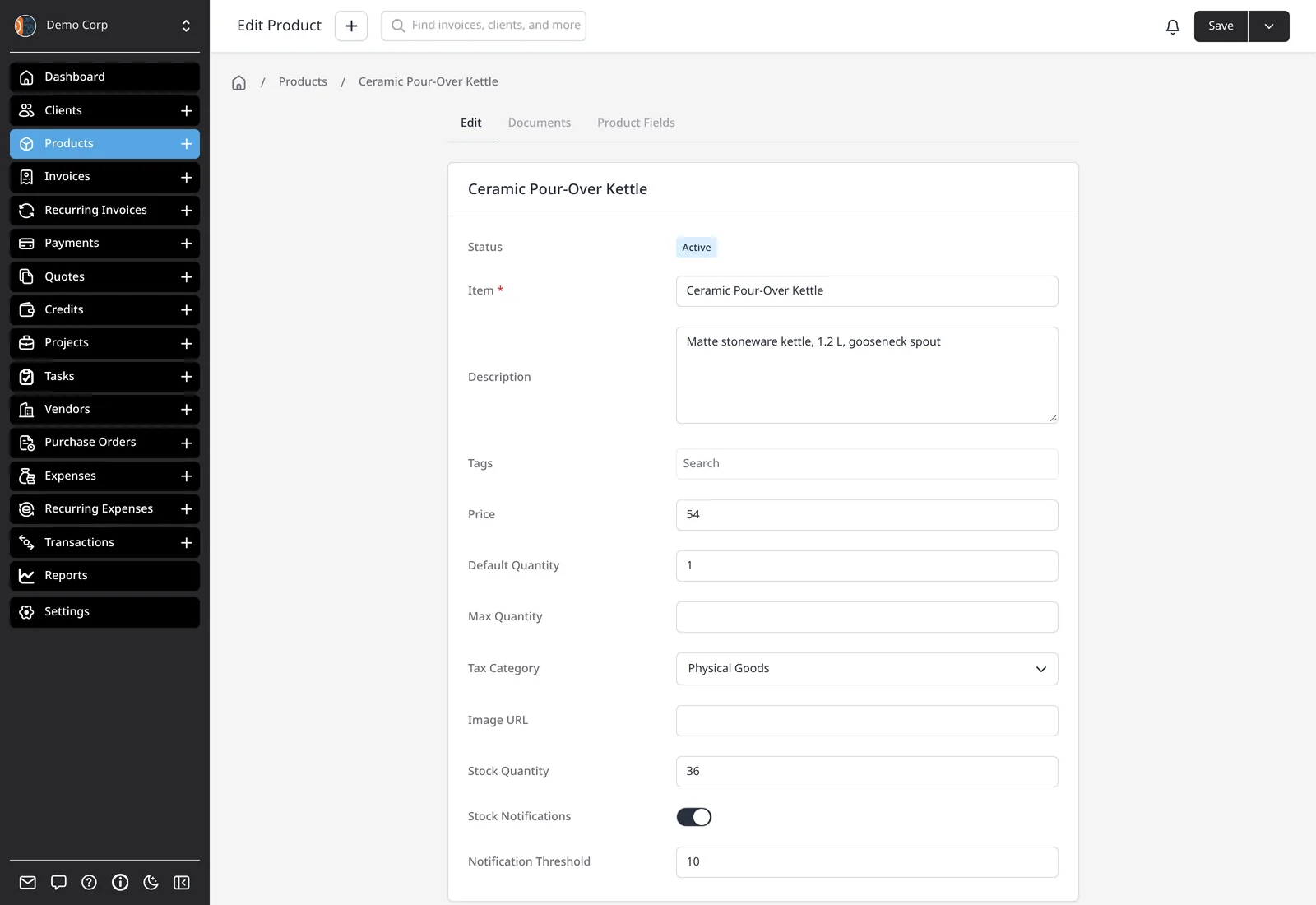
You’ll see current stock on each product and in the products list. Optionally, set a threshold — globally or per product — and get an email when you need to reorder. This is stock tracking for invoicing, not a warehouse system with bins and barcodes.
What you can do
- Turn on inventory tracking in Product Settings, on every plan including Free
- Set a low-stock threshold for all products, or fine-tune it per product
- Get an email when a product drops below the threshold you set
- Watch stock fall automatically as you create invoices
- Restock automatically when you mark a purchase order as received
Who it’s for
Makers, retailers and wholesalers who invoice for physical goods and want a simple stock count next to the price — not a separate inventory app.