
Project Management

Group a client's tasks and expenses in one project, watch logged hours against the budget you set, and invoice unbilled time in one click. Projects are included on every plan, including Free.

  • Included on every plan
  • Budgeted hours and task rate
  • Invoice the project
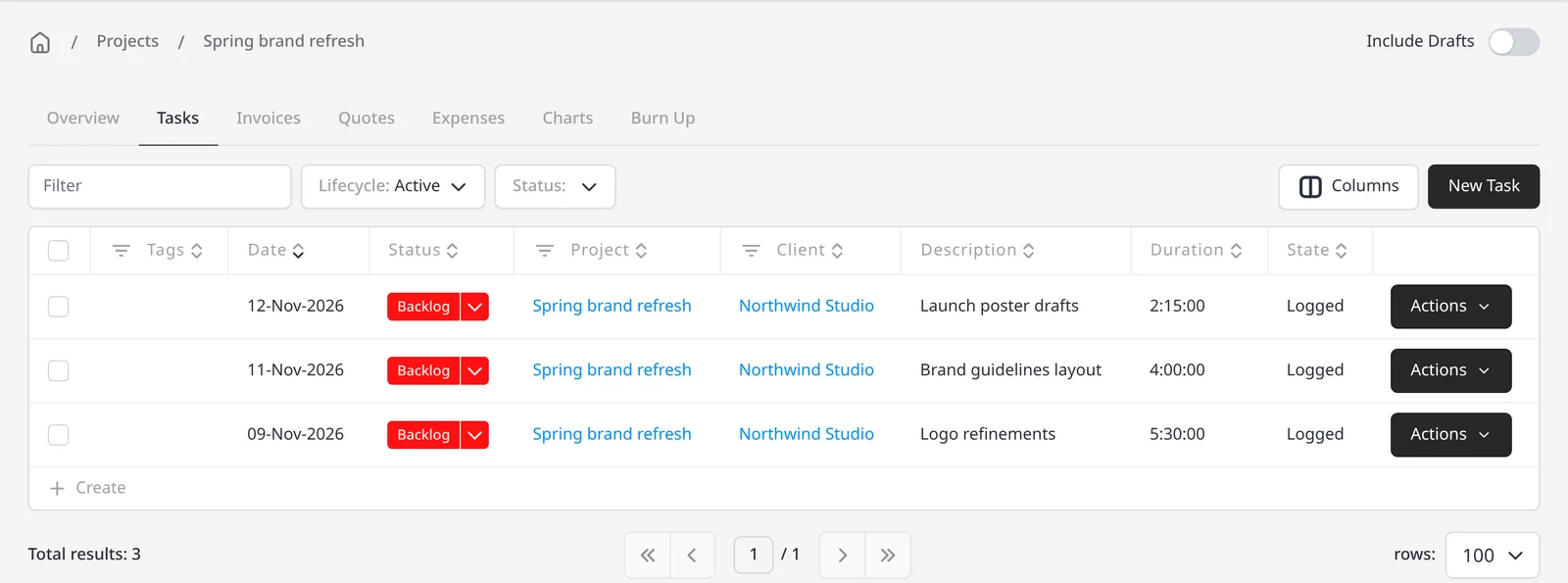
Project tasks for Spring brand refresh at Northwind Studio, with time logged on each task

How it works

Group the work, then invoice it when you are ready

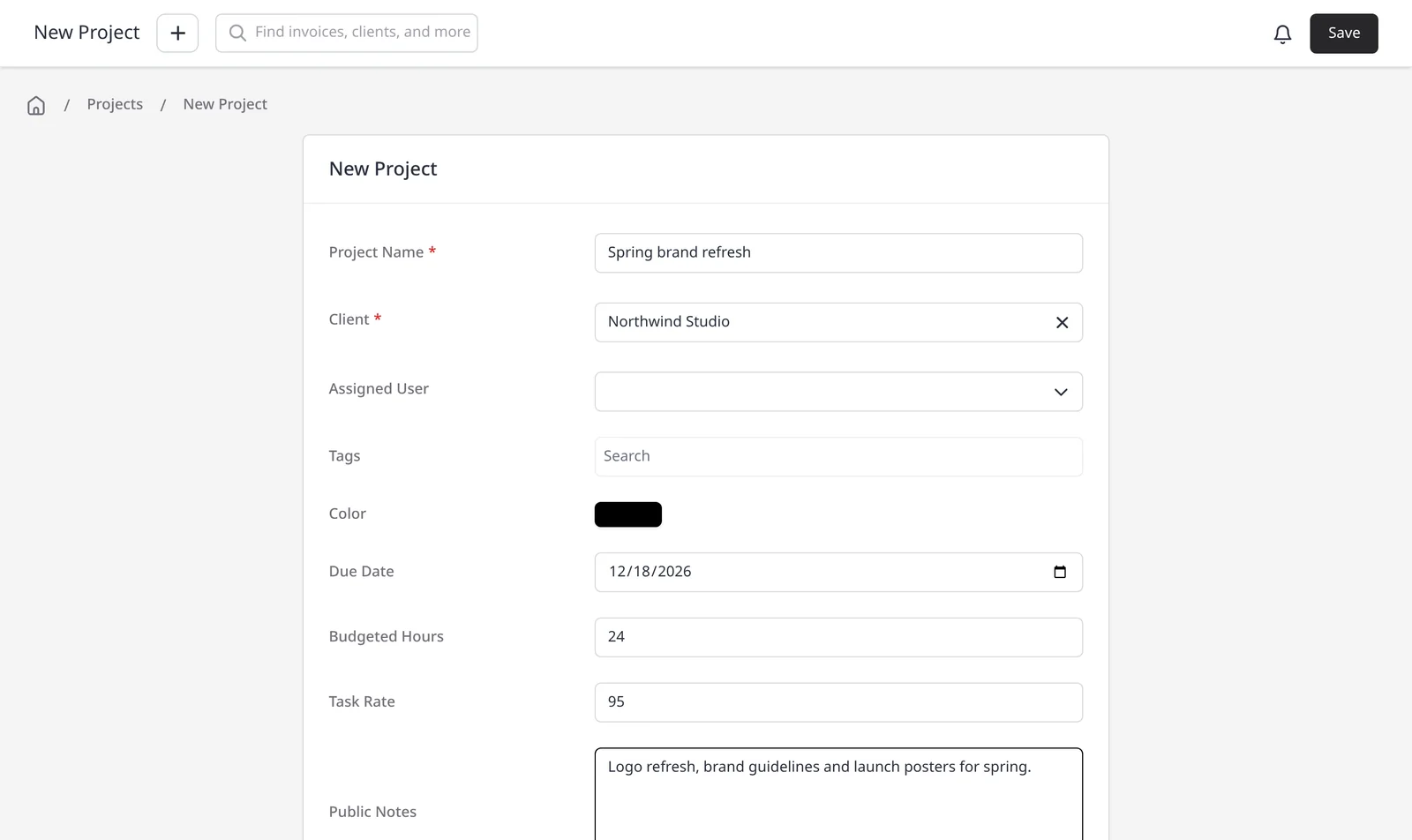
  1. New Project form with client Northwind Studio, due date, budgeted hours and task rate

    Create a project for the client

    Add a project name, the client, a due date, budgeted hours and a default task rate, so new tasks inherit the right rate.

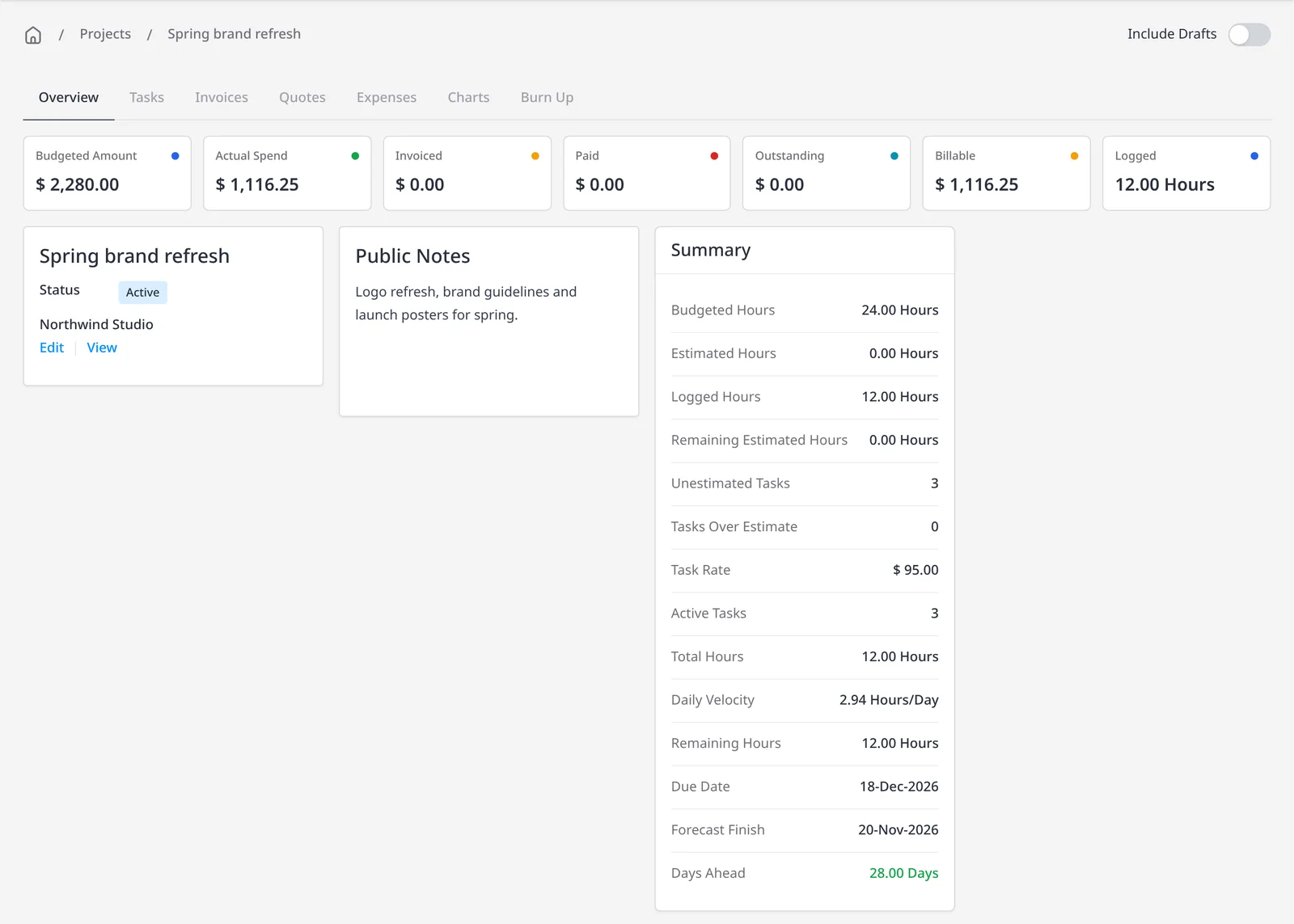
  2. Project overview for Spring brand refresh at Northwind Studio, with budgeted hours, logged hours and billing totals

    Track tasks and expenses on the project

    Log time on tasks, and attach expenses that belong to the work, so hours and costs sit together. The project overview shows logged hours next to the budget you set.

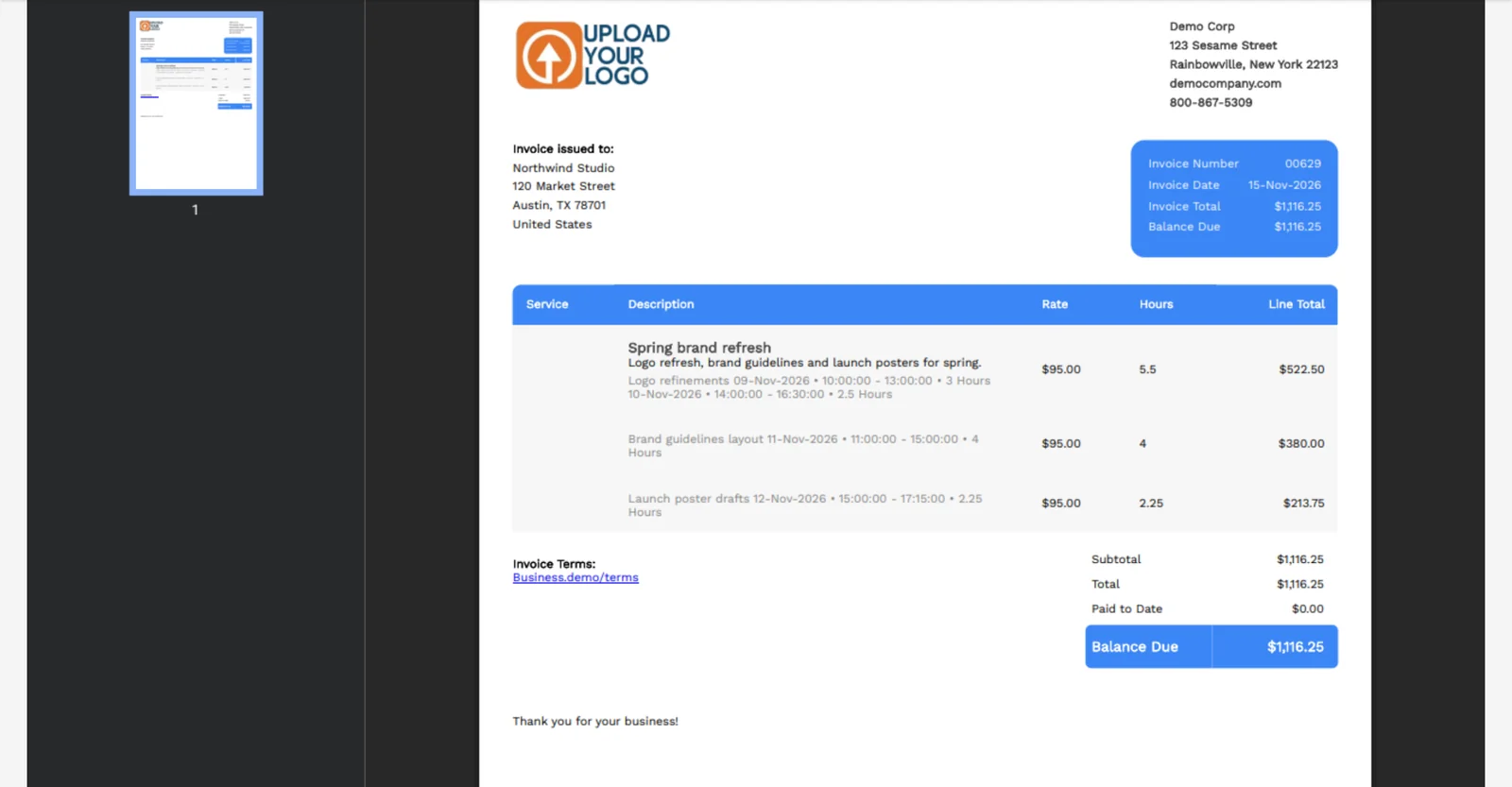
  3. Invoice PDF for Northwind Studio, with unbilled project tasks listed as line items

    Invoice the unbilled time

    Use Invoice Project to create an invoice for the client, with every unbilled task added as a line item. Add billable project expenses to the invoice separately if you are billing those costs too.

One place for the work, the hours and the bill

A project groups everything you do for a client: the billable time, the costs you logged, and the invoice that goes out when you are ready. Set budgeted hours and a default task rate up front, and the project overview shows logged hours next to that budget. Projects, time tracking and invoicing a project are included on every plan, including Free.

When you are ready to bill, use Invoice Project. The new invoice is pre-filled with the project’s client, and every unbilled task rolls onto it as a line item. Review the wording, then send. Expenses linked to the project are not added automatically, so if you are billing those costs, add the billable expenses to the invoice as well. For a broader look at projects in Invoice Ninja, see projects.

What you can do

  • Create a project for one client, with a due date, budgeted hours and a default task rate, on every plan including Free
  • Group tasks and expenses under that project
  • See logged hours next to the budget, plus invoiced, paid, outstanding and still-to-bill amounts
  • Invoice all unbilled tasks in one click with Invoice Project
  • Add billable project expenses to the invoice separately when you are billing those costs

Who it’s for

Freelancers and agencies who track time across a job, need to stay inside a budgeted number of hours, and want to invoice the unbilled work without retyping it.

What you can do

  • A project per client

    Give the work a name, a due date, budgeted hours and a default task rate.

  • Tasks and expenses together

    Log time on tasks and attach expenses so hours and costs sit in one place.

  • Hours against the budget

    See logged hours next to budgeted hours, plus invoiced, paid, outstanding and still-to-bill amounts.

  • Invoice Project

    Create an invoice with the client already set and every unbilled task added as a line item.

  • Expenses stay in view

    Project expenses are not auto-added to the invoice. Add billable ones when you want to bill those costs too.

Tip: Set budgeted hours and a task rate when you create the project, so new tasks inherit the right rate. If you also need to bill expenses, add those line items before you send.

Common questions

Is project management included on the free plan?

Yes. Projects, time tracking and invoicing a project are included on every plan, including Free.

Does Invoice Project add project expenses automatically?

No. Invoice Project adds every unbilled task as a line item and prefills the client. If you are billing project expenses, add those billable expenses to the invoice separately.

Do I need a project for every invoice?

No. For a one-off fixed fee, invoice the client directly. Use a project when you are tracking hours, watching a budget, or collecting costs over time.

How is this different from the projects page?

The projects page is a broader overview of project work in Invoice Ninja. This page focuses on grouping tasks and expenses, watching hours against a budget, and invoicing unbilled time.

Can I set a default hourly rate on the project?

Yes. The project’s task rate is the default for new tasks. An individual task can use a different rate if the work varies.

Ready to send your first invoice?

Join 200,000+ businesses invoicing with Invoice Ninja. Free to start, no credit card required.