
Multiple Currencies & Languages

Set each client's currency and language once. Their invoices, quotes and emails then use those settings, with exchange rates kept up to date.

  • Included on every plan
  • 100+ currencies
  • 20+ languages
Multiple Currencies & Languages in Invoice Ninja

How it works

Set it on the client, then invoice

  1. Set your defaults

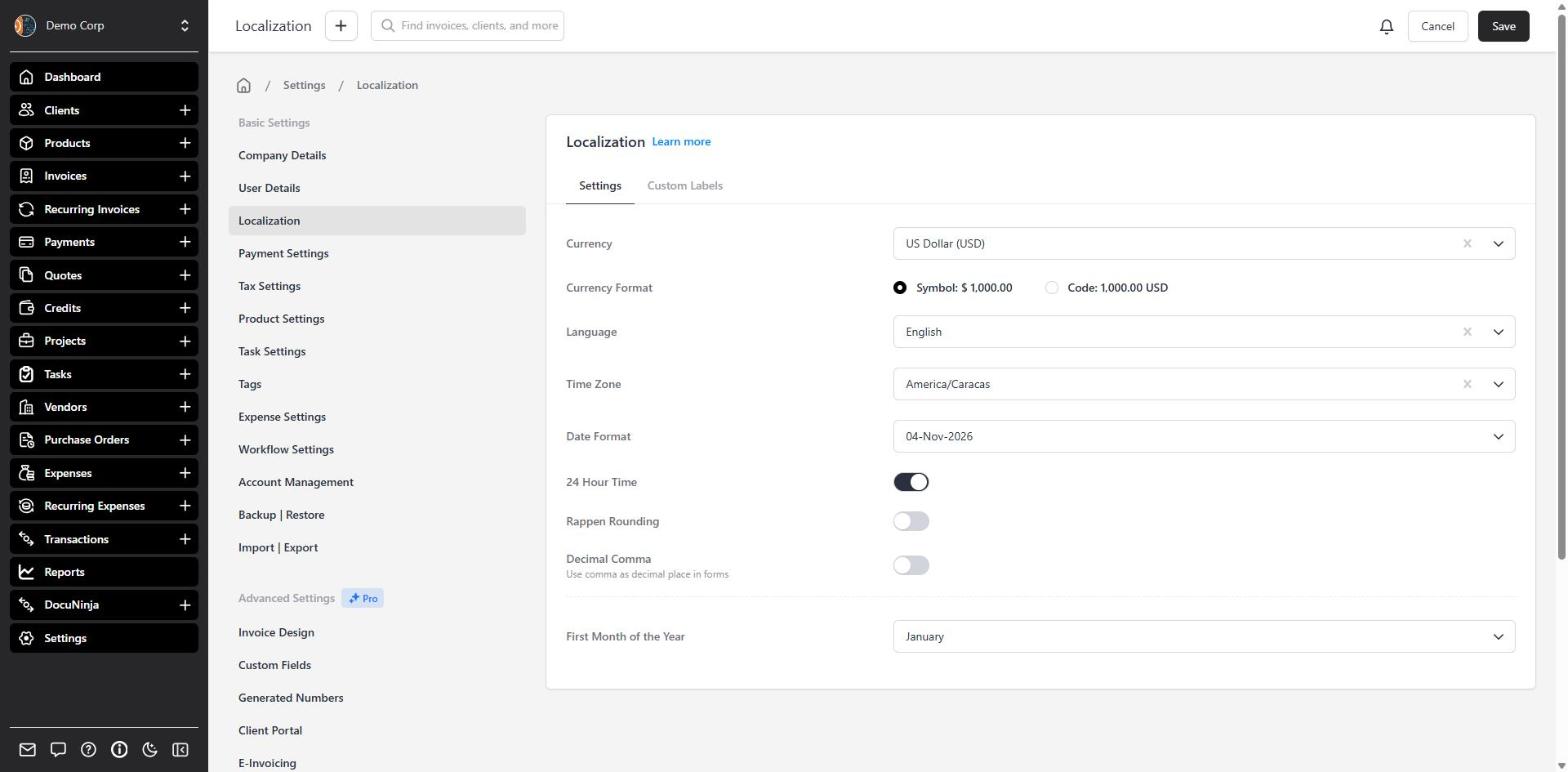
    Set your defaults

    In Settings โ†’ Localization, choose your company's currency, language, and how amounts and dates should look.

  2. Override per client

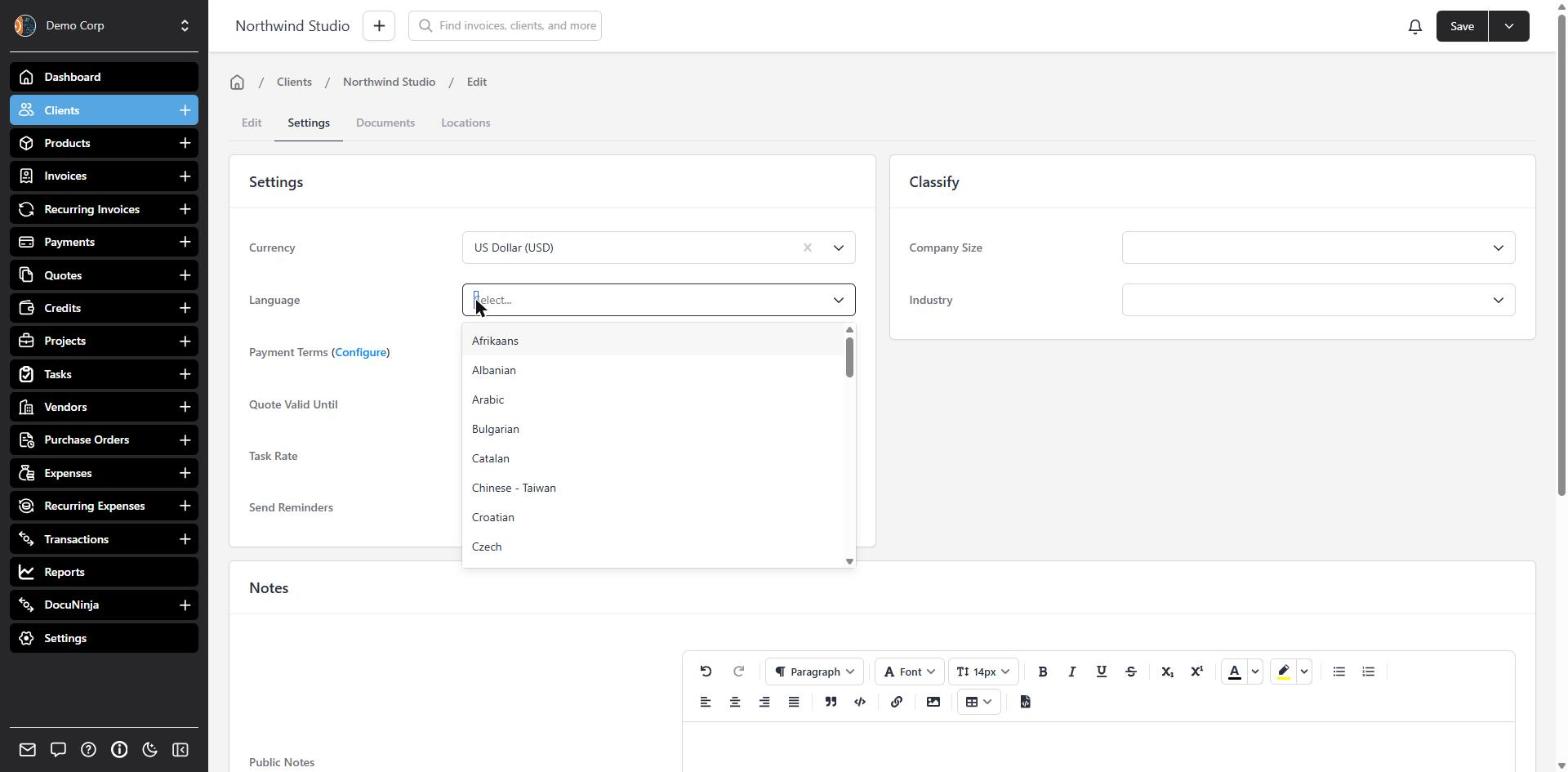
    Override per client

    On the client's Settings tab, pick their currency and language. New invoices, quotes and emails follow those settings.

  3. Send a localized invoice

    Send a localized invoice

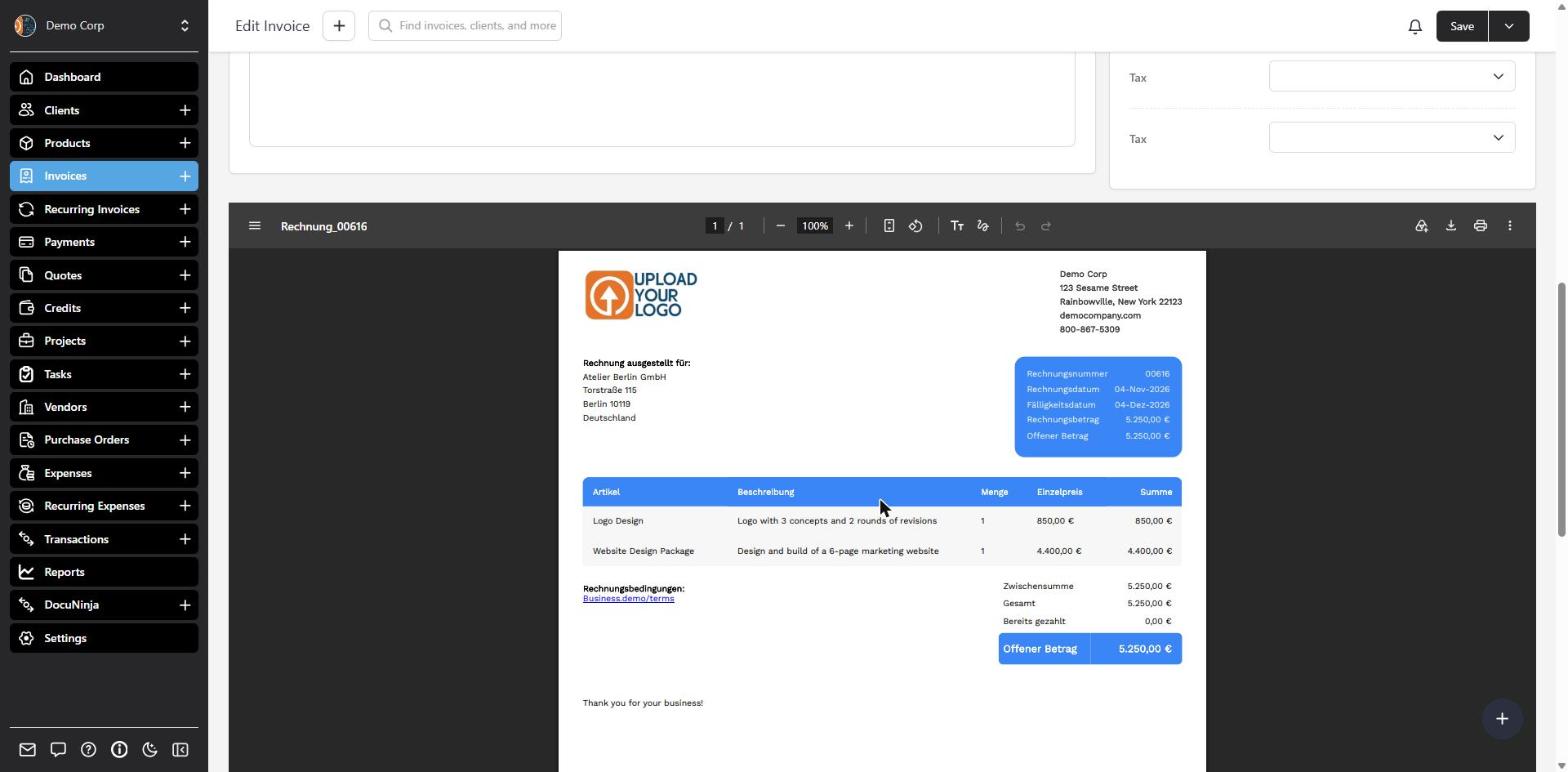
    The PDF uses the client's currency and language. Exchange rates update daily; you can also lock a rate on the document.

Invoice in your client’s currency and language

Your company has a default currency and language in Localization settings. Each client can override both, so a client in Berlin can receive a euro invoice with German labels, while your US clients still get dollars and English.

Currency is set on the client, not on each invoice โ€” changing it applies to that client’s documents. When their currency differs from yours, Invoice Ninja uses an exchange rate (updated daily) to convert totals back to your base currency for reporting. You can also lock a rate on a document, and optionally convert product prices into the client’s currency automatically.

The invoice PDF and emails follow the client’s language. Your line-item descriptions stay as you wrote them.

What you can do

  • Set a default currency and language for your company
  • Override currency and language on each client
  • Invoice in 100+ currencies, with daily exchange-rate updates
  • Generate invoices and emails in the client’s language โ€” 20+ languages
  • Auto-convert product prices into the client’s currency

Who it’s for

Anyone who bills clients in more than one country โ€” freelancers with overseas customers, and businesses that need a localized invoice without keeping a separate tool per currency.

What you can do

  • Currency per client

    Each client has their own currency, used on invoices, quotes, credits and payments.

  • Language per client

    Invoices and emails are generated in the language you set on the client.

  • Daily exchange rates

    Rates update daily, and you can lock a rate on a document for reporting.

  • Convert product prices

    Optionally convert library prices into the client's currency automatically.

  • Pay in their currency

    If your gateway supports it, the client pays in the currency you invoiced.

Tip: Set company defaults under Settings โ†’ Localization. To convert product prices automatically, enable Convert Products under Settings โ†’ Product Settings.

Common questions

Can I set currency on a single invoice?

Currency is set on the client, not on each invoice. Changing a client’s currency applies to that client’s invoices, quotes, credits and payments. If you need a one-off document in a different currency, create a separate client record for that purpose.

How are exchange rates handled?

When a client is billed in a currency other than your company’s, Invoice Ninja uses an exchange rate โ€” updated daily โ€” to convert totals back to your base currency for reporting. You can also lock a rate on the document itself.

Will the invoice PDF be in my client's language?

Yes. Set the language on the client and invoices, quotes and emails are generated in that language. Labels such as invoice number and total are translated. Line-item descriptions stay as you typed them.

How many currencies and languages are supported?

You can invoice in 100+ currencies. Documents and the app are available in 20+ languages, which you set per company and can override per client. Clients can still pay in their currency when your connected gateway supports it.

Can product prices convert automatically?

Yes. Enable Convert Products under Settings โ†’ Product Settings and library prices are converted into the client’s currency when you add them to a document.

Is this included on the free plan?

Yes. Automatic currency conversion, and per-client currency and language, are included on every plan, including Free. The free plan covers up to 5 clients; paid plans lift that limit.

Ready to send your first invoice?

Join 200,000+ businesses invoicing with Invoice Ninja. Free to start, no credit card required.